11
GB
Using the help
Note
Help exists only in English.
Operating instructions in other languages can be found in the on-line manual
(page 10).
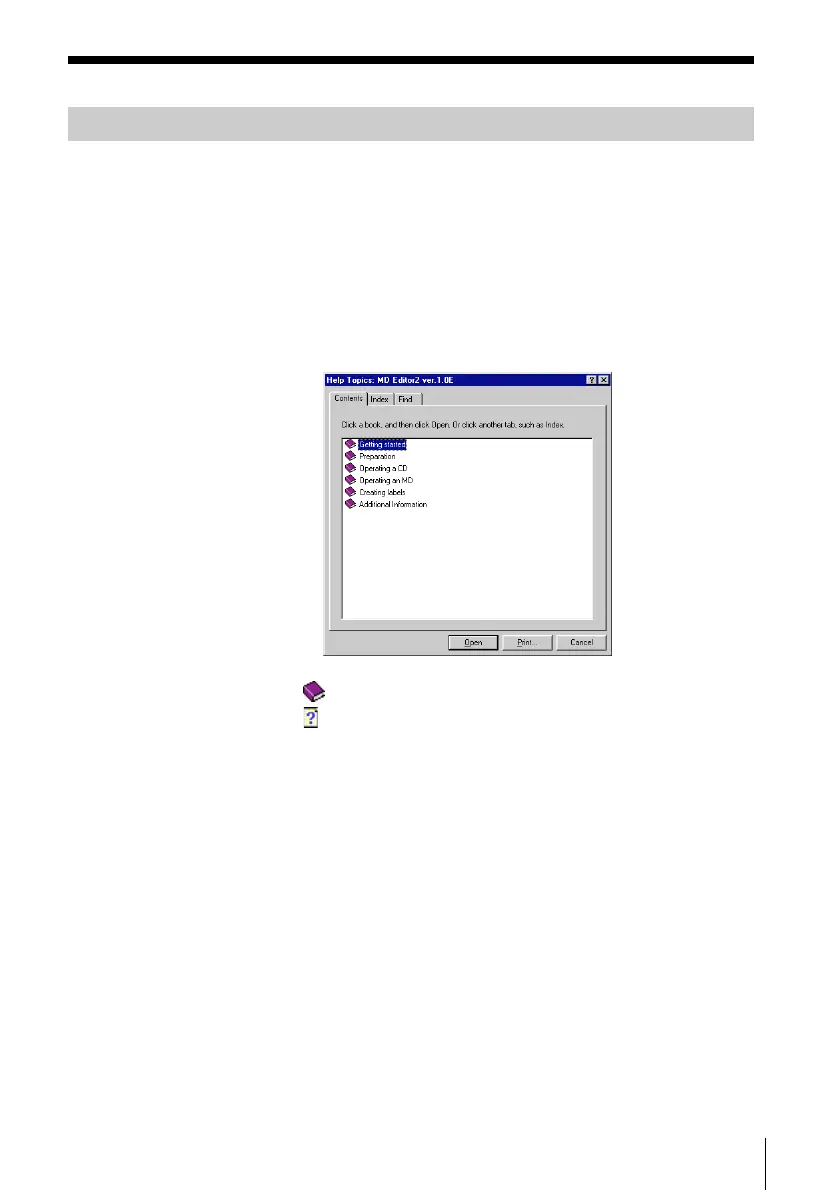
Opening the table of contents of Help
Click the Help button on the Main Bar, and a table of contents of MD
Editor 2 will be opened.
• Double-click , and the titles of the items contained in it appear.
• Double-click , and an explanation of that item is displayed.
• Click an underline in the explanation, and the page of the related
explanation is displayed.
• Click the displayed image of the picture above “Item,” and the
pertinent item is displayed in a balloon.
Searching by Keywords
Click the “Index” tab in the above search topic dialog box, and the table
of contents disappear and a list of keywords are displayed.
To search for a keyword, enter the word by which you want to search
or scroll the list of keywords.
To view the explanation on a keyword, select the keyword from the list
of keywords and click “Display.”



 To Next Page