12
GB
Installing the software
Use this procedure to install this software onto your computer’s hard
disc. Set the computer to the operation mode before proceeding.
Installing the MD Editor 2
1 Insert the supplied CD-ROM into the computer.
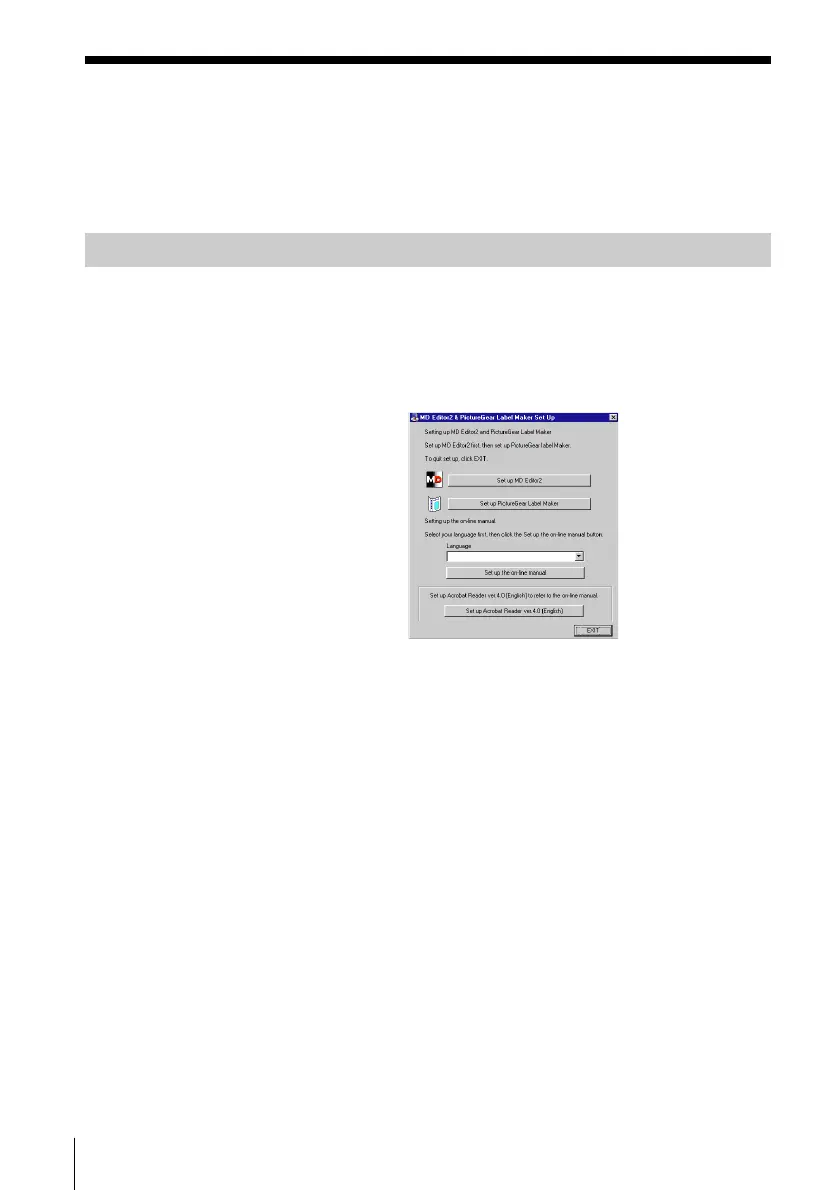
The “MD Editor2 & PictureGear Label Maker Set Up” dialog box
appears.
If the dialog box does not appear, double-click “Install” in the CD-
ROM folder.
2 Click “Set up MD Editor2.”
3 Follow the instructions that appear in the display to install the
application.
4 Click “Finish.”
Control returns to the “MD Editor2 & PictureGear Label Maker Set
Up” dialog box.
Note
A folder is created as a result of the installation. This folder is used by the
software. Do not erase, move, or change its contents.



 To Next Page