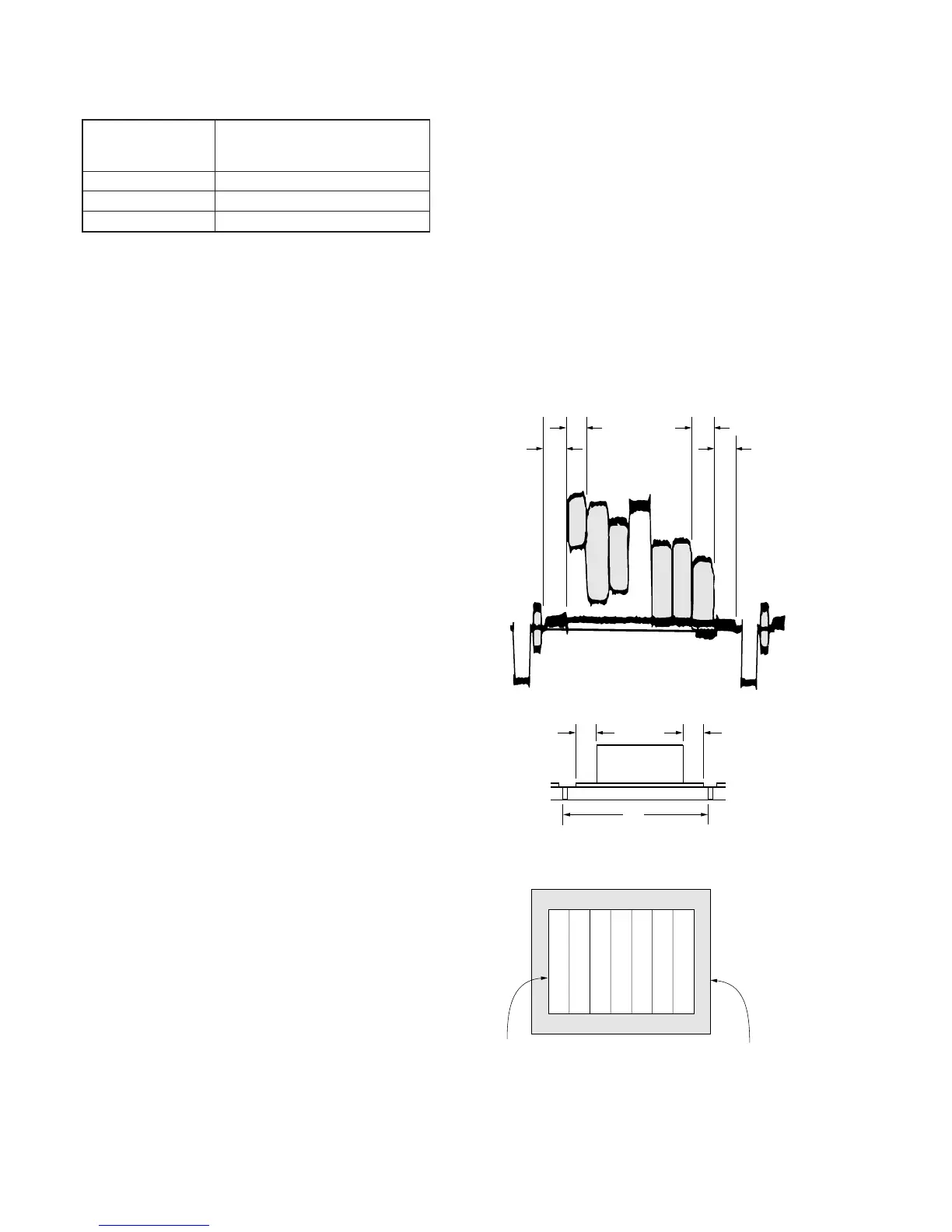
6. Picture Frame Setting
Subject Color bar chart
(Color reproduction adjustment frame)
(1.5m from the front of the lens)
Measurement Point Video output terminal
Measuring Instrument Oscilloscope and TV monitor
Specified Value A=B, C=D, E=F
Switch setting:
1) NIGHT SHOT (Lens block) ............................................OFF
2) DIGITAL ZOOM (Menu display) ...................................OFF
3) STEADY SHOT (Menu display) .....................................OFF
4) LIGHT (FK-1000 block)..................................................OFF
Setting method:
1) Adjust the zoom and the camera direction, and set to the
specified position.
2) Mark the position of the picture frame on the monitor display,
and adjust the picture frame to this position in following
adjustments using “Color reproduction adjustment frame”.








 To Next Page