EasyManua.ls Logo

Sony CCD-TR814 - Checking the Recorded Picture

Sony CCD-TR814
56 pages
Print Icon
To Next Page IconTo Next Page
To Previous Page IconTo Previous Page
Loading...
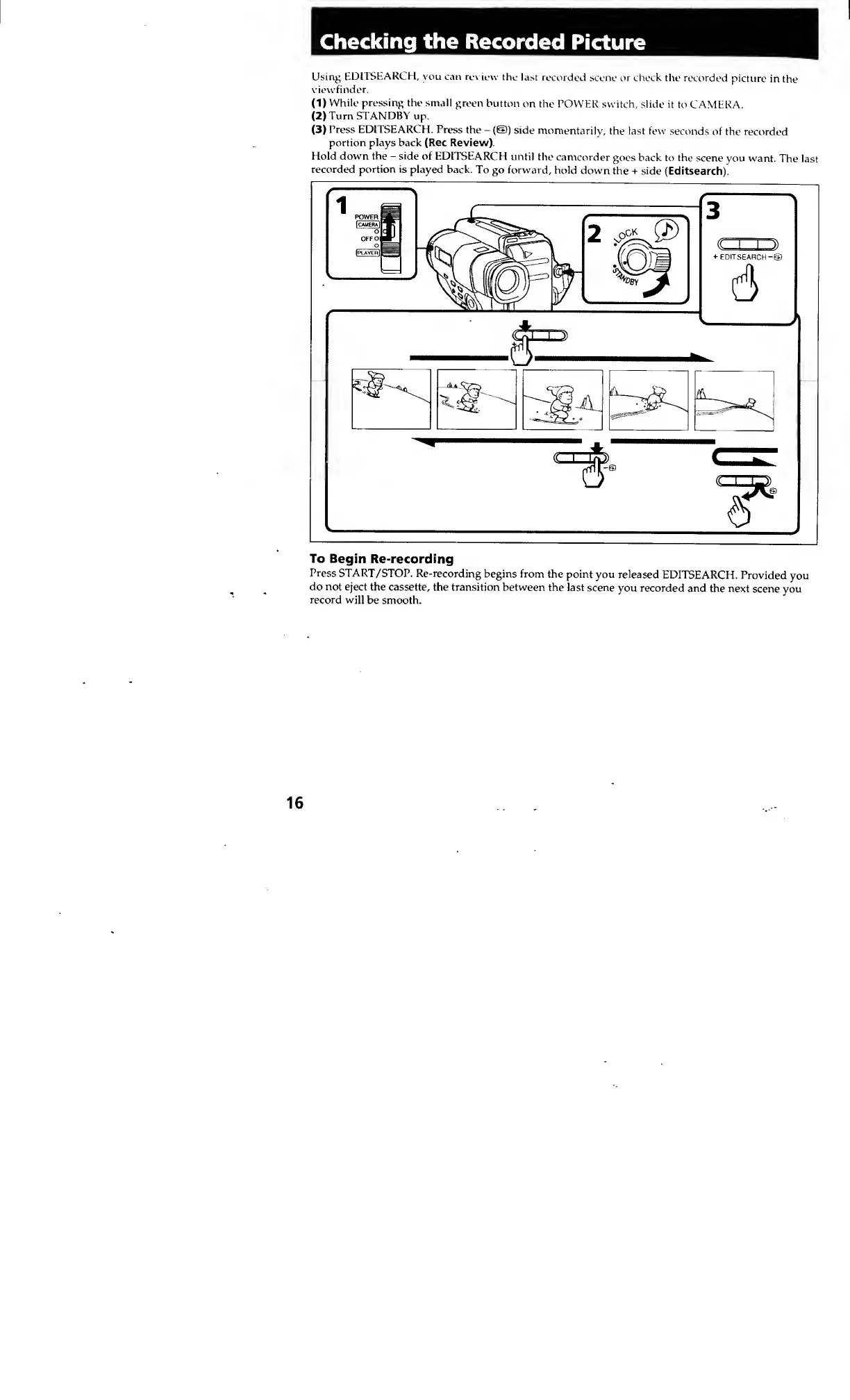
Using
EDITSEARCH,
you
can
review
the
last
recorded
scene
or
check
the
recorded
picture
in
the
viewfinder.
(1)
While
pressing
the
small
green
button
on
the
POWER
switch,
slide
it
to
CAMERA.
(2)
Turn
STANDBY
up.
(3)
Press
EDITSEARCH.
Press
the
-
(©)
side
momentarily,
the
last
few
seconds
of
the
recorded
portion
plays
back
(Rec
Review)
Hold
down
the
-
side
of
EDITSEARCH
until
the
camcorder
goes
back
to
the
scene
you
want.
The
last
recorded
portion
is
played
back.
To
go
forward,
hold
down
the
+
side
(Editsearch).
I-
EDIT
SEARCH
To
Begin
Re-recording
Press
START/STOP.
Re-recording
begins
from
the
point
you
released
EDITSEARCH.
Provided
you
do
not
eject
the
cassette,
the
transition
between
the
last
scene
you
recorded
and
the
next
scene
you
record
will
be
smooth.