EasyManua.ls Logo

Sony CCD-TR814 - Shooting with Backlighting

Sony CCD-TR814
56 pages
Print Icon
To Next Page IconTo Next Page
To Previous Page IconTo Previous Page
Loading...
Shooting
with
Backlighting
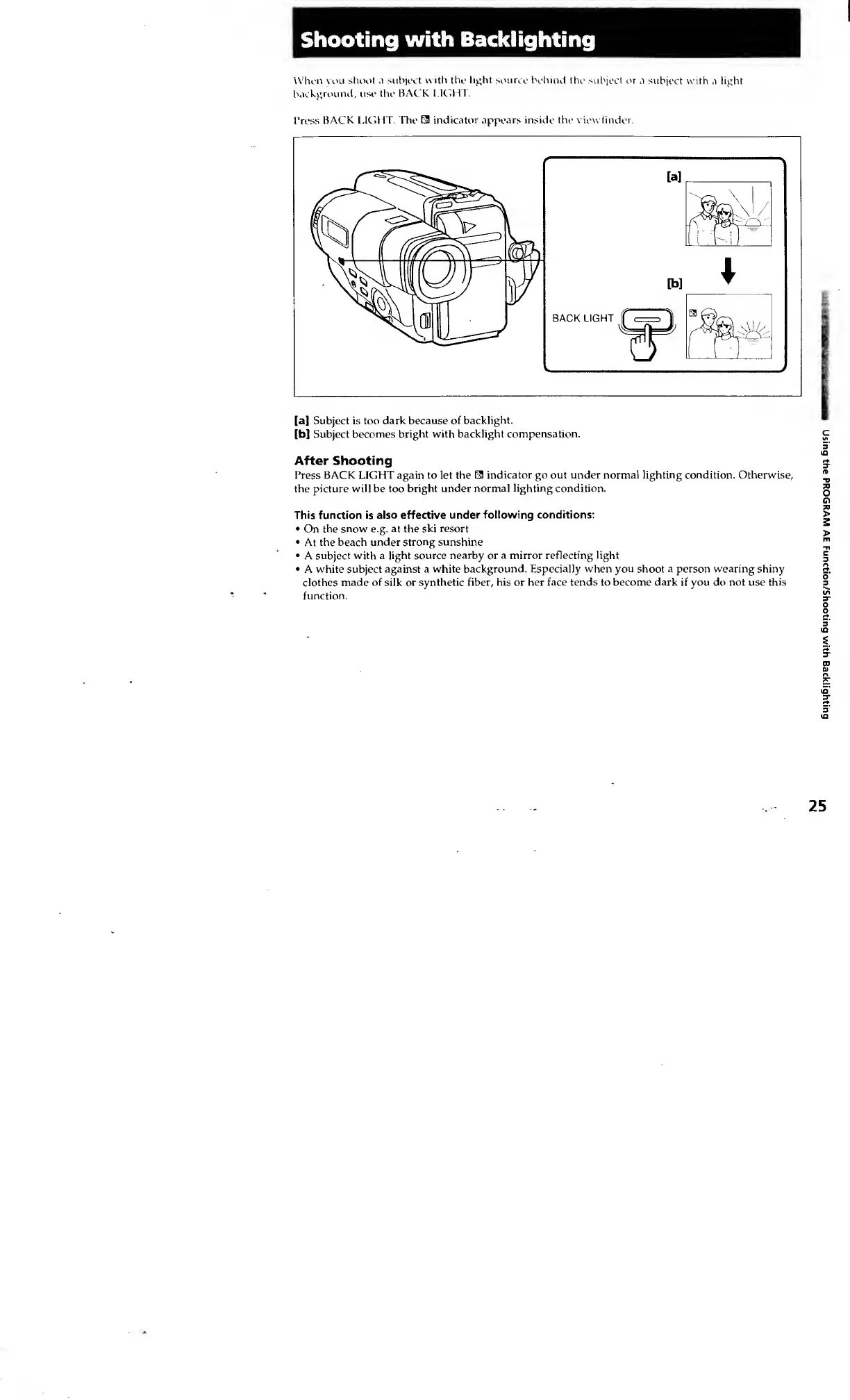
When
vou
shoot
a
subject
with
the
light
source
behind
the
subject
or
a
subject
with
a
light
background,
use
the
BACK
LIGHT.
Tress
BACK
LIGHT.
The
E3
indicator
appears
inside
the
v
iewfinder.
[a]
Subject
is
too
dark
because
of
backlight.
[b]
Subject
becomes
bright
with
backlight
compensation.
After
Shooting
Press
BACK
LIGHT
again
to
let
the
E3
indicator
go
out
under
normal
lighting
condition.
Otherwise,
the
picture
will
be
too
bright
under
normal
lighting
condition.
This
function
is
also
effective
under
following
conditions:
On
the
snow
e.g.
at
the
ski
resort
At
the
beach
under
strong
sunshine
A
subject
with
a
light
source
nearby
or
a
mirror
reflecting
light
A
white
subject
against
a
white
background.
Especially
when
you
shoot
a
person
wearing
shiny
clothes
made
of
silk
or
synthetic
fiber,
his
or
her
face
tends
to
become
dark
if
you
do
not
use
this
function.
Using
the
PROGRAM
AE
Function/Shooting
with
Backlighting