EasyManua.ls Logo

Sony CCD-TR814 - Selecting the START;STOP Mode

Sony CCD-TR814
56 pages
Print Icon
To Next Page IconTo Next Page
To Previous Page IconTo Previous Page
Loading...
Selecting
the
START/STOP
Mode
Your
camcorder
has
two
modes
besides
normal
start/stop
mode.
These
modes
enable
you
to
take
a
series
of
quick
shots
resulting
in
a
lively
video.
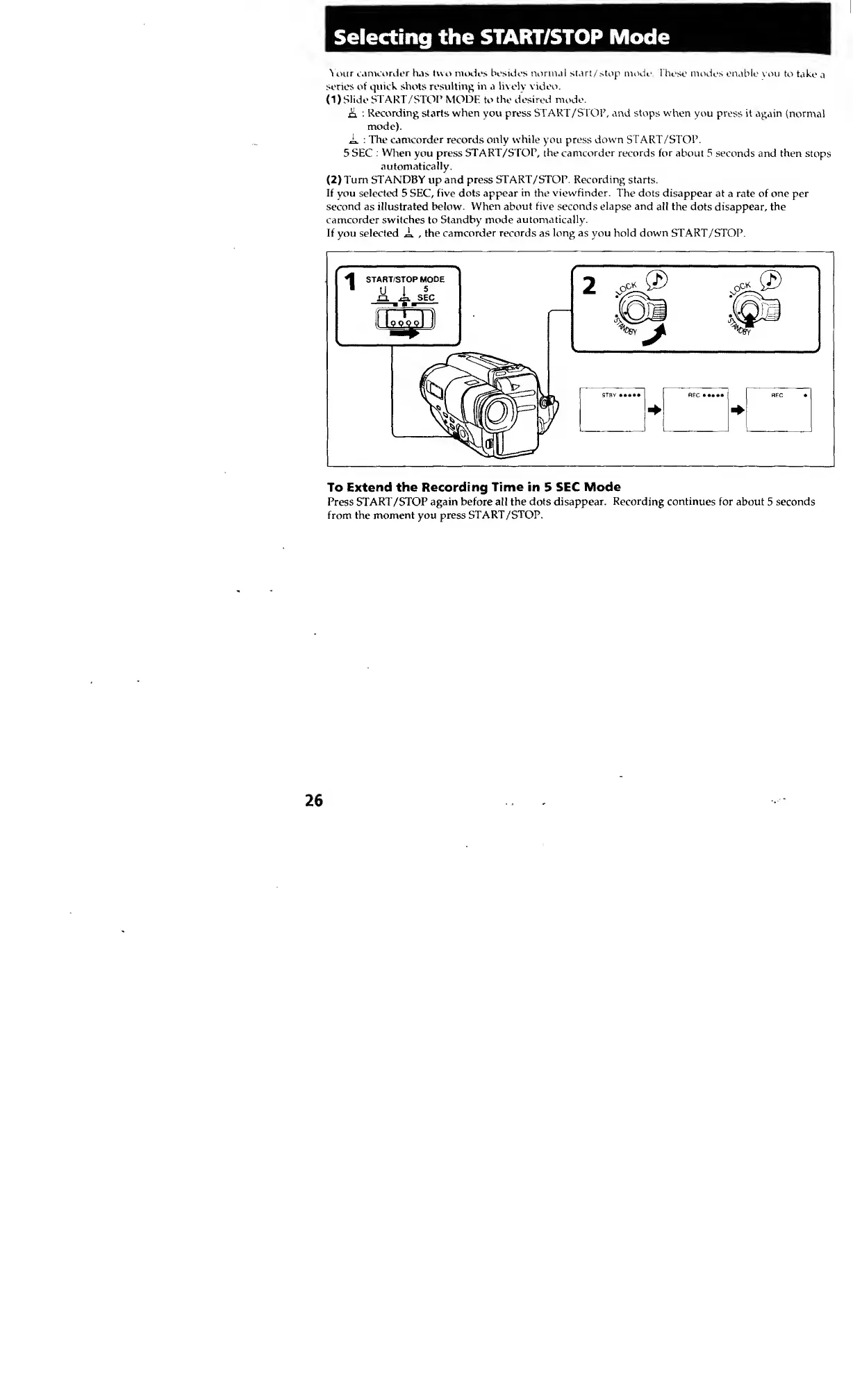
(1)
Slide
START/STOP
MODE
to
the
desired
mode.
A
:
Recording
starts
when
you
press
START/STOP,
and
stops
when
you
press
it
again
(normal
mode).
A
:
The
camcorder
records
only
while
you
press
down
START/STOP.
5
SEC
:
When
you
press
START/STOP,
the
camcorder
records
for
about
5
seconds
and
then
stops
automatically.
(
2
)
Turn
STANDBY
up
and
press
START/STOP.
Recording
starts.
If
you
selected
5
SEC,
five
dots
appear
in
the
viewfinder.
The
dots
disappear
at
a
rate
of
one
per
second
as
illustrated
below.
When
about
five
seconds
elapse
and
all
the
dots
disappear,
the
camcorder
switches
to
Standby
mode
automatically.
If
you
selected
A
,
the
camcorder
records
as
long
as
you
hold
down
START/STOP.
To
Extend
the
Recording
Time
in
5
SEC
Mode
Press
START/STOP
again
before
all
the
dots
disappear.
Recording
continues
for
about
5
seconds
from
the
moment
you
press
START/STOP.