EasyManua.ls Logo

Sony CCD-TR814 - Playing Back a Tape

Sony CCD-TR814
56 pages
Print Icon
To Next Page IconTo Next Page
To Previous Page IconTo Previous Page
Loading...
Playing
Back
a
Tape
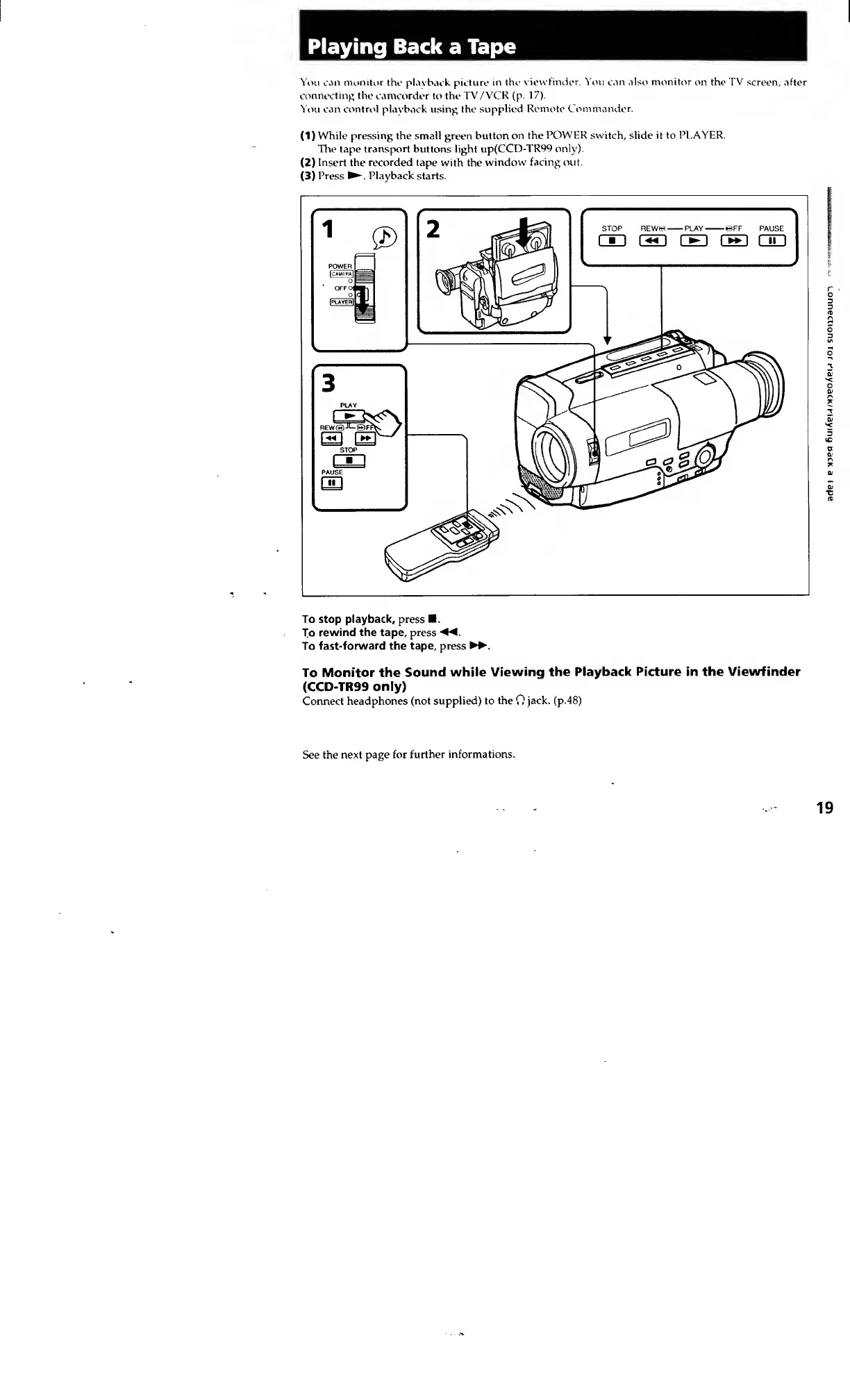
You
can
monitor
the
playback
picture
in
the
viewfinder.
You
can
also
monitor
on
the
TV
screen,
after
connecting
the
camcorder
to
the
TV/VCR
(p.
17).
You
can
control
playback
using
the
supplied
Remote
Commander.
(D
While
pressing
the
small
green
button
on
the
POWER
switch,
slide
it
to
PLAYER.
The
tape
transport
buttons
light
up(CCD-TR99
only).
(2)
Insert
the
recorded
tape
with
the
window
facing
out.
(3)
Press
Playback
starts.
To
stop
playback,
press
.
To
rewind
the
tape,
press
«
To
fast-forward
the
tape,
press
To
Monitor
the
Sound
while
Viewing
the
Playback
Picture
in
the
Viewfinder
(CCD-TR99
only)
Connect
headphones
(not
supplied)
to
the
0
jack,
(p.48)
See
the
next
page
for
further
informations.
19
Lonnecuons
tor
r'layoacK/nay
mg
baoc
a
(ape