To let the subject monitor the shot
Turn the LCD panel over (p.21).
Notes on the LCD panel
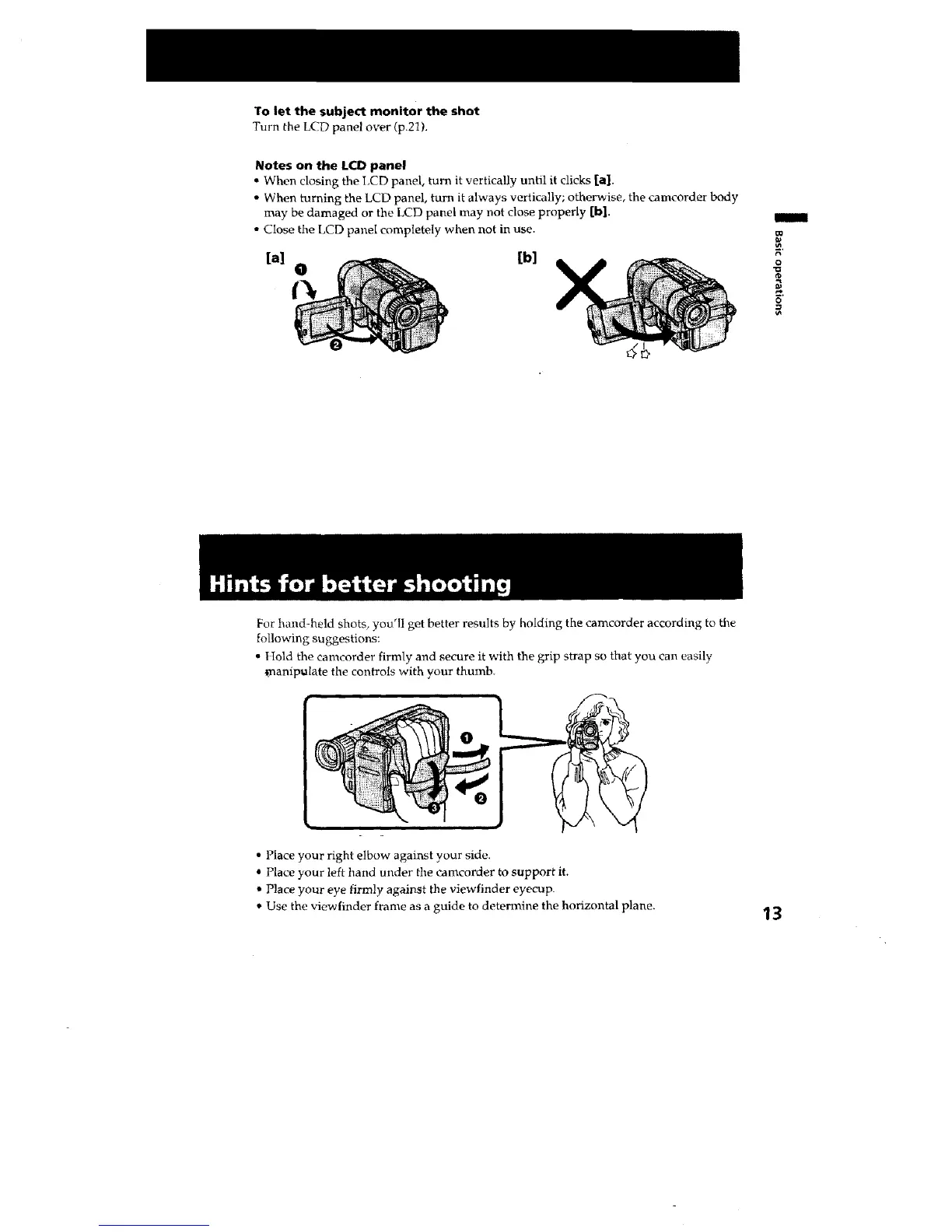
" When closing the LCD panel, turn it vertically until it clicks [a].
• When turning the LCD panel, turn it always vertically; otherwise, the camcorder body
may be damaged or the LCD panel may not close properly [b].
• Close the LCD panel completely when not in use.
[b]
/
€_
0
0
For hand-held shots, you'II get better results by holding the camcorder according to the
following suggestions:
• Hold the eamcorder firmly and secure it with the grip strap so that you can easily
_)aanipulate the controls with your thumb.
• Place your right elbow against your side.
* Place your left hand under the camcorder to support it.
• Place },our eye firmly against the viewfinder eyecup.
• Use the viewfinder frame as a guide to determine the horizontal plane.
13







 To Next Page