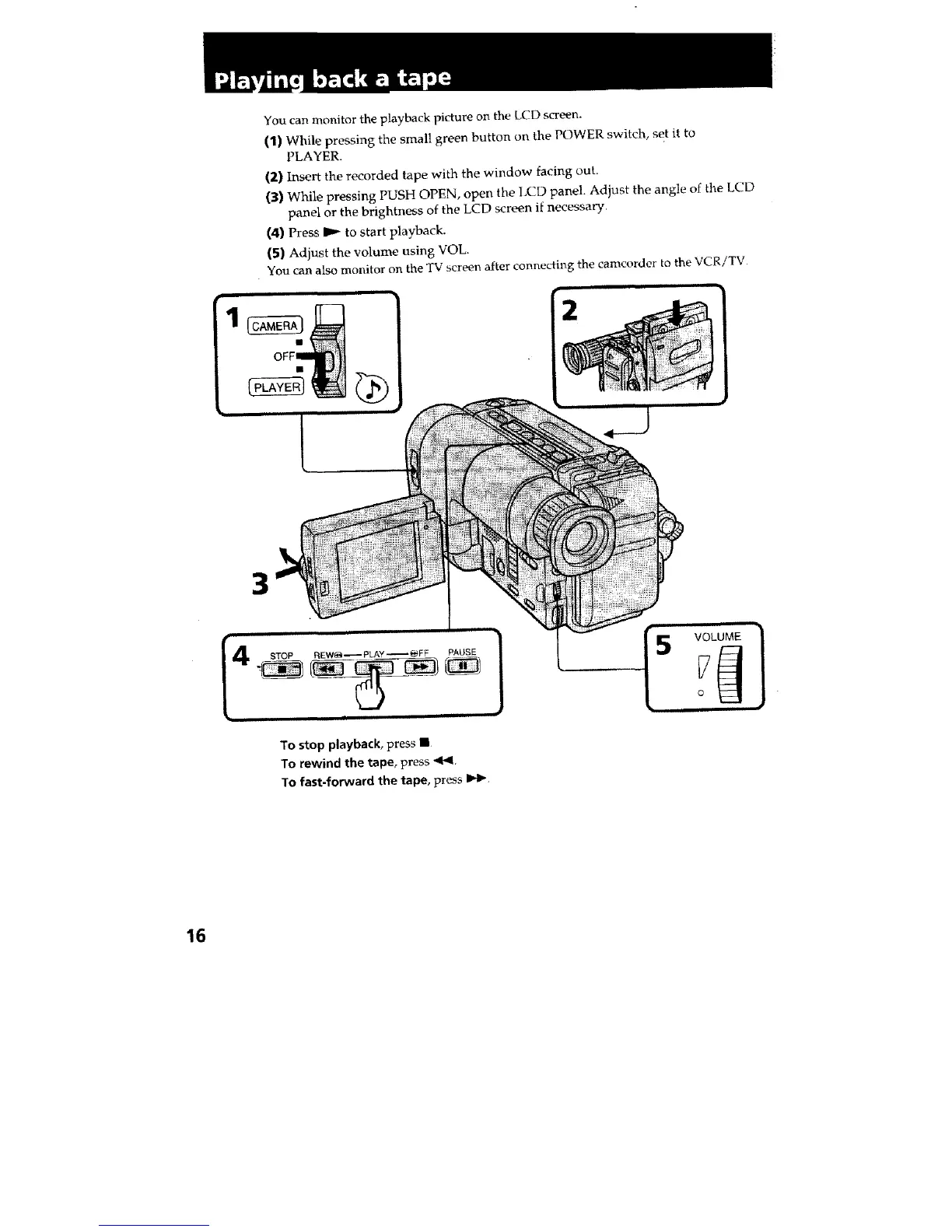
You can monitor the playback picture on the LCD screen.
(1) While pressing the small green button on the POWER switch, set it to
PLAYER.
(2) Insert the recorded tape with the window facing out,
(3) While pressing PUSH OPEN, open the LCD panel. Adjust the angle of the t,CD
panel or the brightness of the LCD screen if necessary.
(4) Press I_ to start playback.
(5) Adjust the volume using VOL.
You can also monitor on the TV screen after connectiz_g the camcorder to the VCR/TV
2
3
To stop playback, press •
To rewind the tape, press 4F41.
To fast-forward the tape, press IH_.
16







 To Next Page