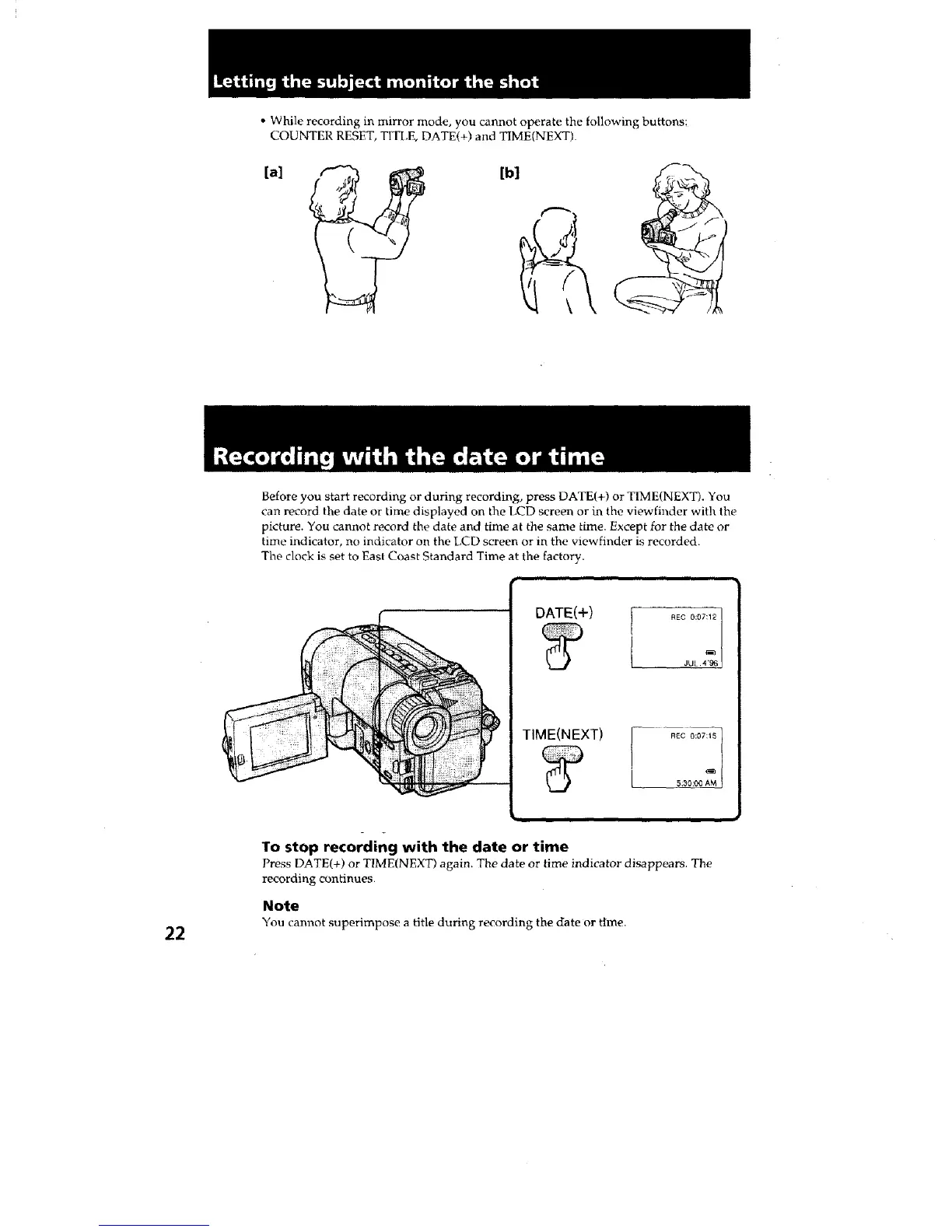
• While recording in mirror mode, you cannot operate the following buttons;
COUNTER RESET, TITLE, DATE(+) and TIME[NEXT)
[a]
Before you start recording or during recording, press DATE(+) or TIME(NEXT). You
can record the date or time displayed on the LCD screen or in the viewfinder with the
picture. You cannot record the date and time at the same time. Except for the date or
time indicator, no indicator on the LCD screen or in the viewfinder is recorded.
The clock is set to East Coast Standard Time at the factory.
DATE(+)
I REC 0:07:12 /
i -
JUL 4'96
To stop recording with the date or time
Press DATE(+) or TIME(NEXT) again. The date or time indicator disappears. The
recording continues.
Note
22 You cam_ot superimpose a title during recording the date or time.







 To Next Page