You can select from three PROGRAM AE (Auto Exposure) modes to suit your shooting
situation. When you u_ PROGRAM AE, you can capture high-speed action or night views.
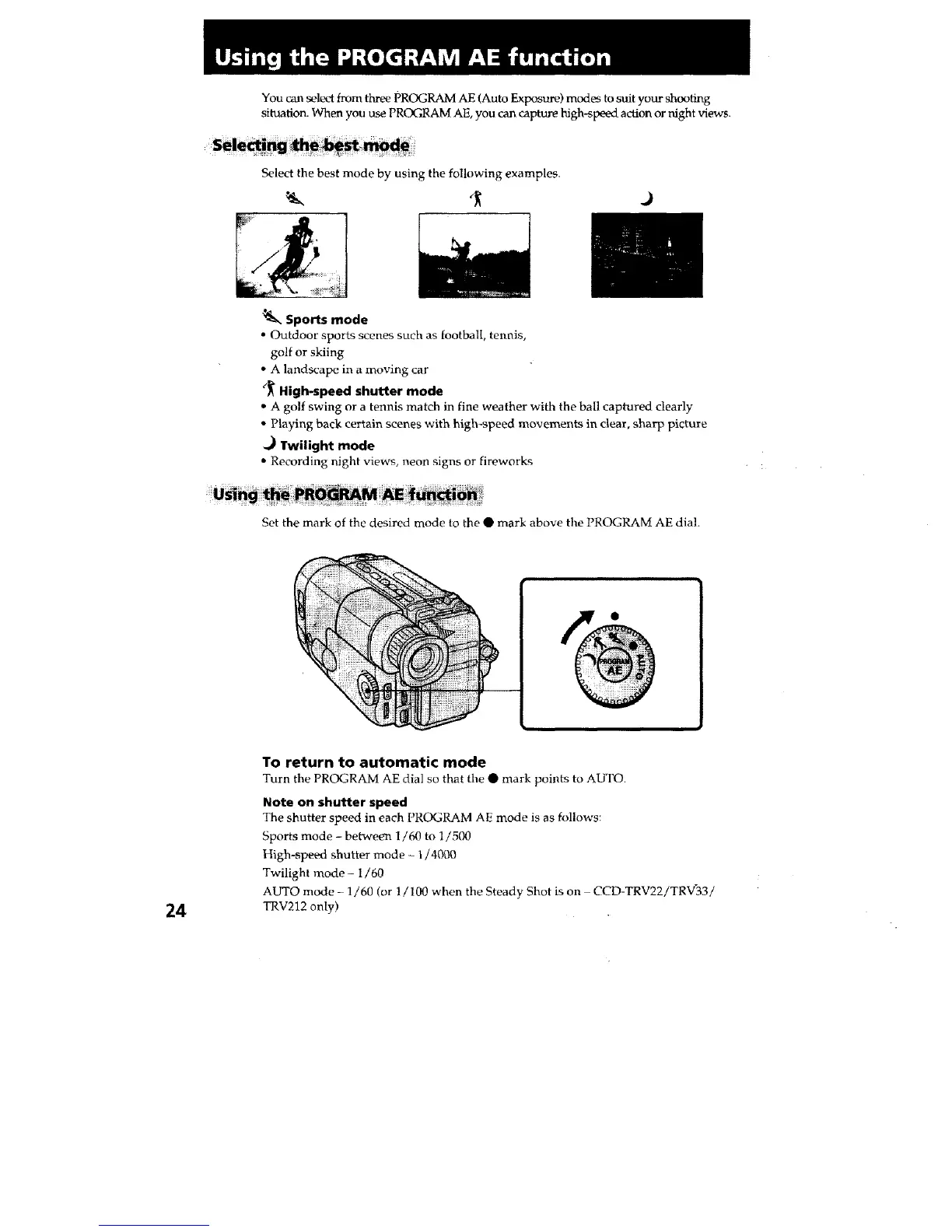
Select the best mode by using the following examples.
.)
_. Sports mode
•Outdoor sports scenes such as football, tennis,
golf or skiing
• A landscape in a moving car
(_ High-speed shutter mode
• A golf swing or a tennis match in fine weather with the ball captured clearly
• Playing back certain scenes with high-speed movements in clear, sharp picture
._ Twilight mode
• Recording night views, neon signs or fireworks
Set the mark of the desired mode to the • mark above the PROGRAM AE dial.
24
To return to automatic mode
Turn the PROGRAM AE dial so that the • mark points to AUTO.
Note on shutter speed
The shutter speed in each PROGRAM AE mode is as follows:
Sports mode - between 1/60 to l/500
High-speed shutter mode - 1/4000
Twilight mode - 1/60
AUTO mode - 1/60 (or 1/100 when the Steady Shot is on CCD-TRV22iTRV'33!
TRV212 only)







 To Next Page