You can go to the end of the recorded portion after you record and play back the tape to
make the transition between the last scene you recorded and the next scene smooth. The
tape starts rewinding or fast-forwarding and the last 5 seconds play back if the tape was
recorded in SP mode, or the last 10 seconds play back if the tape was recorded in l,P
mode. Then the tape stops at the end of the recorded picture (End Search).
Note that End Search function does not work once you eject the cassette after you
recorded in the tape.
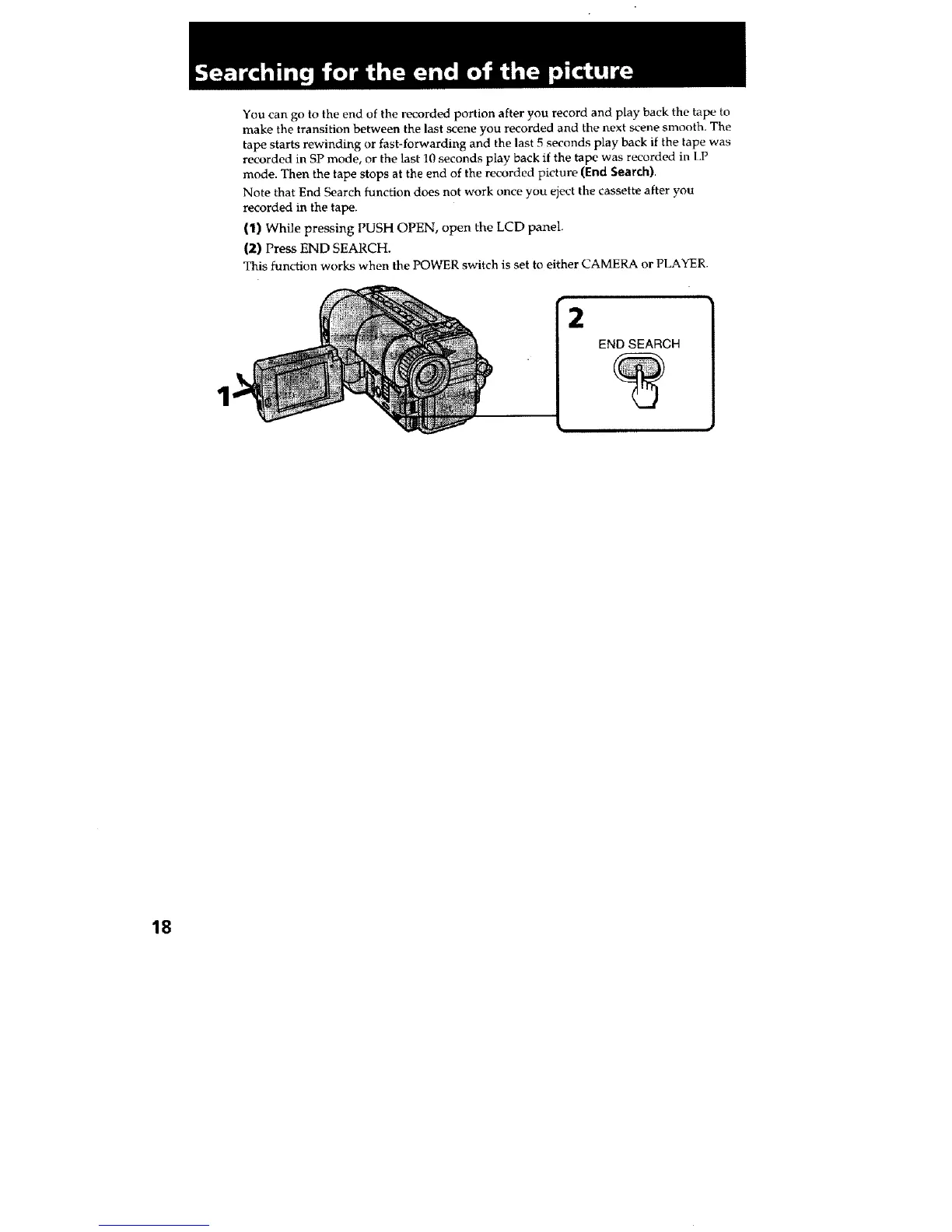
(1) While pressing PUSH OPEN, open the LCD panel.
(2) Press END SEARCH.
This function works when the POWER switch is set to either CAMERA or PLAYER.
2
END SEARCH
18







 To Next Page