[]
[]
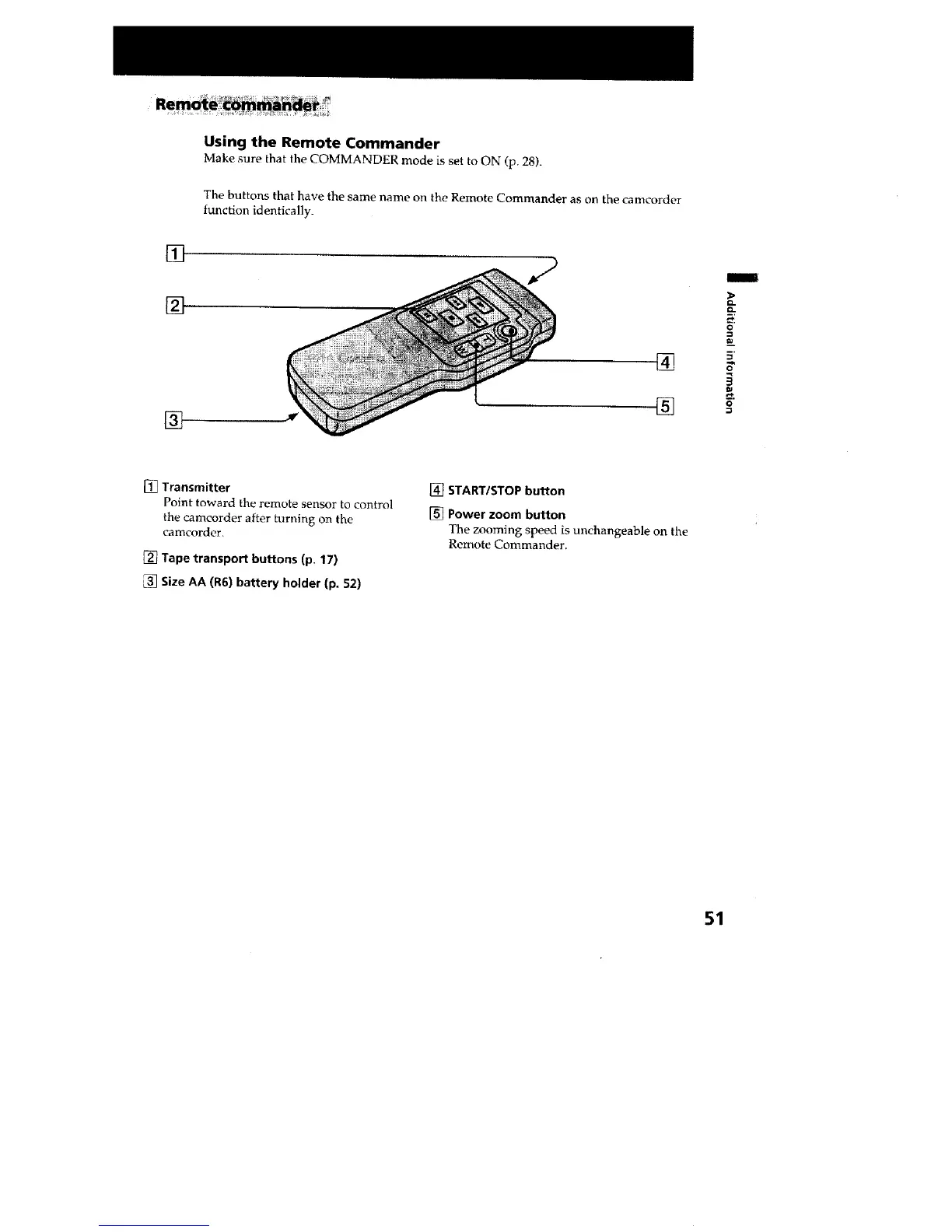
Using the Remote Commander
Make sure that the COMMANDER mode is set to ON (p. 28).
The buttons that have the same name on the Remote Commander as on the cameorder
function identically.
[]
[]
[]
I
o
[] Transmitter
Point toward the remote sensor to control
the camcorder after turning on the
camcorder.
[] Tape transport buttons (p. 17)
Size AA (R6) battery holder (p. 52)
[] START/STOP button
[] Power zoom button
The zooming speed is unchangeable on the
Remote Commander.
51







 To Next Page