5
CDX-CA710X/CA790X
SECTION 1
GENERAL
This section is extracted
from instruction manual.
4
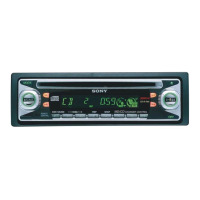
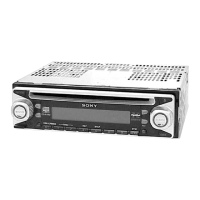
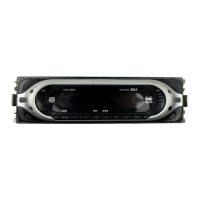
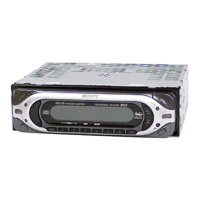
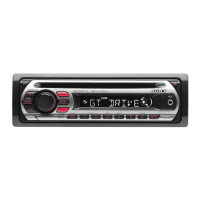
Location of controls
Refer to the pages listed for details.
a DSO button 20
b MODE button
To change the operation.
c DSPL (display mode change) button
10, 12
d Volume control dial
e Display window
f Z (eject) button (located on the front side
of the unit, behind the front panel) 9
g MENU button
To display the menus.
h LIST button 12, 15
i OPEN button 8, 9
j OFF (Stop/Power off) button* 8, 9
k SOURCE (Power on/Radio/CD/MD)
button
To select the source.
l SCRL (scroll) button 10
m RESET button (located on the front side of
the unit, behind the front panel) 7
n Receptor for the card remote
commander
o SOUND button 17
p ENTER button
To enter a setting.
q EQ
7 button
19
*
Warning when installing in a car without
an ACC (accessory) position on the
ignition switch
After turning off the ignition, be sure to press
and hold
(OFF)
on the unit until the display
disappears.
Otherwise, the display does not turn off and
this causes b
attery drain.
CDX-CA710X
SOURCE
DSO
O
F
F
S
C
R
L
D
S
P
L
M
O
D
E
SEEK
EQ7
S
O
U
N
D
E
N
T
E
R
L
I
S
T
M
E
N
U
D
I
S
C
/
P
R
E
S
E
T
O
P
E
N
D
I
S
C
/
P
R
E
S
E
T
5
r DISC/PRESET buttons (+/–)
To receive preset stations, change the disc*
1
,
skip albums*
2
, and select a menu.
*1
When an optional CD/MD unit is connected.
*2
Available only when optional CD unit wit
h the
MP3 file control function is connected.
s SEEK buttons (–/+)
To skip tracks, fast-forward, reverse a track,
tune in stations automatically, find a station
manually, and select a setting.
The corresponding buttons of the card
remote commander control the same
functions as those on this unit.
a DSPL button
b Number buttons
(1) REP
(2) SHUF
To store stations, receive stored stations.
c DSO button
d MENU button
e SOURCE button
f SEEK (</,) buttons
g SOUND button
h OFF button
i VOL (+/–) buttons
j EQ7 button
k MODE button
l LIST button
m DISC (M/m) buttons
n ENTER button
o AT T bu t t o n
Note
If the display disappears by pressing
(OFF)
, it cannot
be operated with the card remote commander unless
(SOURCE)
on the unit is pressed, or a disc is inserted
to ac
tivate the unit first.
Tip
See “Replacing the lithium battery” on page 21 for
details on how to replace the batteries.
SEEK
EQ7
S
O
U
N
D
E
N
T
E
R
L
I
S
T
M
E
N
U
D
I
S
C
/
P
R
E
S
E
T
O
P
E
N
D
I
S
C
/
P
R
E
S
E
T
SEEK
D
I
S
C
/
P
R
E
S
E
T
D
I
S
C
/
P
R
E
S
E
T
(SEEK)
(–): to select
leftwards/
.
(SEEK)
(+): to select
rightwards/
>
(DISC/PRESET)
(+): to select upwards
In menu mode, the currently selectable button (s)
of these four are indicated with a “
M
” in the display.
(DISC/PRESET)
(–): to select downwards
Card remote commander RM-X118
DISC
–
AT TOFF
REP SHUF
DSPL
1
4
MODE
2
5
3
6
SOURCE
DISC
+
SEEK
+
SEEK
–
SOUND
ENTER
M
E
N
U
LIST
EQ7DSO
VO L




 To Next Page