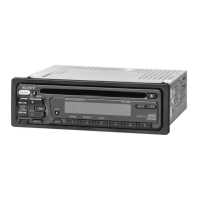
For details on selecting a CD/MD changer, see
page
17.
Display items
A'7ftt~~
o Source
o Track number/Elapsed playing time, Disci
artist name, Album/group number*, Album/
group name, Track name, Text information,
Clock
e ATRACIWMAlMP3/AAC indication
* Album/group
number
is displayed only when the
album/group
is changed.
To
change display items
0,
press
(DSPL).
Tip
Displayed items will differ, depending on the disc type,
recorded format
and
settings.
For
details on
MP3/
WMAlAAC, see
page
19; ATRAC
CD,
see
page
20.
Radio
Storing
and
receiving
stations
Caution
When tuning in stations while boating, use Best
Tuning Memory (BTM) to prevent an accident.
Storing automatically - BTM
1 Press
(SOURCE)
repeatedly until
"TUNER" appears.
To
change the band, press
(MODE)
repeatedly.
2 Press and hold
(SELECT).
The setup display appears.
3 Press
(SELECT)
repeatedly until
"BTM" appears.
4 Press
(SEEK)
+.
The unit stores stations in order
of
frequency
on the number buttons.
A beep sounds when the setting
is
stored.
Storing
by
the
BTM
button
(CDX-H905IP only)
Press and hold
(BTM)
until
"BTM"
flashes,
instead
of
steps 2 to 4.
I
Repeat and shuffle play
1 During playback, press ® (REP) or
CD
(SHUF) repeatedly until the
desired setting appears.
*1
When an MP3IWMAlAAC is played.
*2 When an ATRAC
CD
is played.
To return to normal play mode, select
"4
OFF"
or
"SHUF
OFF."
Select
4 TRACK
4 ALBUM*1
4 GROUP*2
SHUF ALBUM*1
SHUF GROUP*2
SHUF DISC
To
play
track repeatedly.
album repeatedly.
group repeatedly.
album in random order.
group in random order.
disc in random order.
Storing manually
1 While receiving the station that you
want to store, press and hold a
number button
(CD
to
®)
until
"MEM" appears.
The number button indication appears in the
display.
Note
If
you
try
to
store anotherstation on the same number
button, the previously stored station will be replaced.
Tip
When
a RDS station is stored, the AFITA setting is
also stored (page
12). (CDX-HR905IP only)
Receiving the stored stations
1 Select the band, then press a number
button
(CD
to
®).
11



 To Next Page