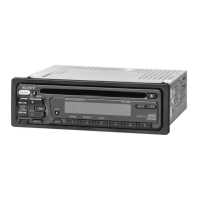
Repeat and shuffle Play
1 During playback, press ® (REP) or
(})
(SHUF) repeatedly until the
desired setting appears.
To
return to normal play mode, select
"REP
OFF" or
"SHUF
OFF."
Note
(DIe])
(GPIALBM -1+) will not work during shuffle
play
Scan
You
can quickly locate a specific point on the
iPod.
1 During playback, press ® until
"SCAN ON" appears.
The first
10
seconds
of
each track will be
played.
To
return to normal play mode, select
"SCAN
OFF."
Note
This function will
not
work during shuffle play.
Select
REP TRK
REP
ALB
REP ART
REP
PLY
SHUF ALB
SHUF ART
SHUF
PLY
SHUF ALL
To
play
track repeatedly.
album repeatedly.
artist repeatedly.
playlist repeatedly.
album
in
random order.
artist in random order.
playlist
in
random order.
all tracks
in
random order.
Other
functions
Changing
111e
slund
settings
Adjusting the sound
characteristics - BAUFAD/SUB
You can adjust the balance, fader, and subwoofer
volume.
1 Press
(SELECT)
repeatedly until
"BAL," "FAD" or "SUB" appears.
The item changes as follows:
LOW*1
__
MID*1
__
HI*1
__
BAL (left-right)
--
FAD (front-rear)
--
SUB (subwoofer volume)*2
__
AUX*3
*1
When EQ3
is
activated (page 15).
*2 When the audio output
is
set
to
"SUB"
(page
16). •
"ATT"
is
displayed
at
the lowest setting,
and
can
be adjusted up
to
21 steps.
*3
When AUX source is activated (page 18).
2 Rotate the volume control dial to
adjust the selected item.
After 3 seconds, the setting
is
complete and
the display returns to normal playlreception
mode.
Customizing the equalizer curve
-EQ3
"CUSTOM"
of
EQ3 allows you to make your
own equalizer settings.
1 Select a source, then press
(EQ3)
repeatedly to select "CUSTOM."
2 Press
(SELECT)
repeatedly until
"LOW," "MID" or "HI" appears.
3 Rotate the volume control dial to
adjust the selected item.
The volume level is adjustable in 1 dB steps,
from
-10
dB to +10 dB.
+
5d]
Repeat steps 2 and 3 to adjust the equalizer
curve.
To restore the factory-set equalizer curve,
press and hold
(SELECT)
before the setting
is complete.
After 3 seconds, the setting is complete and
the display returns to normal play/reception
mode.
continue to next page
--15



 To Next Page