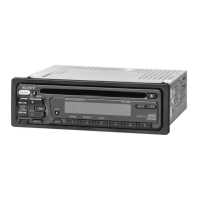
Auxiliary audio equipment
By
connecting
an
optional
portable
audio
device
to
the
AUX
IN
jack
on
the
unit
and
then
simply
selecting
the
source,
you
can
listen
on
your
boat
speakers.
The
volume
level is
adjustable
for
any
difference
between
the
unit
and
the
portable
audio
device.
Follow
the
procedure
below:
Adjust the volume level
Be
sure
to
adjust
the
volume
for
each
connected
audio
device
before
playback.
1
Turn
down
the
volume
on
the unit.
2
Press
(SOURCE)
repeatedly
until
"AUX"
appears.
"AUX
REAR
IN"
appears.
3
Start
playback
of
the
portable
audio
device
at
a
moderate
volume.
I 4
Set
your
usual
listening
volume
on
the
unit.
S
Press
(SELECT)
repeatedly
until
"AUX"
appears,
and
rotate
the
volume
control
dial to
adjust
the
input
level
(-8
dB
to
+
18
dB).
18
Additional Information
Precautions
•
If
your boat has been moored
in
direct sunlight,
allow the unit to cool
off
before operating it.
• Power antenna (aerial) will extend automatically
while the unit is operating.
Moisture condensation
On a rainy day
or
in
a very
damp
area, moisture
condensation may occur inside the lenses and
display
of
the unit. Should this occur, the unit will
not operate properly.
In
such a case, remove the disc
and wait for about an hour until the moisture has
evaporated.
To
maintain high sound quality
Be careful not to splash juice
or
other soft drinks
onto the unit
or
discs.
Notes on discs
• To keep a disc clean, do not touch its surface.
Handle the disc by its edge.
• Keep your discs
in
their cases
or
disc magazines
when not
in
use.
• Do not subject discs to heat/high temperature.
Avoid leaving them
in
a moored boat.
• Do not attach labels, or use discs with sticky ink/
residue. Such discs may stop spinning when used,
causing a malfunction,
or
may ruin the disc.
x X X
®@~
• Do not use any discs with labels
or
stickers
attached.
The following malfunctions may result from using
such discs:
-Inability
to eject a disc (due to a label
or
sticker
peeling
off
and
jamming
the eject mechanism).
- Inability to read audio data correctly (e.g.,
playback skipping,
or
no playback) due to heat
shrinking
of
a sticker or label causing a disc to
warp.
• Discs with non-standard shapes (e.g., heart,
square, star) cannot be played on this unit.
Attempting to do so may damage the unit. Do not
use such discs.
•
You
cannot play 8 cm
(3
1/
4
in) CDs.



 To Next Page