•
iPod
Playing
back
i
Pod
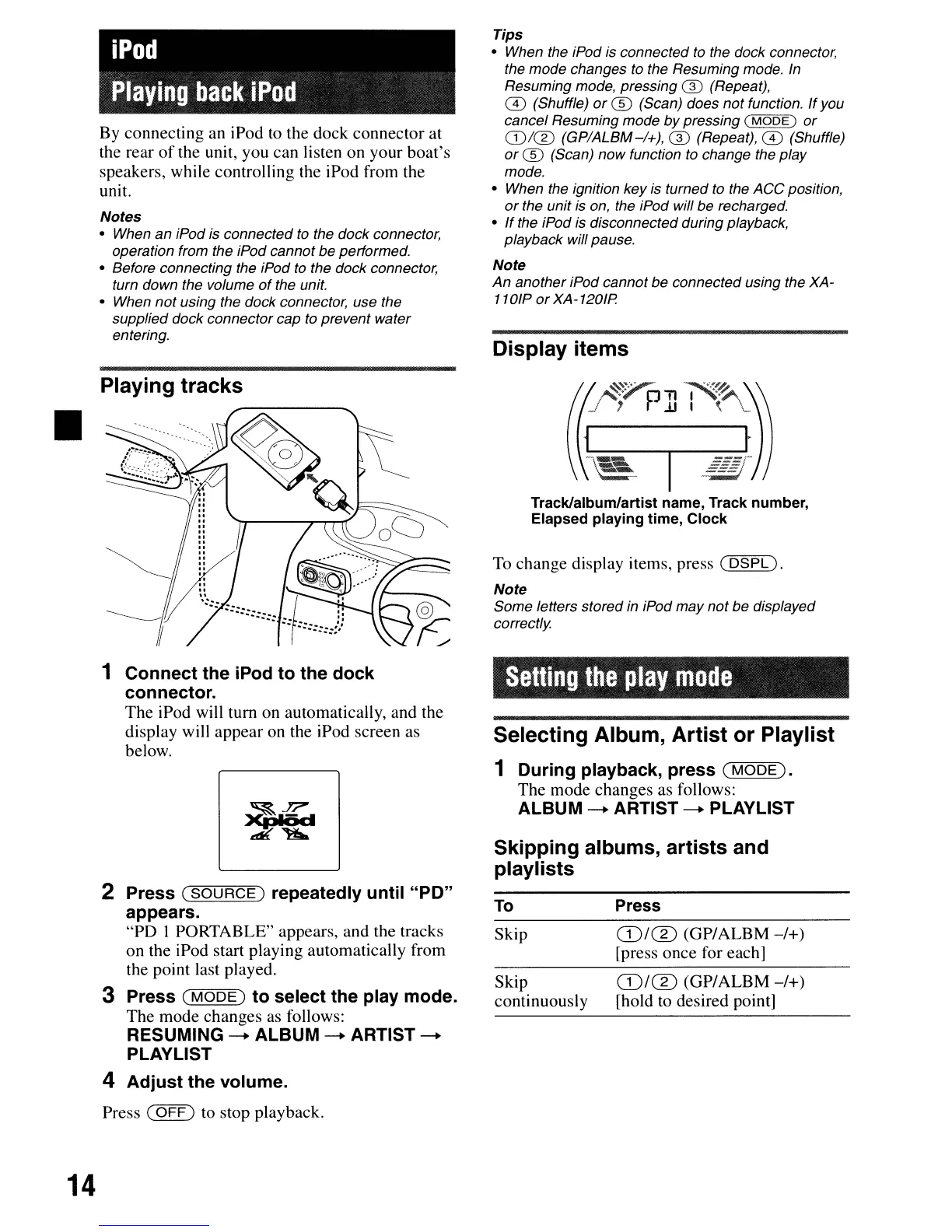
By connecting an iPod to the dock connector at
the rear
of
the unit, you can listen on your boat's
speakers, while controlling the iPod from the
unit.
Notes
• When
an
iPod is
connected
to the dock connector,
operation from the iPod
cannot
be
performed.
• Before connecting the iPod to the
dock
connector,
turn down the volume
of
the unit.
• When
not
using the dock connector, use the
supplied
dock
connector
cap to prevent water
entering.
Playing tracks
Tips
• When the iPod is
connected
to the dock connector,
the
mode
changes to the Resuming mode. In
Resuming
mode,
pressing
® (Repeat),
ill
(Shuffle)
or
® (Scan)
does
not
function.
If
you
cancel Resuming
mode
by
pressing (
MODE)
or
CD/CD
(GP/ALBM-/+),
® (Repeat),
ill
(Shuffle)
or
® (Scan)
now
function to change the
play
mode.
• When the ignition
key
is
turned
to the
ACC
position,
or
the
unit
is on, the iPod will
be
recharged.
•
If
the iPod is disconnected during playback,
playback will pause.
Note
An
another
iPod
cannot
be
connected
using the XA-
110lP
or
XA-120lP
Display items
Track/album/artist name, Track number,
Elapsed playing time, Clock
To
change display items, press (
DSPL).
Note
Some
letters
stored
in iPod
may
not
be
displayed
correctly
Selling
the
play
mode
Selecting Album, Artist or Playlist
1 During playback, press
(MODE).
The mode changes as follows:
ALBUM
-.
ARTIST
-.
PLAYLIST
Skipping albums, artists and
playlists
14
1 Connect the iPod to the dock
connector.
The iPod will tum on automatically, and the
display will appear on the iPod screen as
below.
2 Press
(SOURCE)
repeatedly until "PO"
appears.
"PD I PORTABLE" appears, and the tracks
on the iPod start playing automatically from
the point last played.
3 Press
(MODE)
to select the play mode.
The mode changes as follows:
RESUMING
-.
ALBUM
-.
ARTIST
-.
PLAYLIST
4 Adjust the volume.
Press (
OFF)
to stop playback.
To
Skip
Skip
continuously
Press
ffi/®
(GP/ALBM
-/+)
[press once for each]
ffi/®
(GP/ALBM
-/+)
[hold to desired point]



 To Next Page