Display items
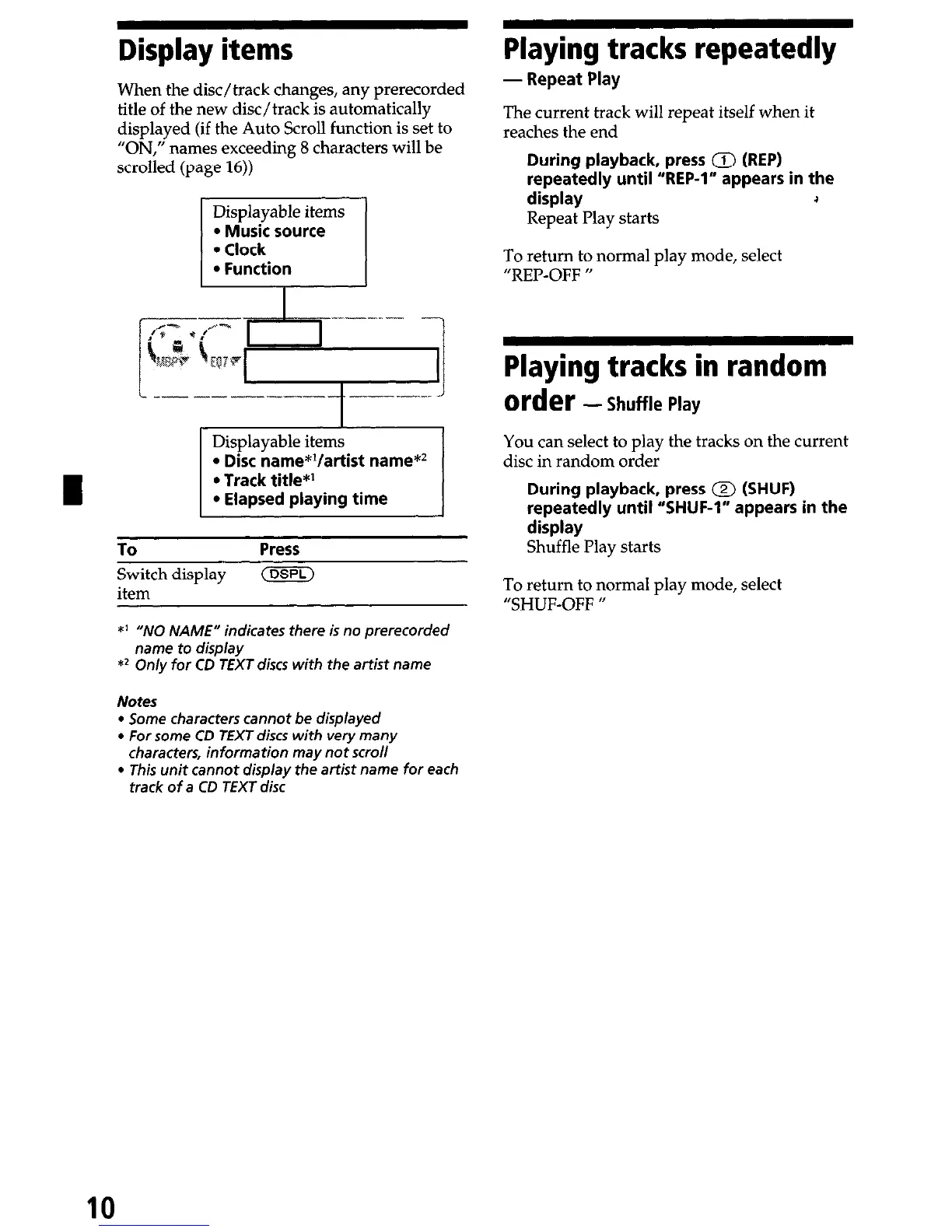
When the disc/track changes, any prerecorded
title of the new disc/track is automatically
displayed (if the Auto Scroll function is set to
“ON,” names exceeding 8 characters will be
scrolled (page 16))
c -- --~--- ---- -
l
Elapsed playing time
To
Press
Switch display
(DSPL)
item
*I “NO NAME” indicates there is no prerecorded
name
to
display
*2 On/y for CD TEXT discs with the artist name
Notes
l
Some characters cannot be displayed
l
For some CD TEXT discs with very many
characters, information may nor scroll
l
This unit cannot display the
artist
name for each
track of
a
CD TEXT disc
Playing tracks repeatedly
- Repeat Play
The current track will repeat itself when it
reaches the end
During playback, press 0 (REP)
repeatedly until “REP-l” appears in the
display
.I
Repeat Play starts
To return to normal play mode, select
“REP-OFF ”
Playing tracks in random
order -Shuffle
Play
You can select to play the tracks on the current
disc in random order
During playback, press 0 (SHUF)
repeatedly until “SHUF-1” appears in the
display
Shuffle Play starts
To return to normal play mode, select
“SHUF-OFF “
10


 To Next Page