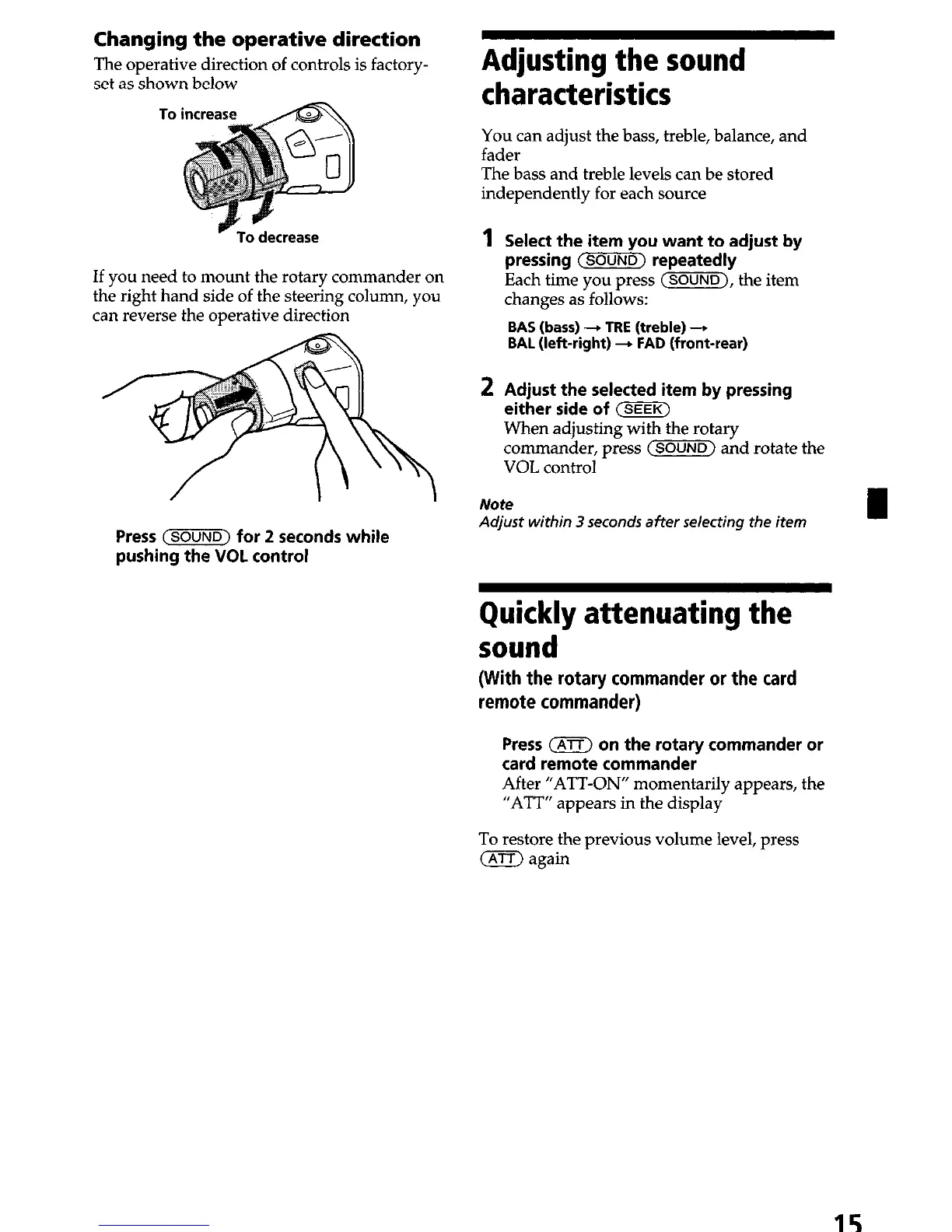
Changing the operative direction
The operative direction of controls is factory-
set as shown below
v To decrease
If you need to mount the rotary commander on
the right hand side of the steering column, you
can reverse the operative direction
Press (SOUND)
for
2
seconds while
pushing the VOL control
Adjusting the sound
characteristics
You can adjust the bass, treble, balance, and
fader
The bass and treble levels can be stored
independently for each source
1 Select the item you want to adjust by
pressing
~sOUNO)
repeatedly
Each time you press (SOUND), the item
changes as follows:
BAS (bass) + TRE (treble) -
BAL (left-right) - FAD (front-rear)
2 Adjust the selected item by pressing
either side of (SEEK)
When adjusting with the rotary
commander, press C-1 and rotate the
VOL control
Note
Adjust within 3 seconds after selecting the item
Quickly attenuating the
sound
(With the rotary commander or the card
remote commander)
Press (nrr) on the rotary commander or
card remote commander
After “ATT-ON” momentarily appears, the
“ATT” appears in the display
To restore the previous volume level, press
(ATT) again
15


 To Next Page