Tips
l
Simply overwrite or enter “” to correct or erase
a name
l
There is another way to start storing station
names:
Press
0
for 2 seconds
instead
of
performing steps 2 and 3 You can also complete
the operation by pressing (LIST) for 2 seconds
instead of step 5
Displaying the station name
Switch the display item to frequency or station
name*
To Press
Switch display
(DSPL) during radio
item
reception
* If the station name is not stored, “NO NAME”
appears in the display for one second
Erasing the station name
1 During radio reception, press (MENU),
then press either side of (PRESET)
repeatedly until “NAME DEL” appears
2
Press (ENTER)
3 Press either side of (FSSZC repeatedly
to select the station whose name you
want to erase
4
Press (m] for 2 seconds
The name
is erased
Repeat steps 3 to 4 if you want to erase
other names
5
Press (MENU) twice
The unit returns to normal radio reception
mode
Locating a station by
name
- list-up
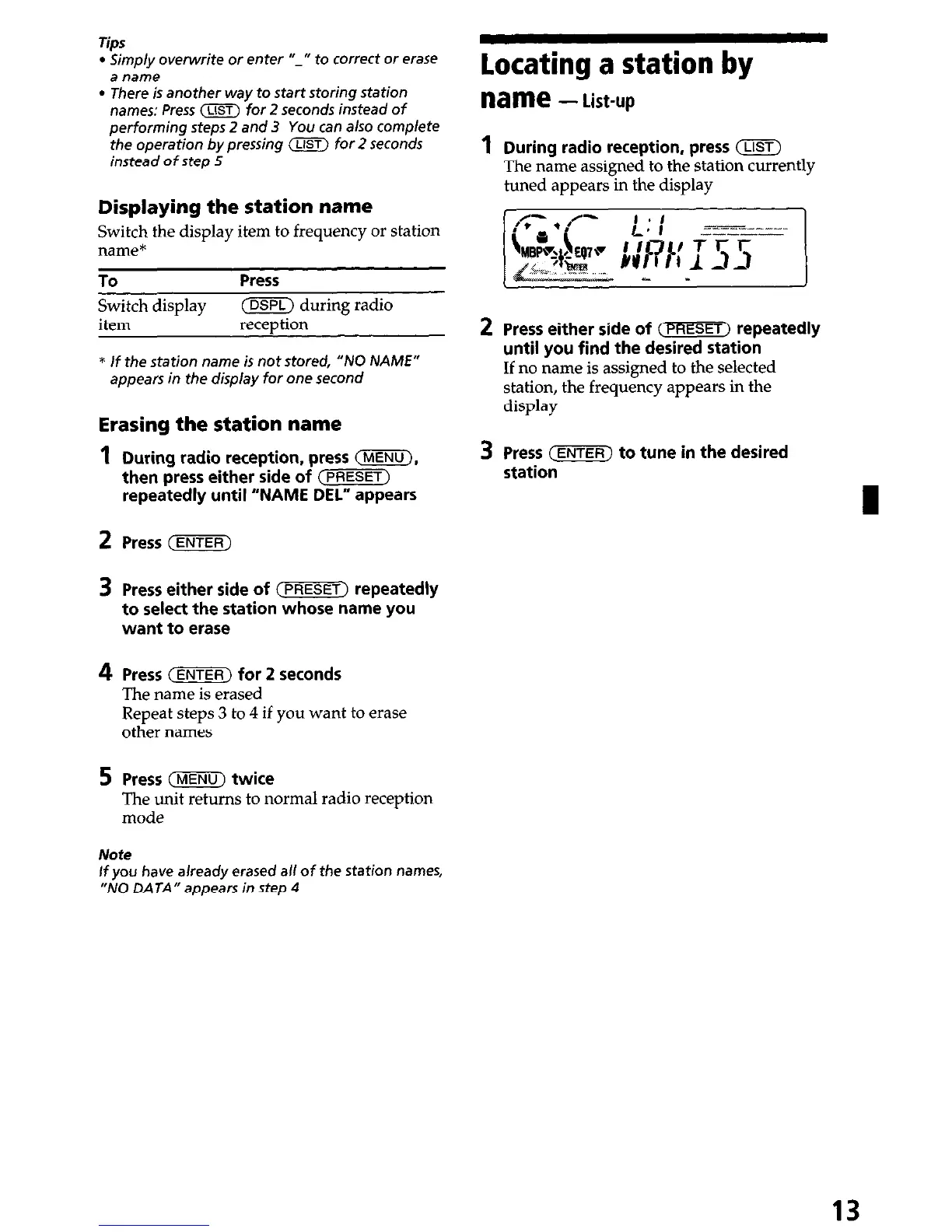
During radio reception, press (LIST)
The name assigned to the station currently
tuned appears in the display
Press either side of (PRESET) repeatedly
until you find the desired station
If no name is assigned to the selected
station, the frequency appears in the
display
Press (ENTER) to tune in the desired
station
Note
If you have already erased all of the station names,
“NO DATA” appears in step 4
13


 To Next Page