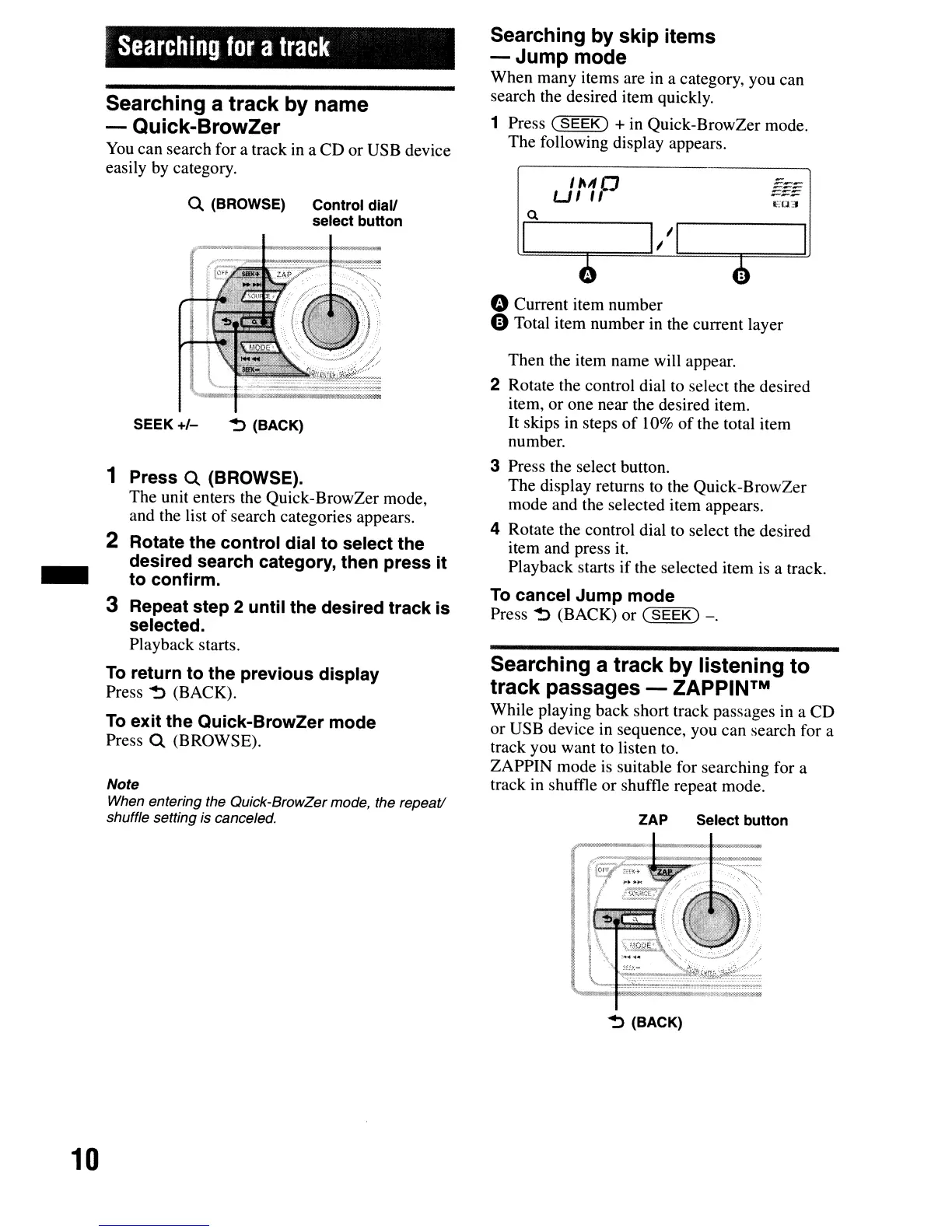
Q.
(BROWSE) Control diall
select button
Searching
for
a
track
I
Then the item name will appear.
2 Rotate the control dial to select the desired
item, or one near the desired item.
It
skips in steps
of
10%
of the total item
number.
3 Press the select button.
The display returns to the Quick-BrowZer
mode and the selected item appears.
4 Rotate the control dial to select the desired
item and press
it.
Playback starts if the selected item
is
a track.
To
cancel Jump mode
Press
~
(BACK) or
(SEEK)
-.
11\11
CJ
UI
"
ZAP Select button
Searching a track
by
listening to
track passages - ZAPPINTM
While playing back short track passages in a CD
or USB device in sequence, you can search for a
track you want to listen to.
ZAPPIN mode
is
suitable for searching for a
track in shuffle or shuffle repeat mode.
o Current item number
oTotal item number in the current layer
Searching by skip items
-Jump
mode
When many items are in a category, you can
search the desired item quickly.
1 Press
(SEEK)
+ in Quick-BrowZer mode.
The following display appears.
~
(BACK)SEEK
+/-
Note
When entering the Quick-BrowZer mode, the repeat!
shuffle setting
is canceled.
1 Press
Q.
(BROWSE).
The unit enters the Quick-BrowZer mode,
and the list
of
search categories appears.
2 Rotate the control dial to select the
desired search category, then press it
to confirm.
3 Repeat step 2 until the desired track is
selected.
Playback starts.
To
return to the previous display
Press
~
(BACK).
To
exit the Quick-BrowZer mode
Press
Q.
(BROWSE).
Searching a track by name
- Quick-BrowZer
You
can search for a track in a CD or USB device
easily by category.
-
~
(BACK)
10



 To Next Page