iPod
For details on the compatibility
of
your iPod, see
"About iPod" on page 20 or visit the support site.
In these Operating Instructions, "iPod" is used
as
a general reference for the iPod functions on the
iPod and iPhone, unless otherwise specified by
the text or illustrations.
Support
site
For customers in the U.S.A. and Canada:
http://esupport.sony.com
http://www.xplodsony.com/
For customers in Europe:
http://support.sony-europe.com
For customers in Latin America:
http://esupport.sony.com/ES/LA/
For customers in
Pan
Asia:
http://www.sony-asia.com/section/support
http://www.sony-asia.com/caraudio/
Playing
back
iPod
I
Before connecting the iPod, turn down the
_ volume
of
the unit.
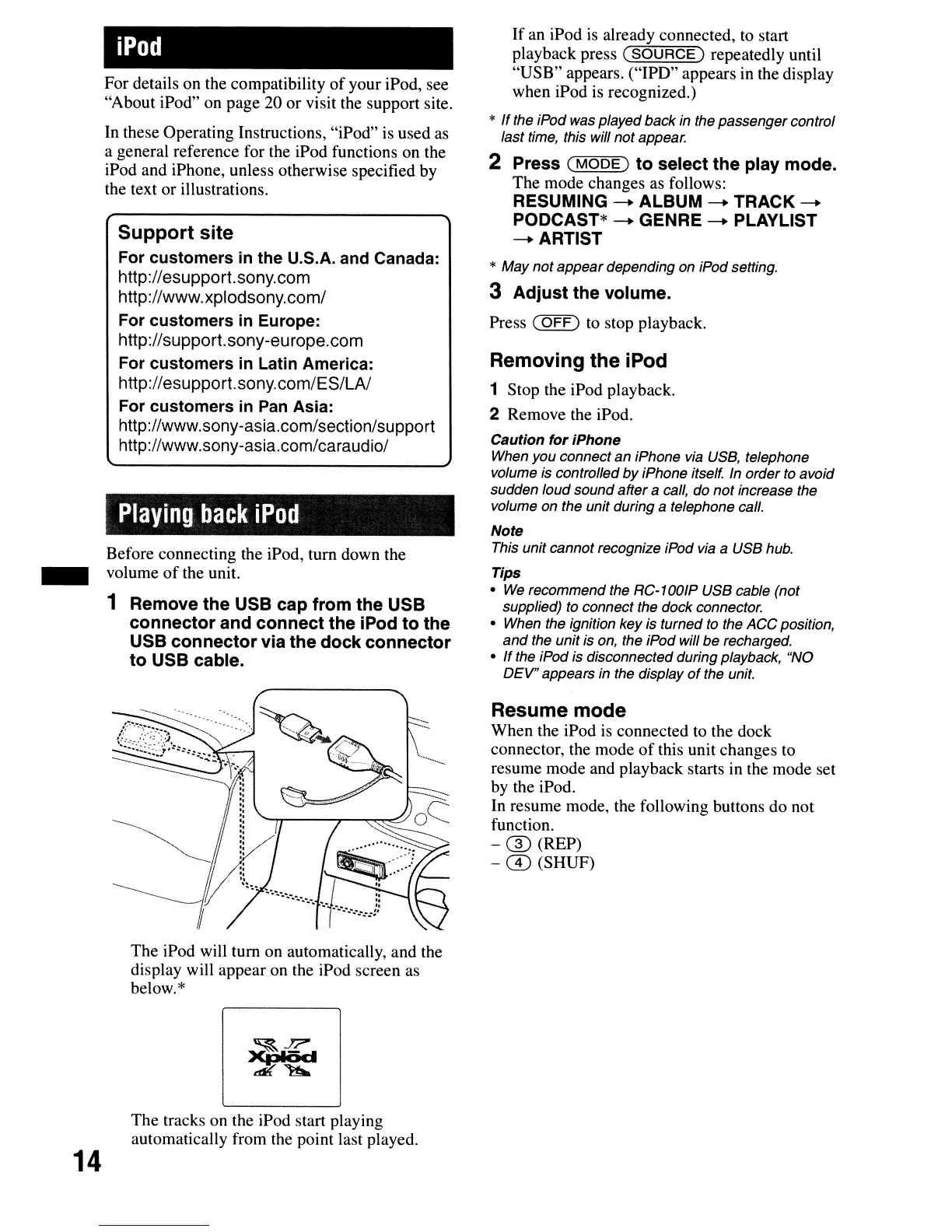
1 Remove
the
USB cap
from
the USB
connector
and
connect
the iPod
to
the
USB
connector
via
the
dock
connector
to
USB cable.
The iPod will tum on automatically, and the
display will appear on the iPod screen as
below.*
The tracks on the iPod start playing
automatically from the point last played.
14
If
an iPod
is
already connected, to start
playback press
(SOURCE)
repeatedly until
"USB"
appears. ("IPD" appears in the display
when iPod is recognized.)
*
If
the iPod was played back in the
passenger
control
last time, this will
not
appear.
2 Press
(MODE)
to
select the play mode.
The mode changes as follows:
RESUMING - ALBUM - TRACK -
PODCAST* - GENRE - PLAYLIST
-ARTIST
*
May
not
appear
depending on iPod setting.
3
Adjust
the
volume.
Press
(OFF)
to stop playback.
Removing
the
iPod
1 Stop the iPod playback.
2 Remove the iPod.
Caution
for
iPhone
When
you
connect
an
iPhone via USB, telephone
volume is controlled
by
iPhone itself. In order to avoid
sudden
loud
sound
after
a call, do
not
increase the
volume on the unit during
a telephone call.
Note
This unit cannot recognize iPod via a USB hub.
Tips
•
We
recommend the RC-1001P USB cable (not
supplied) to connect the dock connector.
• When the ignition key is turned to the
ACC
position,
and
the unit is on, the iPod will
be
recharged.
•
If
the iPod is disconnected during playback, "NO
DEV"
appears in the display
of
the unit.
Resume mode
When the iPod
is
connected to the dock
connector, the mode
of
this unit changes to
resume mode and playback starts in the mode set
by the iPod.
In resume mode, the following buttons do not
function.
- ® (REP)
-
CD
(SHUF)



 To Next Page