Maintenance
Replacing the lithium battery of the
card remote commander
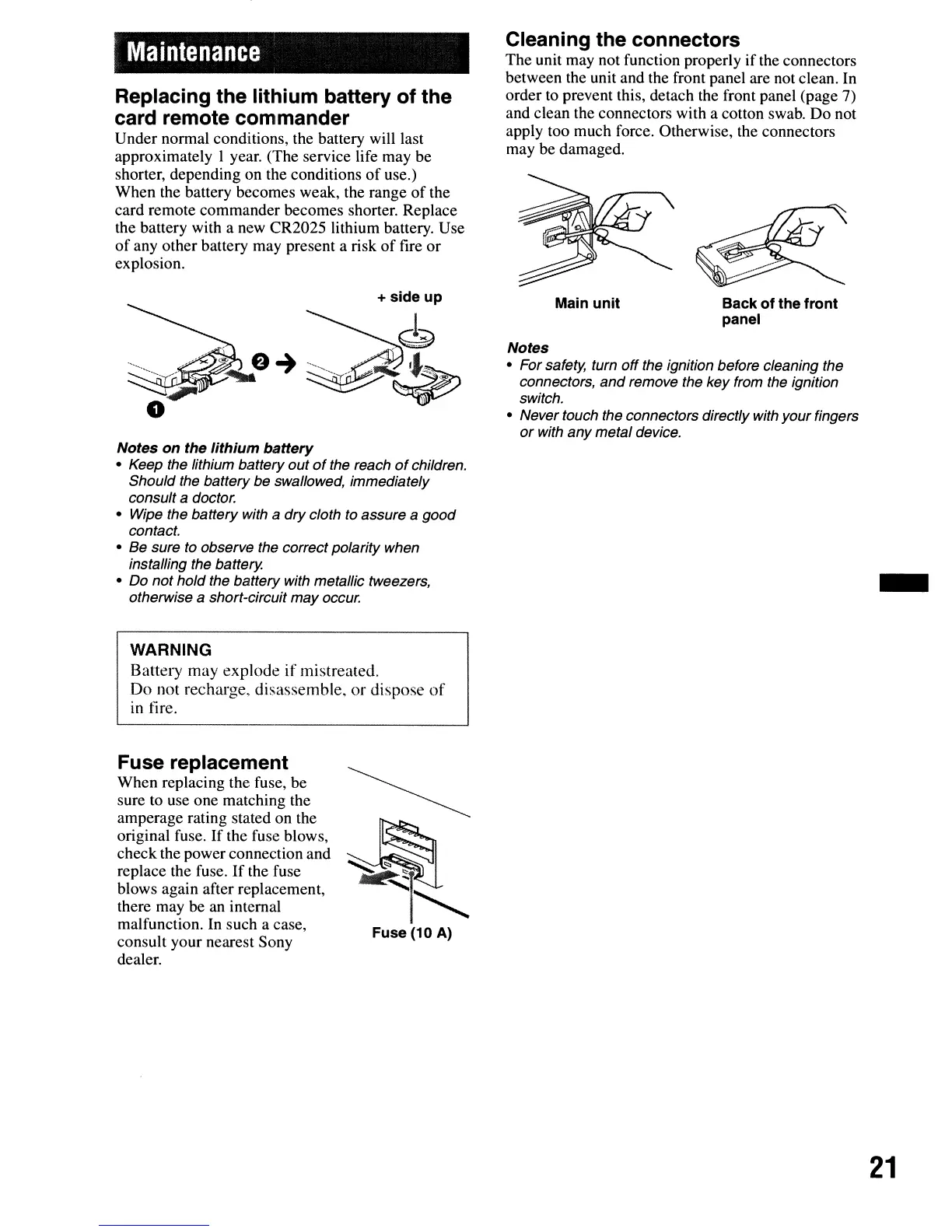
Under normal conditions, the battery will last
approximately
I year. (The service life may be
shorter, depending on the conditions
of
use.)
When the battery becomes weak, the range
of
the
card remote commander becomes shorter. Replace
the battery with a new CR2025 lithium battery. Use
of
any other battery may present a risk
of
fire or
explosion.
Cleaning the connectors
The unit may not function properly
if
the connectors
between the unit and the front panel are not clean. In
order
to
prevent this, detach the front panel (page 7)
and clean the connectors with a cotton swab. Do not
apply too much force. Otherwise, the connectors
may be damaged.
Notes
• For safety, turn
off
the ignition before cleaning the
connectors,
and
remove the key from the ignition
switch.
• Never touch the connectors directly with your fingers
or
with any metal device.
Notes on the lithium battery
• Keep the lithium battery out
of
the reach
of
children.
Should the battery be swallowed, immediately
consult
a doctor.
• Wipe the battery with
a dry cloth to assure a good
contact.
• Be sure to observe the correct polarity when
installing the battery.
• Do not hold the battery with metallic tweezers,
otherwise
a short-circuit may occur.
WARNING
Battery
may
explode
if
mistreated.
Do
not recharge,
di:assemble.
or
dispose
of
in fire.
Main unit Back of the front
panel
-
Fuse replacement
When replacing the fuse, be
sure
to
use one matching the
amperage rating stated on the
original fuse.
If
the fuse blows,
check the power connection and
replace the fuse.
If
the fuse
blows again after replacement,
there may be an internal
malfunction. In such a case,
consult your nearest Sony
dealer.
~
~
Fuse (10 A)
21



 To Next Page