DISC
number
I
1/]21
----
FI:EI
DISC
3
I
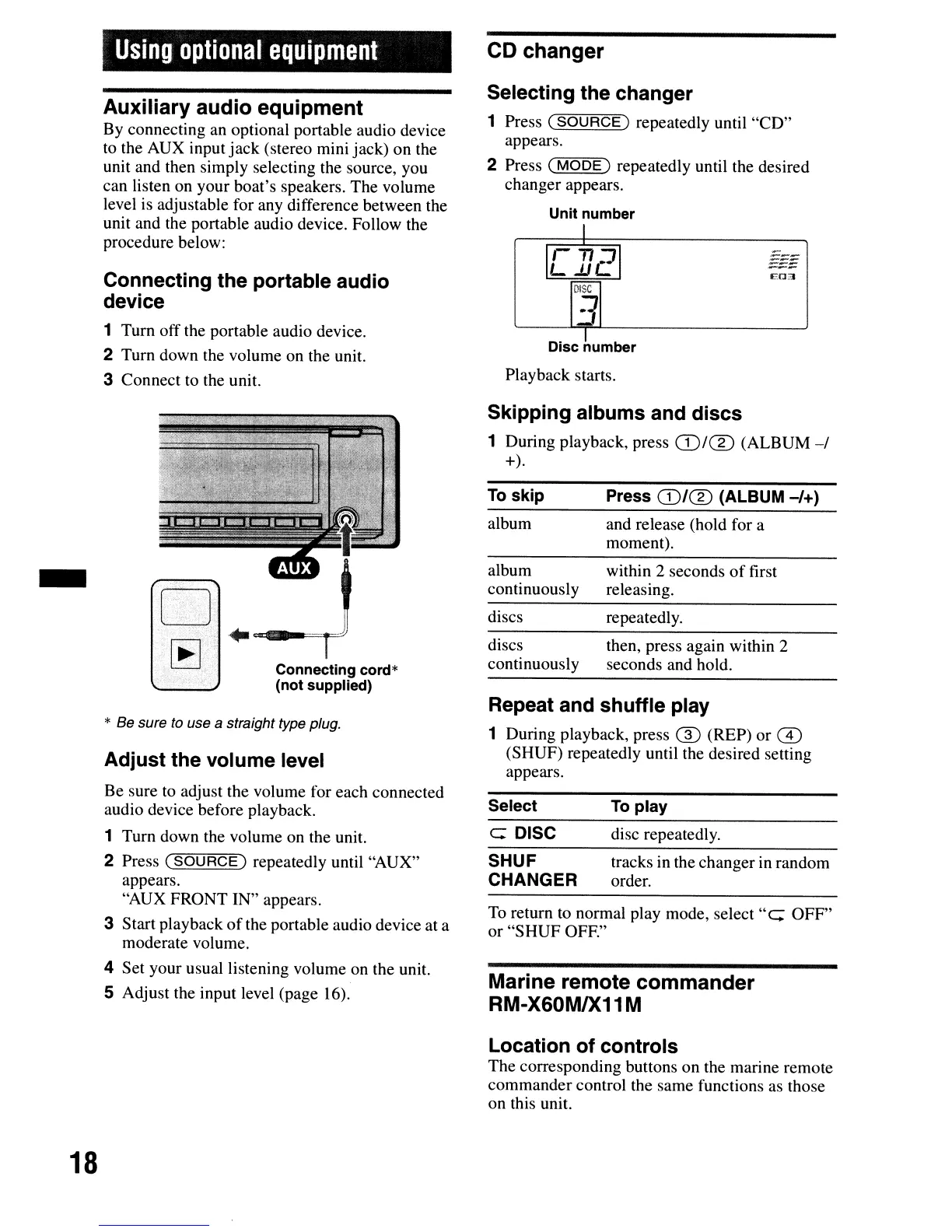
Playback starts.
CD
changer
Selecting the changer
1 Press
(SOURCE)
repeatedly until
"CD"
appears.
~~~
2 Press
(MODE)
repeatedly until the desired
changer appears.
Unit number
Using
optional
equipment
Connecting the portable audio
device
1 Turn off the portable audio device.
2 Turn down the volume on the unit.
3 Connect to the unit.
Auxiliary audio
equipment
By connecting an optional portable audio device
to the AUX input
jack
(stereo mini jack) on the
unit and then simply selecting the source, you
can listen on your boat's speakers. The volume
level is adjustable for any difference between the
unit and the portable audio device. Follow the
procedure below:
* Be sure to use a straight type plug.
Adjust the volume level
Skipping albums and discs
1 During playback, press
(DIe])
(ALBUM-I
+).
then, press again within 2
seconds and hold.
repeatedly.
within 2 seconds
of
first
releasing.
and release (hold for a
moment).
Press
(D/(%)
(ALBUM
-/+)
discs
continuously
discs
album
continuously
album
Repeat and shuffle play
1 During playback, press ® (REP)
or
m
(SHUF) repeatedly until the desired setting
appears.
To
skip
Connecting cord*
(not supplied)
w
[E]
-
To
return to normal play mode, select
"e:
OFF"
or
"SHUF
OFF."
Marine
remote
commander
RM-X60M1X11 M
Be sure to adjust the volume for each connected
audio device before playback.
1 Turn down the volume on the unit.
2 Press
(SOURCE)
repeatedly until "AUX"
appears.
"AUX FRONT IN" appears.
3 Start playback
of
the portable audio device at a
moderate volume.
4 Set your usual listening volume on the unit.
5 Adjust the input level (page 16).
Select
e: DISC
SHUF
CHANGER
To
play
disc repeatedly.
tracks in the changer in random
order.
Location of controls
The
corresponding buttons on the marine remote
commander control the same functions as those
on this unit.
18



 To Next Page