39
Adjusting the cut-off frequency for the
subwoofer(s)
— LPF (Low pass filter)
To match the characteristics of the connected
subwoofer(s), you can cut out the unwanted high
and middle frequency signals entering the
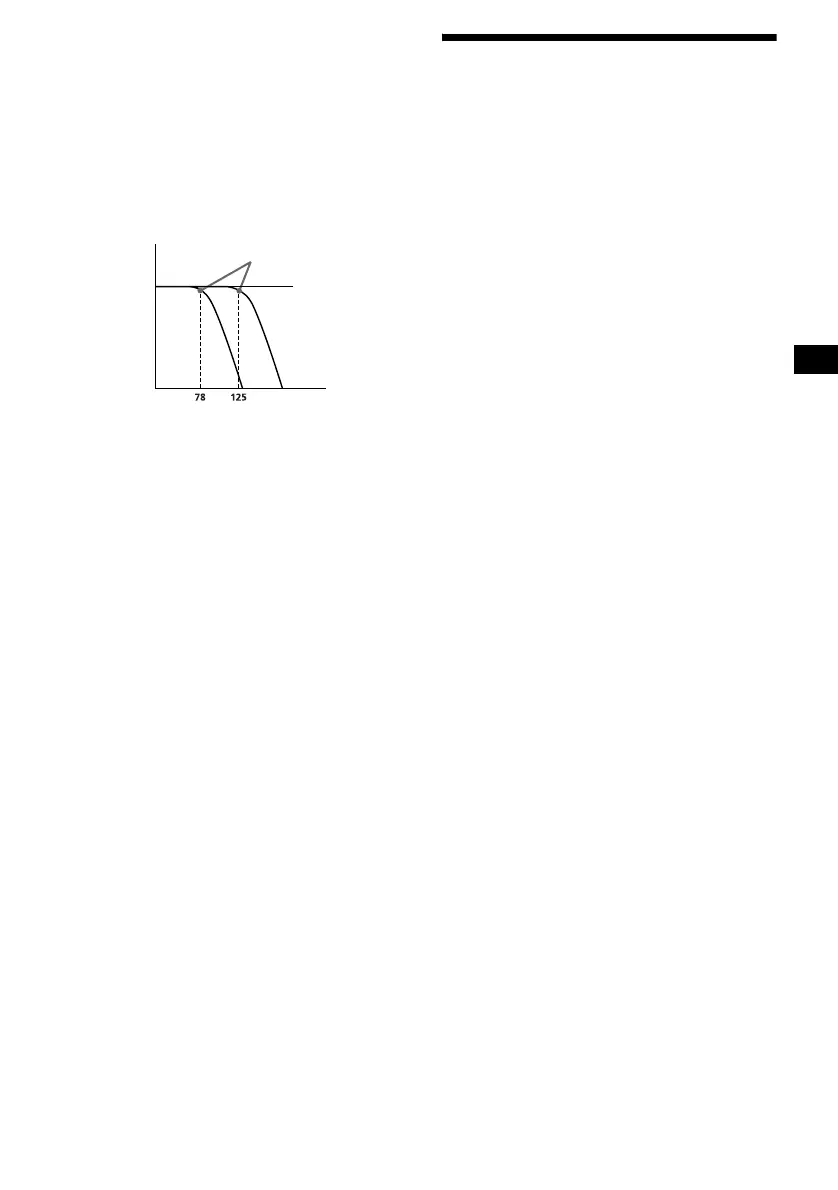
subwoofer(s). By setting the cut-off frequency
(see the diagram below), the subwoofer(s) will
output only low frequency signals for a clearer
sound.
1 Press (SOURCE) to select a source
(radio, CD, MD or AUX).
2 Press (MENU).
3 Press < or , repeatedly to select
“Sound,” then press (ENTER).
4 Press < or , repeatedly to select
“LPF,” then press (ENTER).
5 Press < or , repeatedly to select the
desired cut-off frequency, then press
(ENTER).
Each time you press < or ,, the frequency
changes as follows:
OFF y 125Hz y 78Hz
6 Press (MENU).
The display returns to the normal display.
To cancel the cut-off frequency, select “OFF” in
Step 5.
Setting the loudness
— Loudness
The bass and treble will be reinforced to enjoy
clear sound at low volume.
1 Press (SOURCE) to select a source
(radio, CD, MD or AUX).
2 Press (MENU).
3 Press < or , repeatedly to select
“Sound,” then press (ENTER).
4 Press < or , repeatedly to select
“Loudness.”
5 Press (ENTER) repeatedly to select
“ON.”
6 Press (MENU).
The display returns to the normal display.
To cancel the loudness, select “OFF” in step 5.
Cut-off frequency
Frequency (Hz)
Level
off





 To Next Page