45
* The default setting
PlayMode menu
• Repeat - changes the repeat playback mode
(page 18).
• Shuffle - changes the shuffle playback mode
(page 19).
• BBE MP - improves digitally compressed
sound (page 35).
• Mono - receives FM broadcast in monaural
(page 22).
• Local - tunes in local stations.
• Regional - turns the regional reception mode on
or off.
– Select “ON” to stay tuned to the same local
station in a specific region.
– Select “OFF” to cancel the regional reception
mode.
* The default setting
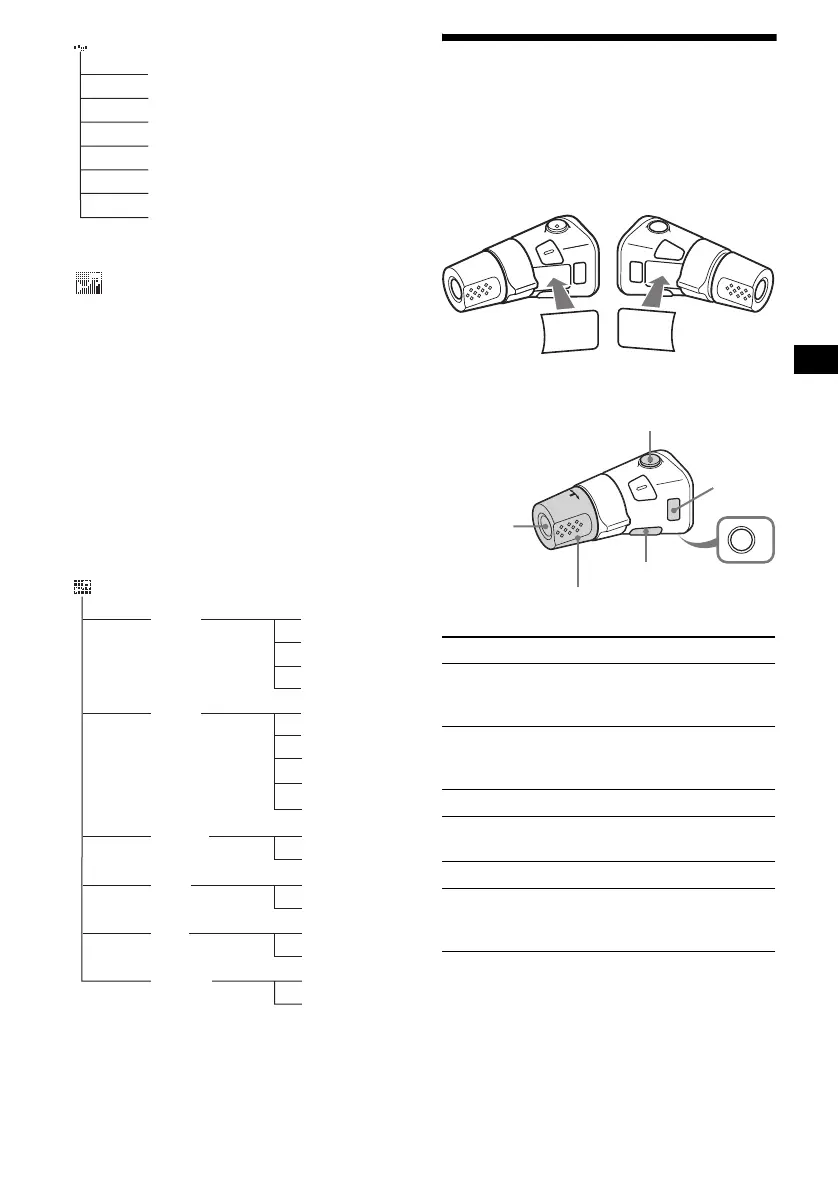
Using the rotary commander
You can also control the unit (and optional CD/
MD units) with a rotary commander (optional).
First, attach the appropriate label depending on
how you want to mount the rotary commander.
The rotary commander works by pressing
buttons and/or rotating controls.
By pressing buttons
Custom
Screen*
AF
TA
Mode
ATT
Capture
Image
Shuffle
Repeat TRACK
ALBUM
DISC
OFF*
DISC
ALBUM
MAGAZINE
OFF*
ALL
ON*
OFF
ON
OFF*
ON
OFF*
ON*
OFF
PlayMode
BBE MP
Mono
Local
Regional
Press To
(SOURCE) Change the source
(Radio/CD/MD*
1
)/Power
on.
(MODE) Change operation
(Radio band/CD unit*
1
/MD
unit*
1
).
(ATT) Attenuate the sound.
(OFF)*
2
Stop playback or radio
reception/Power off.
(SEL)/(SOUND) (Not available)
(DSPL) Select the display mode
(This button works as the
SCREEN button).
continue to next page t
SEL
DSPL
MODE
SEL
DSPL
MODE
OFF
(ATT)
(SOURCE)
(DSPL)
(MODE)
(OFF)
Rotate the VOL control
to adjust the volume.





 To Next Page