46
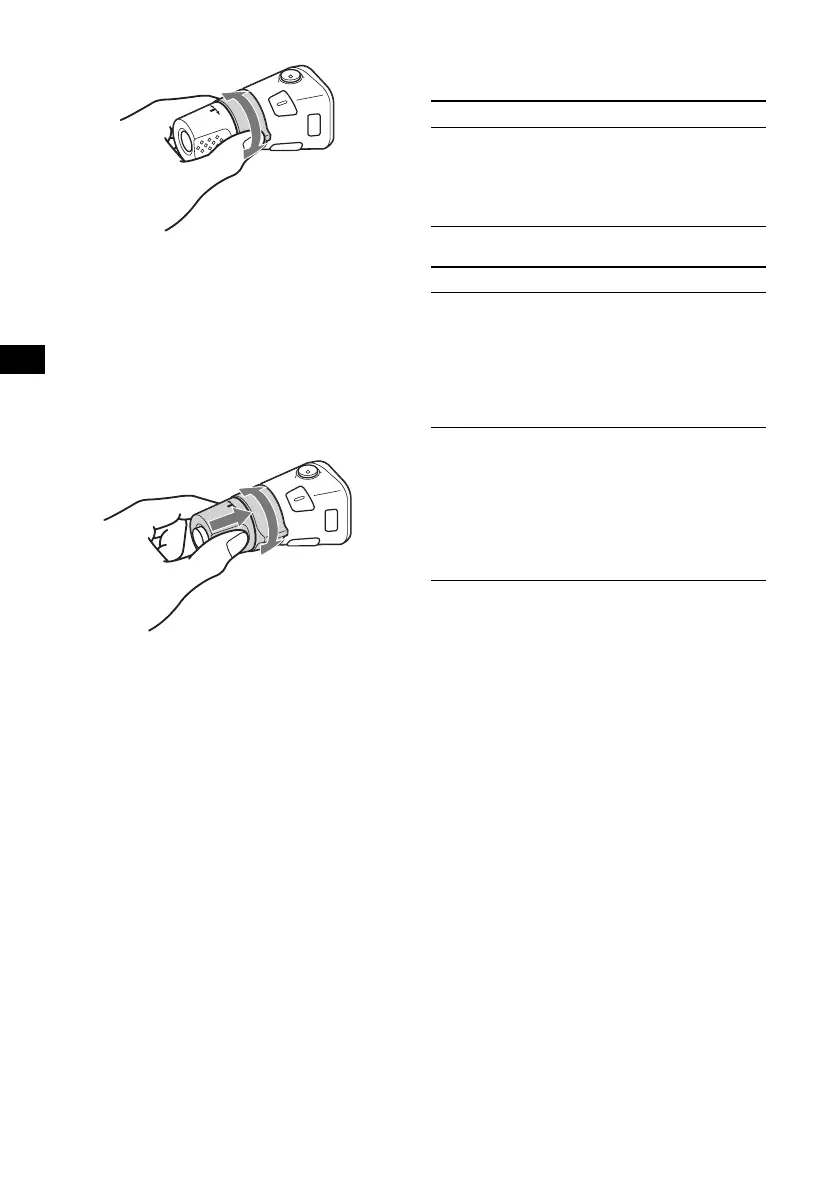
By rotating the control
Rotate and release to:
– Skip tracks.
To continuously skip tracks, rotate once and
rotate again within 2 seconds and hold the
control.
– Tune in stations automatically.
Rotate, hold, and release to:
– Fast-forward/reverse a track.
– Find a station manually.
By pushing in and rotating the control
Push in and rotate the control to:
– Receive preset stations.
– Change discs during CD (MD) playback*
1
.
– Change albums*
3
.
*1 Only if the corresponding optional equipment is
connected.
*2 If your car has no ACC (accessory) position on the
ignition key switch, after turning off the ignition, be
sure to press and hold (OFF) until the display
disappears.
*3 Available only when an MP3 file is played.
When an MP3 file is played, you can select an
album using the rotary commander.
With this unit:
With optional unit:
SEEK/AMS
control
PRESET/DISC
control
To Do this
Skip albums
–Album selection
Push in and rotate [once for
each album] the control.
To continuously skip
albums, push in and rotate
(and hold) the control.
To Do this
Skip discs
–Disc selection
Push in and rotate [once for
each disc] the control.
To continuously skip discs,
push in and rotate once and
rotate again within
2 seconds (and hold) the
control.
Skip albums
–Album selection
1 To enter Album selection
mode, push in, then rotate
and hold the control.
Within 2 seconds,
proceed to step 2.
2 Push in, then rotate
quickly and repeatedly, to
skip albums one by one.





 To Next Page