10
ICF-CD73/CD73V
SECTION 4
TEST MODE
RADIO CD
SHUFFLE
REP1
MHz
kHz
AUTO OFF
TIMER
PRESET
TRACK
WEATHER
TV
FM12PM
AM
ALL
LCD AND KEY TEST MODE
Procedure:
1. Turn the power on while pressing simultaneously three but-
tons of [RADIO ON BAND], [CLOCK], and [1].
2. The microcomputer version will be displayed on the LCD.
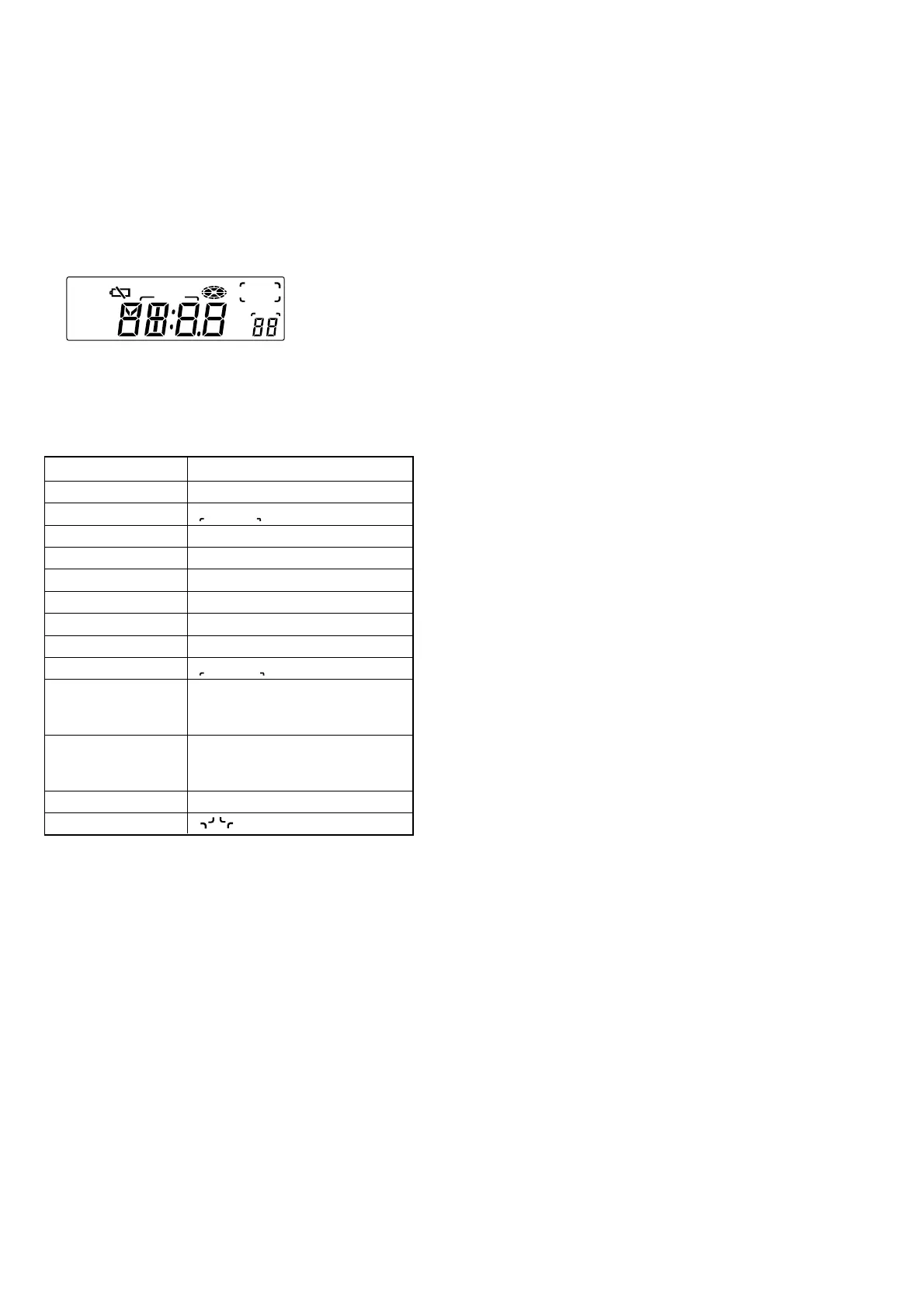
3. Press the [AUTO OFF] button. (The LCD display will become
as follows)
LCD display
4. BEEP (A) will be output and the display corresponding to a
button is turned off, if a button on the set is pressed. Also,
BEEP (A) is output when the button is released.
Button Corresponding Table
Button Segment
CLOCK AM, PM, : (colon),
TIMER SET ON/OFF TIMER , AUTO OFF
1 1b, 1c
2 2a, 2b, 2d, 2e, 2g
3 3a, 3b, 3c, 3d, 3g
4 4b, 4c, 4f, 4g
5 5a, 5c, 5d, 5f, 5g
TUNE – . 6a, 6b, 6c, 6d, 6e, 6f, 6g
TUNE + > TRACK , PRESET
RADIO ON BAND RADIO, WEATHER, TV, FM,
1(FM), 2(FM), TV, .(point), MHz,
kHz
OFF x BatteryLow, 1a, 1d, 1e, 1f, 1g, 1h, 1i,
2c, 2f, 2h, 2i, 3e, 3f, 4a, 4d, 4e, 5b,
5e
CD NX CD, Pz1, Pz2, Pz3, Pz4
MODE , SHUFFLE, REP, 1, ALL
5. After all buttons on the set were pressed, press the [AUTO
OFF] button, and BEEP (B) will be output and the test mode
will be terminated.
6. If there is even one button that was not accepted, the set will
not be released from test mode even though the [AUTO OFF]
button is pressed.
7. The set will return to normal state when the LCD AND KEY
TEST MODE is terminated.


 To Next Page