— 9 —
SECTION 4
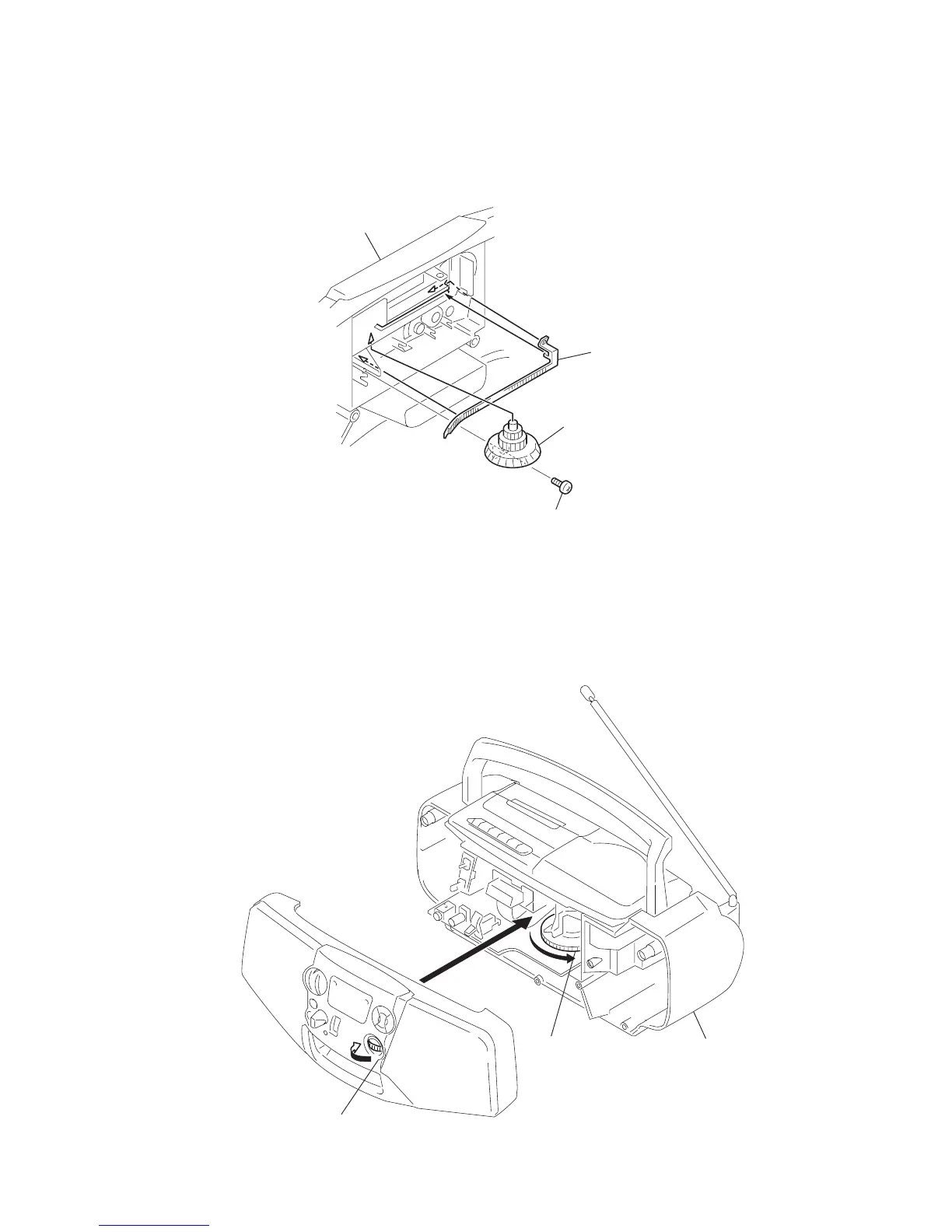
DIAL POINTER INSTALLATION
Note : Follow the installation procedure in the numerical order given.
1 Align the pointer with the groove of front cabinet and insert it as shown in the illustration.
2 Align Tuning knob with front cabinet and fasten the screw.
3 Turn the Tuning knob in the direction of the arrow as shown in the illustration until pointer agrees with scale “ 0 ” (at leftmost end of
scale).
4 Turn the tuning capacitor gear fully in the direction of the arrow as shown in the illustration.
5 Fasten the front cabinet and rear cabinet with the screws.
1
Pointer
Tuning knob B
Front Cabinet
2
Screw (2.6
×
8)
3
Tuning knob
4
Tuning capacitor gear
5
Rear cabine



 To Next Page