masterpage:Right
specdef v20060111
filename[G:\FM\Sony\0508\3212589121\3212589121DAVIS10\gb06bas.fm]
model name [DAV-IS10]
[3-212-589-12(1)]
35
US
Basic Operations
Changing the input level of the sound from connected
components
Distortion may occur when listening to a component connected to the TV (AUDIO IN) jacks on the
rear of the control unit. This is not a malfunction and will depend on the component connected.
To prevent this, you can change the input level from the sound of the other components.
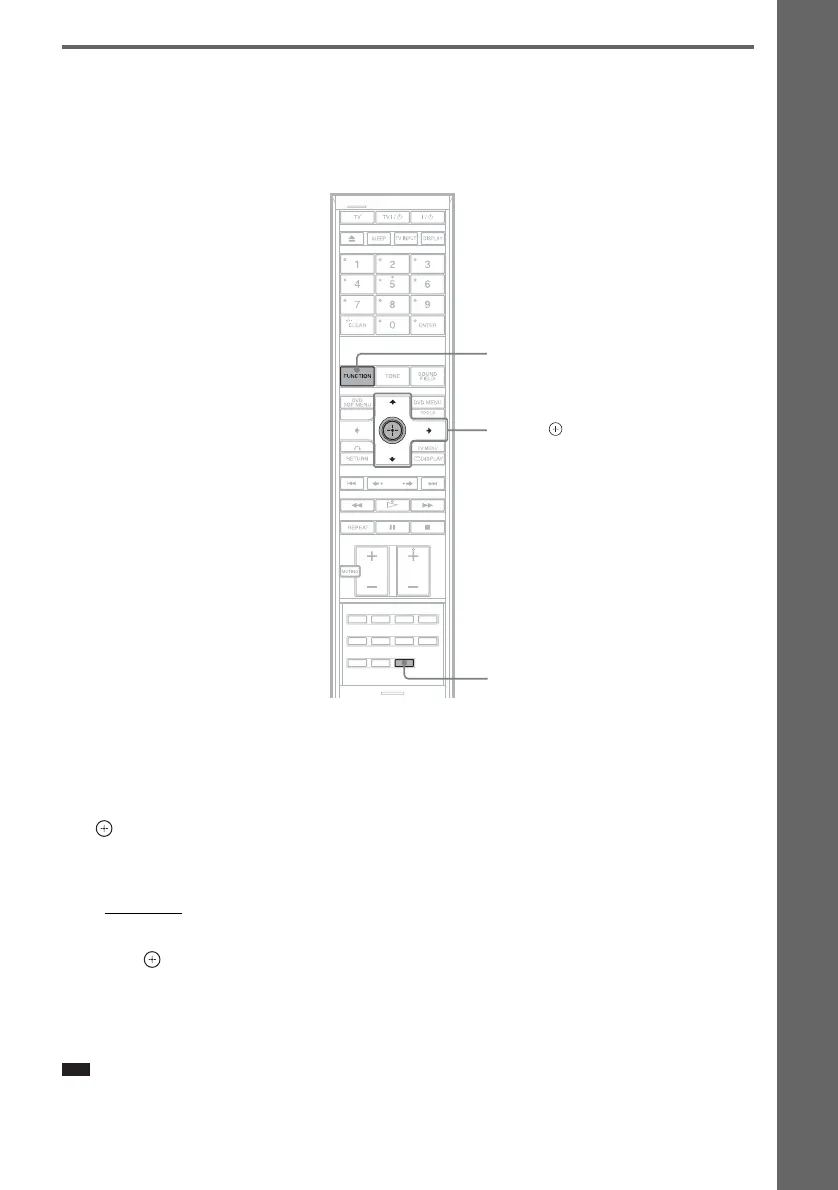
1 Press FUNCTION repeatedly until “TV” appears in the front panel display.
2 Press SYSTEM MENU.
3 Press X/x repeatedly until “ATTENUATE” appears in the front panel display, then press
or c.
4 Press X/x to select a setting.
The default setting is underlined.
• “ATT ON”
: attenuates the input level. The output level is changed.
• “ATT OFF”: normal input level.
5 Press .
The setting is made.
6 Press SYSTEM MENU.
The system menu turns off.
Note
• “ATTENUATE” appears only when the function is set to the “TV” function.
SYSTEM
MENU
X/x/c,
FUNCTION
With the cover opened.










 To Next Page