masterpage:Left
specdef v20060111
filename[G:\FM\Sony\0508\3212589121\3212589121DAVIS10\gb10rad.fm]
model name [DAV-IS10]
[3-212-589-12(1)]
70
US
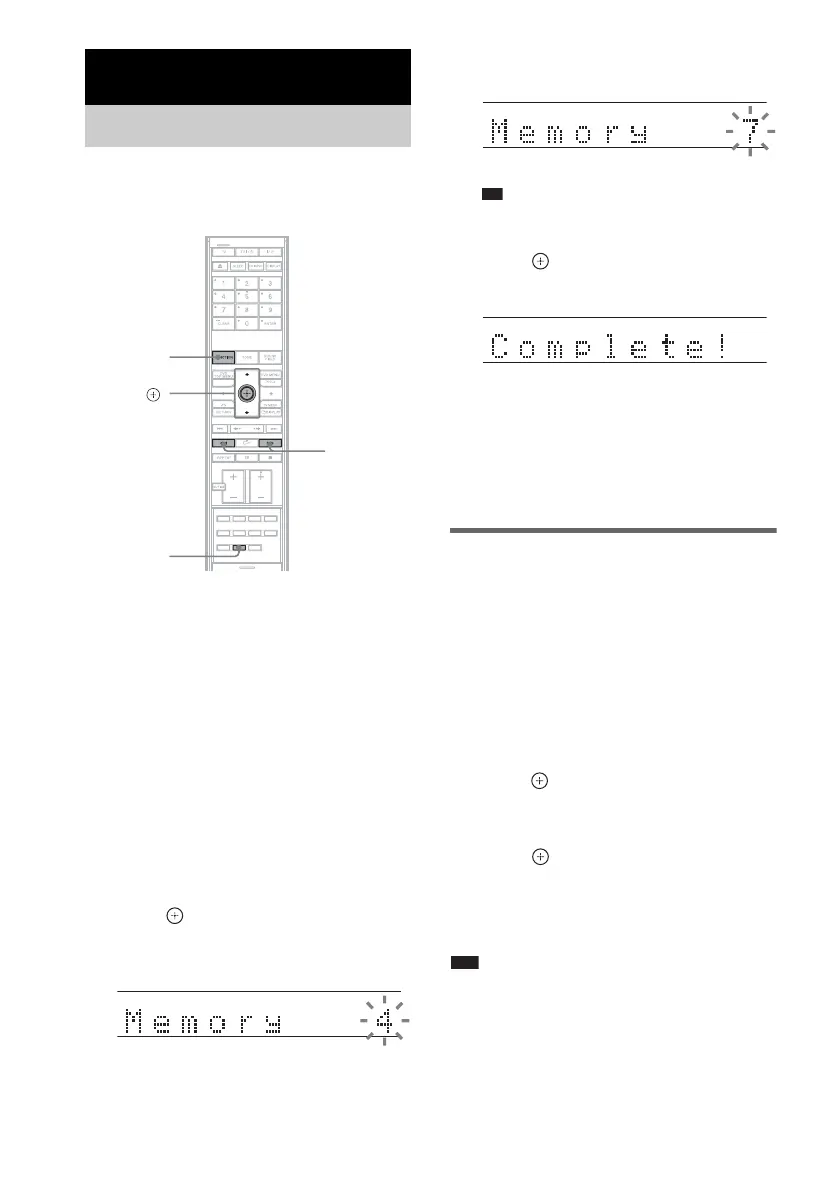
You can preset 20 FM stations, and 10 AM
stations. Before tuning, make sure to turn down
the volume to minimum.
1 Press FUNCTION repeatedly until “FM”
or “AM” appears in the front panel
display.
2 Press and hold TUNING + or – until the
auto scanning starts.
Scanning stops when the system tunes in a
station. “TUNED” and “STEREO” (for
stereo program) light up in the front panel
display.
3 Press TUNER MENU.
4 Press X/x repeatedly until “Memory?”
appears in the front panel display.
5 Press .
A preset number appears in the front panel
display.
6 Press X/x to select the preset number
you want.
Ti
• You can select the preset number directly by
pressing the number buttons.
7 Press .
The station is stored.
8 Press TUNER MENU.
9 Repeat 1 to 8 to store other stations.
To change the preset number
Restart from Step 3.
Changing the AM tuning
interval
The AM tuning interval can be set to either 10
kHz or 9 kHz.
1 Press FUNCTION repeatedly until “AM”
appears in the front panel display.
2 Press TUNER MENU.
3 Press X/x repeatedly until “AM Step?”
appears in the front panel display, then
press or
c.
“9k t 10k” or “10k t 9k” appears in the
front panel display.
4 Press .
“Complete!” appears in the front panel
display. The AM tuning interval is changed.
5 Press TUNER MENU.
Note
• If you change the interval, AM preset stations will be
erased.
Tuner Functions
Presetting Radio Stations
X/x,
TUNER
MENU
FUNCTION
With the cover opened.
TUNING
–/+
TUNED STEREO
TUNED STEREO
TUNED STEREO










 To Next Page