EasyManua.ls Logo

Sony DAV-IS10 - DVD Setup Display List

Sony DAV-IS10
123 pages
Print Icon
To Next Page IconTo Next Page
To Previous Page IconTo Previous Page
Loading...
masterpage:Left
specdef v20060111
filename[G:\FM\Sony\0508\3212589121\3212589121DAVIS10\gb13add.fm]
model name [DAV-IS10]
[3-212-589-12(1)]
116
US
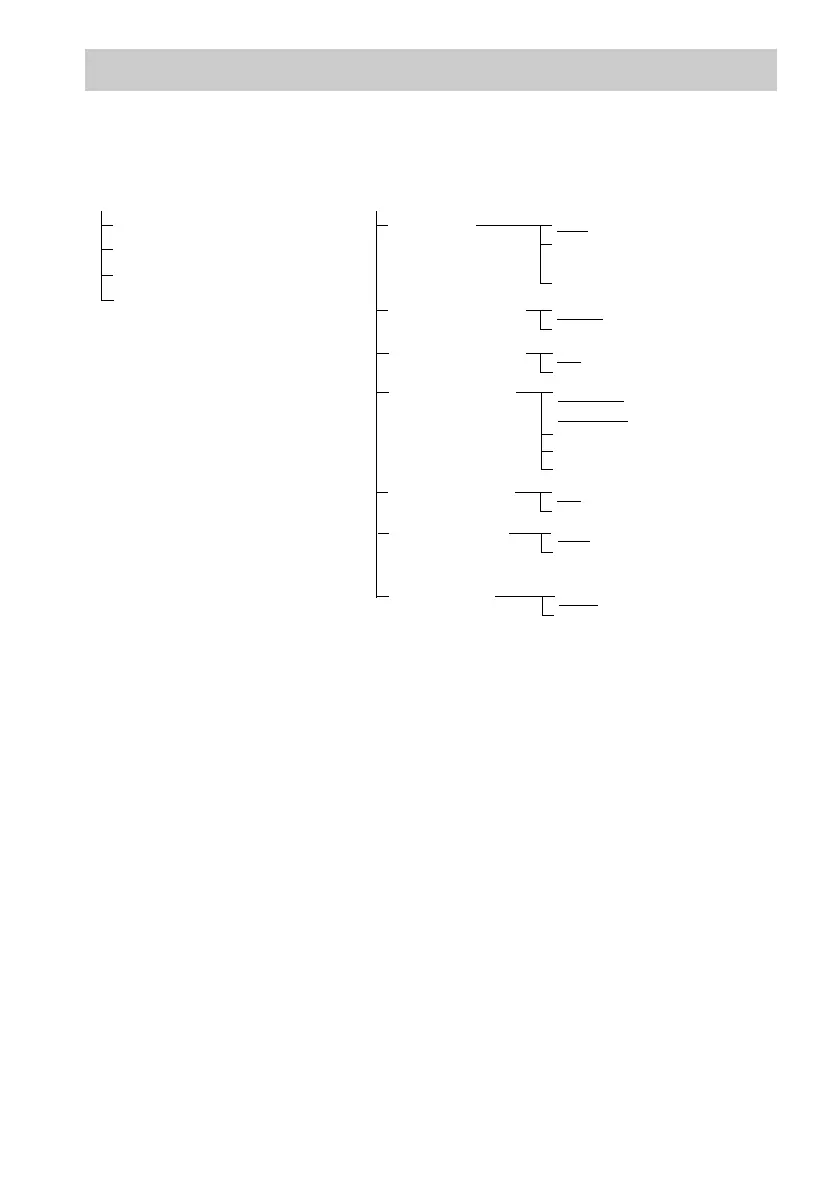
You can set the following items with the DVD Setup Display.
The order of the displayed items may be different from the actual display.
The default settings are underlined.
DVD Setup Display List
LANGUAGE SETUP
OSD*
MENU*
SUBTITLE*
AUDIO*
* Select the language you want to use from the displayed language list.
SCREEN SETUP
TV TYPE
SCREEN SAVER
BACKGROUND
16:9
4:3 LETTER
BOX
4:3 PAN SCAN
ON
OFF
BLUE
BLACK
JACKET
PICTURE
GRAPHICS
4:3 OUTPUT
FULL
NORMAL
YC
B
C
R
/RGB (HDMI)
YCBCR
RGB
BLACK LEVEL
ON
OFF
BLACK LEVEL
(COMPONENT
OUT)
OFF
ON

Table of Contents