37-GB
Network Operation
Using e-mail
Attaching images to e-mail
You can send images by attaching them to e-mail messages.
Preparation
Store the desired images in the “Memory Stick” and insert it into the camcorder.
(1) Follow these procedures: “1 Specifying the destination address” on page 29,
“2 Entering the subject of a message” on page 32, and “3 Entering the text of
a message” on page 33.
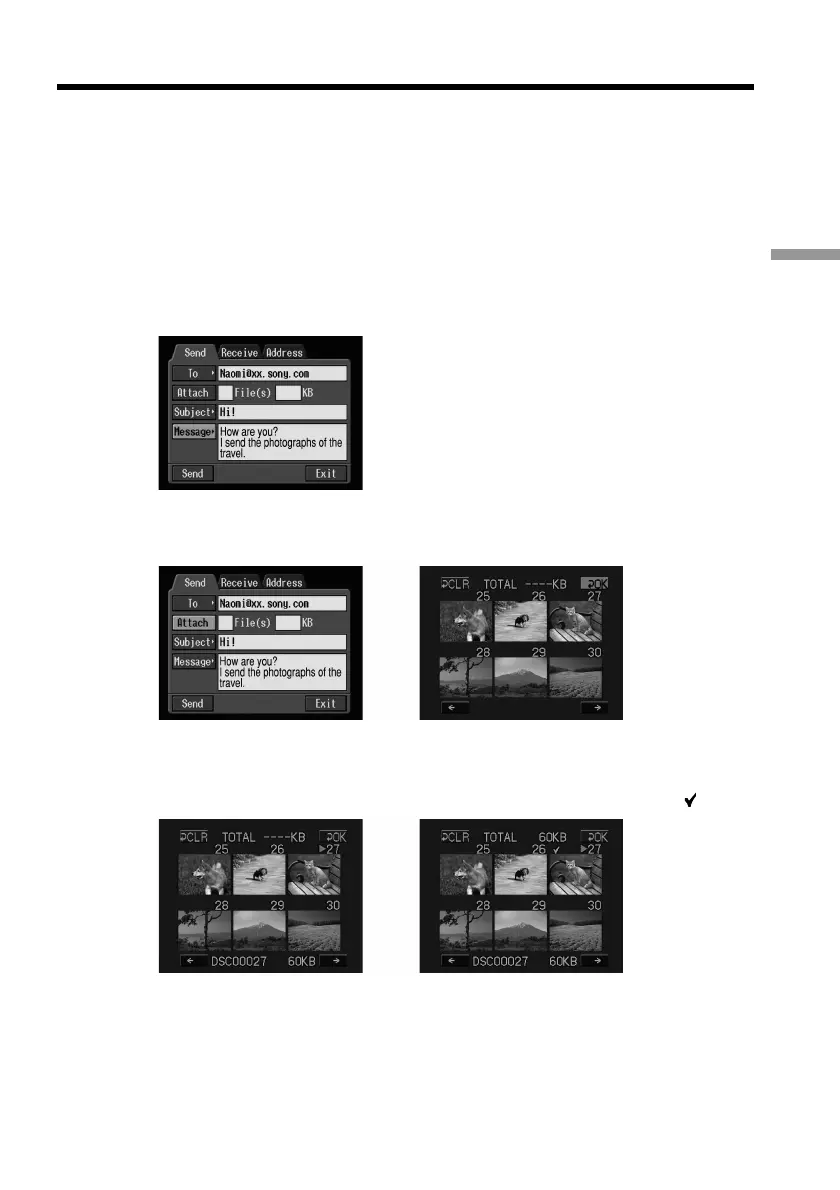
The Send screen appears.
(2) Select [Attach], then press the centre z on the control button.
The image index list appears.
,
(3) Select the desired images.
Move the yellow arrow mark onto the image you want to upload, then press
the control button. The selected image is indicated by the checkmark (
).
,
To page up or down the index list
Select [<] or [,], then press the centre z on the control button. The next or
previous page is displayed.











 To Next Page