51-GB
Network Operation
Forwarding the message to another person – Forward
You can forward a downloaded message to another person.
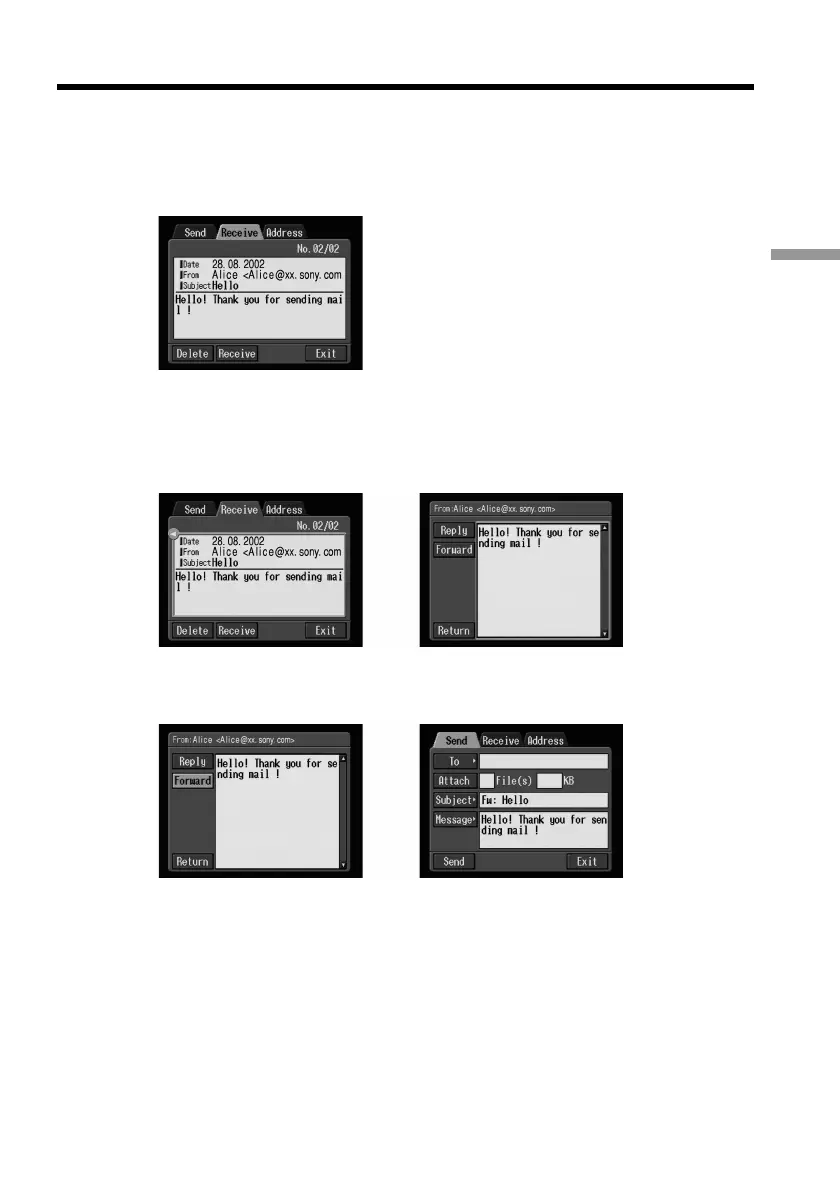
(1) Display the Receive screen.
(2) Select the area where a message is indicated, then select the message you want
to forward using the control button b/B, then press the centre z on the
control button.
The selected message is displayed.
,
(3) Select [Forward], then press the centre z on the control button.
The Send screen appears.
,
Tips
•An attached file is not automatically forwarded. When you also want to send the
attached file, see “Attaching images to e-mail” on page 37.
•“Fw:” is added to the top of the subject line.
(4) Carry out the procedure described in “1 Specifying the destination address”
on page 29 from step 3 or “Selecting the destination address from the address
book” on page 45 to specify the destination address.
Using e-mail











 To Next Page