258
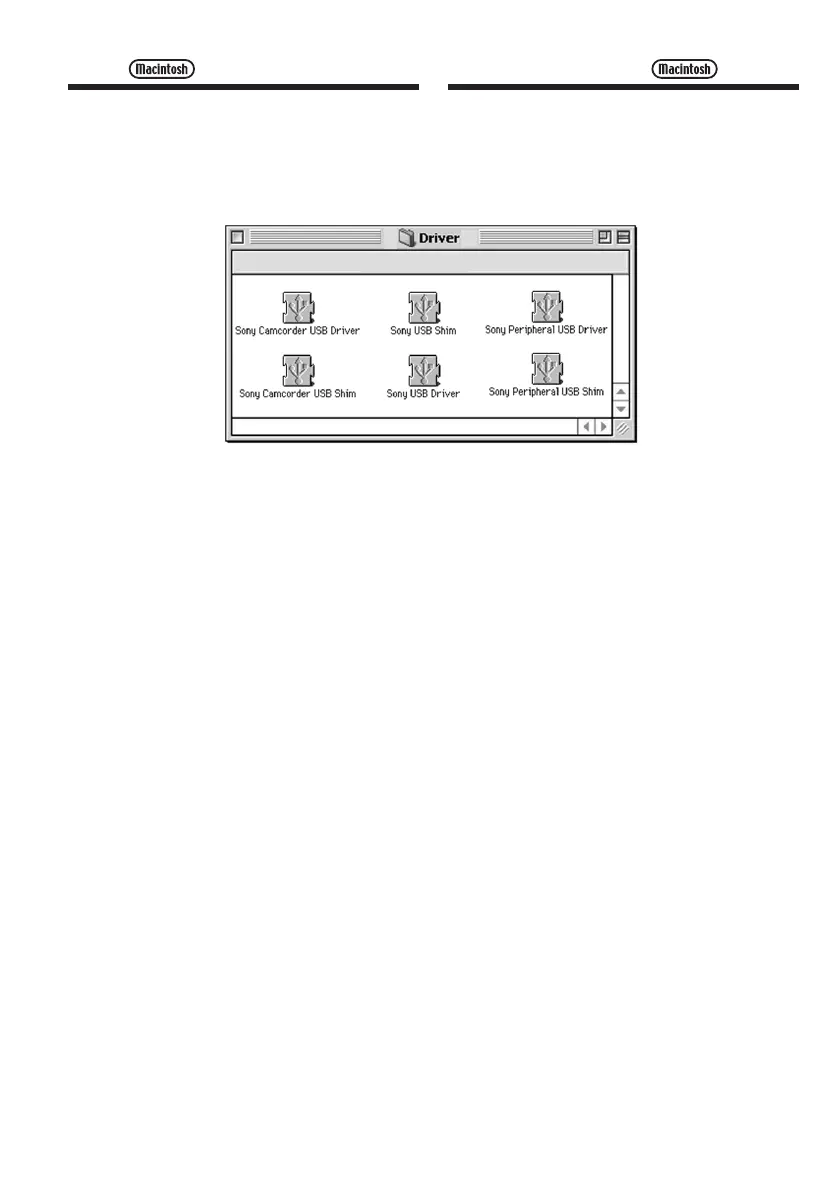
(5) Select the following two files, and drag and
drop them into the System Folder.
•Sony Camcorder USB Driver
•Sony Camcorder USB Shim
(6) When the message appears, click “OK.”
The USB driver is installed on your computer.
(7) Remove the CD-ROM from the computer.
(8) Restart your computer.
Connecting your camcorder to
your computer using the USB
cable
(5) Sélectionnez les deux fichiers suivants, puis
déplacez-les sur votre dossier système pour
les copier.
•Sony Camcorder USB Driver
•Sony Camcorder USB Shim
(6) Lorsque le message s’affiche, cliquez sur
“OK”.
Le pilote USB est installé sur votre ordinateur.
(7) Retirez le CD-ROM de l’ordinateur.
(8) Redémarrez l’ordinateur.
Raccordement de votre
caméscope à votre ordinateur à
l’aide du câble USB



 To Next Page