52
Recording a picture
Shooting a backlit subject
– BACK LIGHT
When you shoot a subject with the light source
behind the subject or a subject with a light
background, use the backlight function.
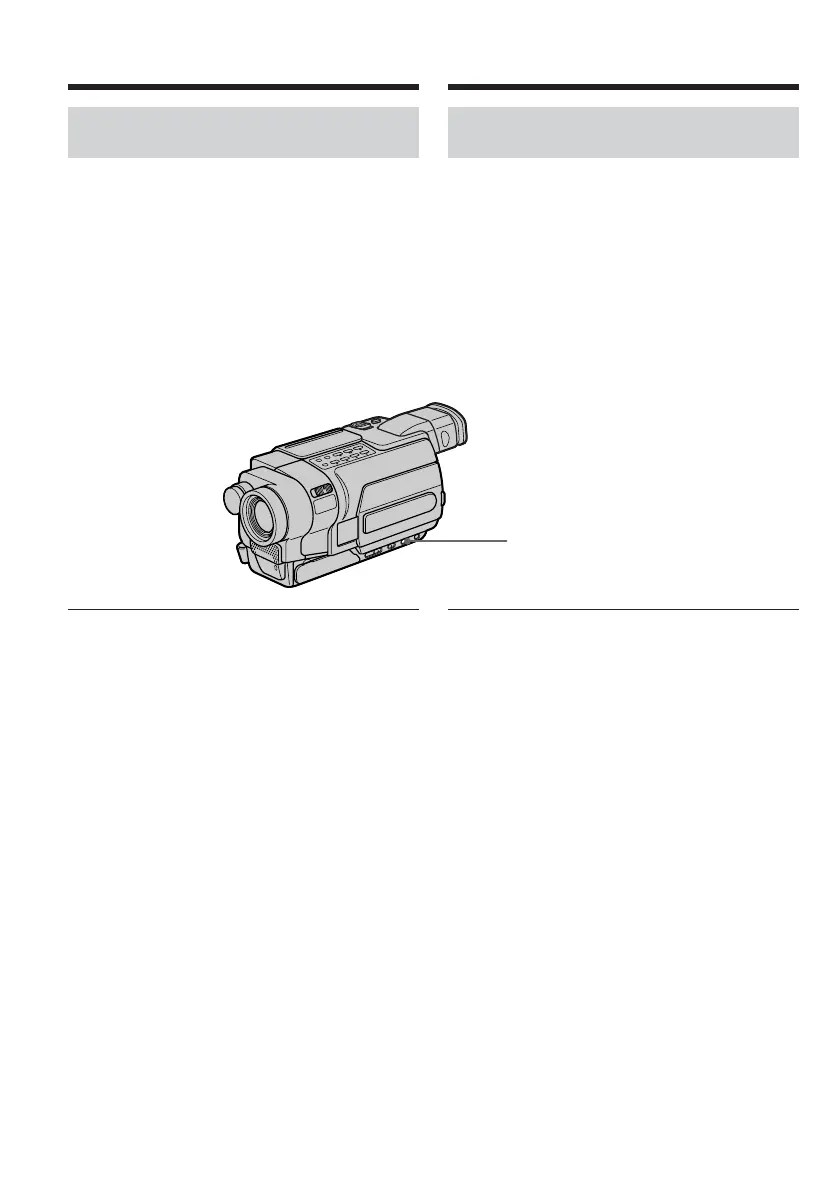
Set the POWER switch to CAMERA or
MEMORY, and press BACK LIGHT.*
The . indicator appears on the screen.
To cancel the backlight function, press BACK
LIGHT again.
If you press EXPOSURE when shooting backlit
subjects
The backlight function will be cancelled.
* Modes on the POWER switch vary depending
on models (p. 26).
BACK LIGHT
Prise de vues d’un sujet à
contre-jour – BACK LIGHT
Lors de la prise de vues d’un sujet qui tourne le
dos à la source de lumière ou qui se trouve
devant un arrière-plan clair, utilisez la fonction
BACK LIGHT (compensation de contre-jour).
Réglez le commutateur POWER sur CAMERA ou
MEMORY, puis appuyez sur BACK LIGHT.*
L’indicateur . s’affiche à l’écran.
Pour annuler la fonction de compensation de
contre-jour, appuyez de nouveau sur BACK
LIGHT.
Si vous appuyez sur EXPOSURE pendant la
prise de vues de sujets à contre-jour
La fonction de compensation de contre-jour est
annulée.
* Les modes indiqués sur le commutateur
POWER varient selon les modèles (p. 26).
Enregistrement d’une image










 To Next Page