10
GB
* You can watch the selected input image when you
connect the HDMI OUT or MONITOR OUT jack
to a TV or projector (page 18).
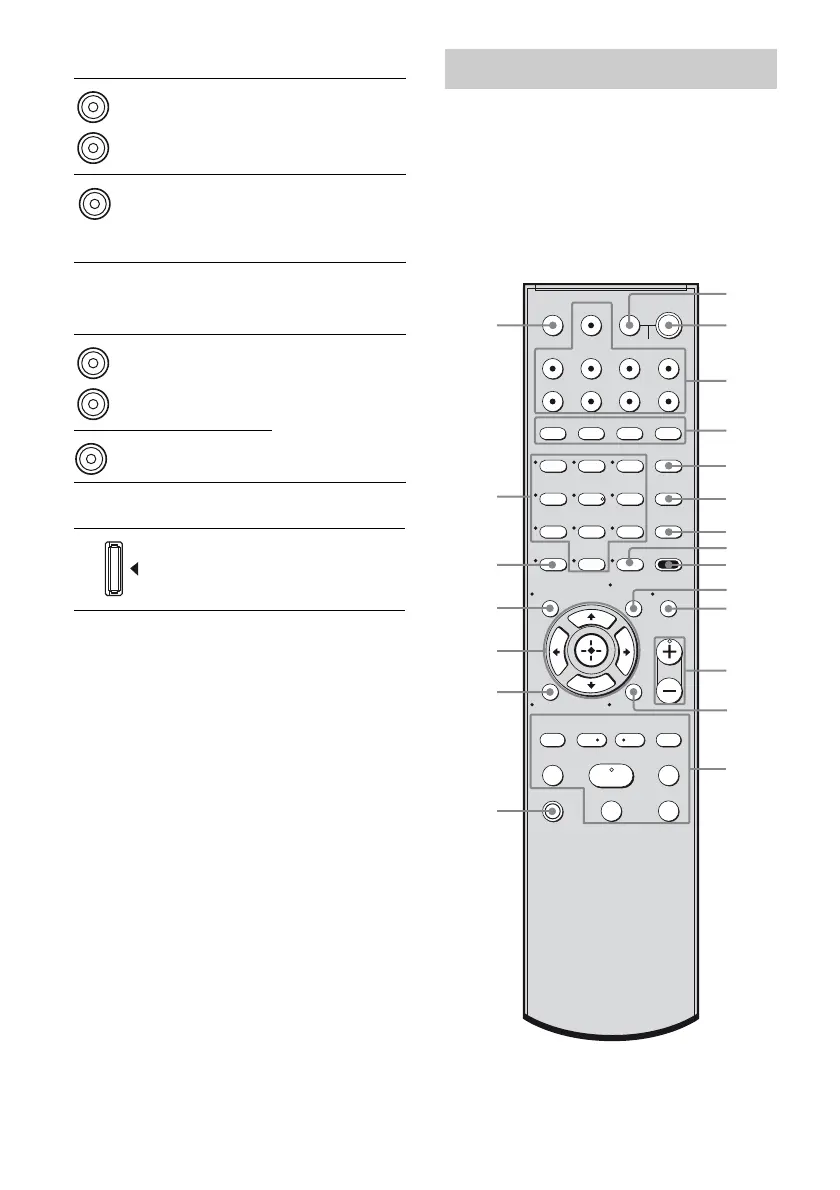
You can use the supplied remote to operate the
receiver and to control the Sony audio/video
components that the remote is assigned to
operate. For details, see “Changing button
assignments” (page 72).
RM-AAU023
E AUDIO INPUT/OUTPUT section
AUDIO IN/
OUT jacks
Connects to a Super
Audio CD player,
etc. (page 19).
AUDIO OUT
jacks
Connects to the
supplied
subwoofers
(page 16).
F VIDEO/AUDIO INPUT/OUTPUT
section
AUDIO IN/
OUT jacks
Connects to a VCR,
DVD player, etc.
(page 18, 23, 24,
25).
VIDEO IN/
OUT* jacks
G DMPORT
DMPORT
jack
Connects to a
DIGITAL MEDIA
PORT adapter
(page 67).
White (L)
Red (R)
Black
White (L)
Red (R)
Yellow
Remote commander
123
46
78
0/10
ENTER
9
SYSTEM STANDBY
TV INPUT
SLEEP
DMPORT
VIDEO1 VIDEO2 BD DVD
2CH A.F.D.
RETURN/EXIT
TV CH –
PRESET –
TV CH +
PRESET +
TUNING –
TV
TUNING +
FM MODE
REPLAY ADVANCE
MOVIE MUSIC
AMP MENU
CLEAR
DISPLAY
MUTING
TV VOL
MASTER VOL
DVD/BD
MENU
AUTO CAL
D.TUNING
D.SKIP
THEATRE
SAT TV SA-CD/CD TUNER
?/1
-
.
HmM
Xx
<
<
>
O
5
>10
qh
qk
qj
ql
w;
wa
qg
1
3
2
5
6
7
8
qa
q;
9
qf
qs
4
qd
TV
?/1
AV
?/1
MEMORY
MENU/HOME
TOOLS/
OPTIONS



 To Next Page