64
GB
Turning off the receiver
with the TV
(System Power Off)
When you turn the TV off by using the
POWER button on the TV’s remote, the
receiver and the connected components turn
off automatically.
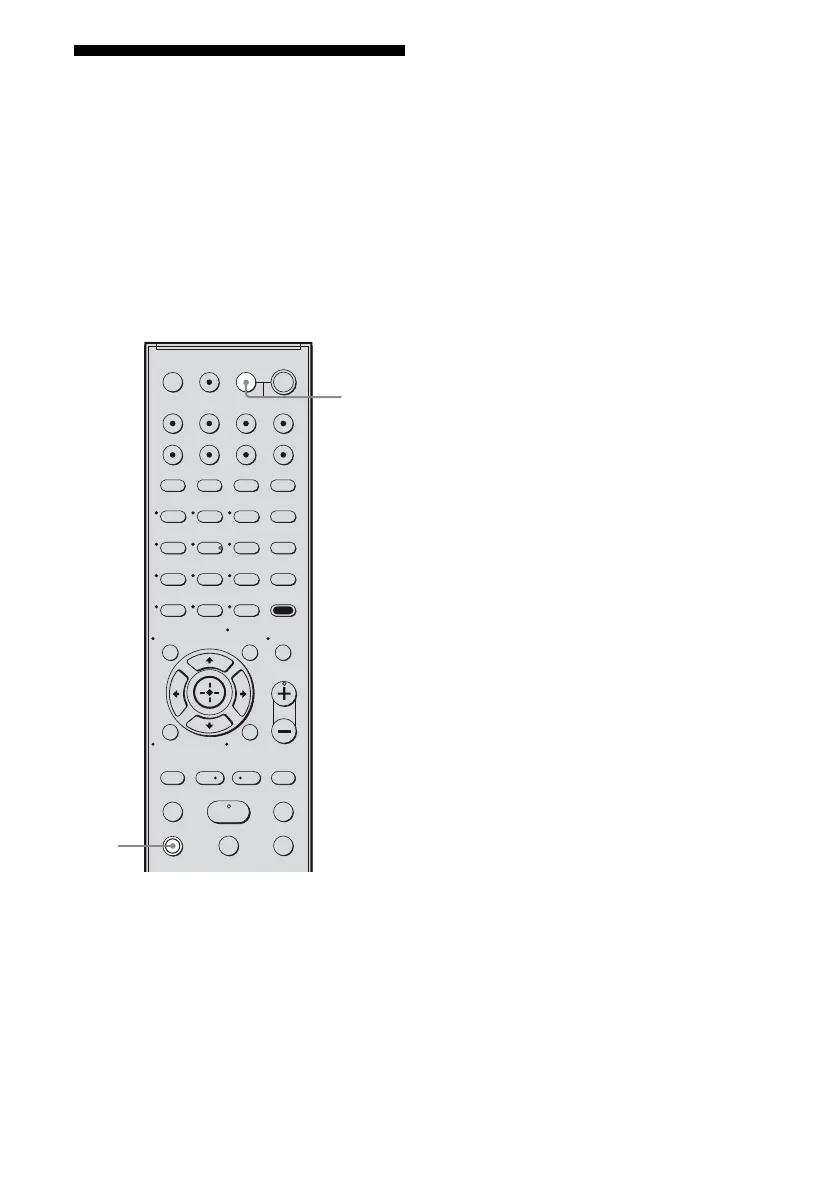
You can also use the receiver’s remote to turn
off the TV.
Press TV and TV ?/1 at the same
time.
The TV, receiver and the components
connected via HDMI are turned off.
Notes
• Set the TV Standby Synchro to “ON” before using
the System Power Off function. For details, refer to
the operating instructions of the TV.
• Depending on the status, the connected
components may not be turned off. For details,
refer to the operating instructions of the connected
components.
123
46
78
0/10
ENTER
9
SYSTEM STANDBY
TV INPUT
SLEEP
DMPORT
VIDEO1 VIDEO2 BD DVD
2CH A.F.D.
RETURN/EXIT
TV CH –
PRESET –
TV CH +
PRESET +
TUNING –
TV
TUNING +
FM MODE
REPLAY ADVANCE
MOVIE MUSIC
AMP MENU
CLEAR
DISPLAY
TV VOL
MASTER VOL
DVD/BD
MENU
AUTO CAL
D.TUNING
D.SKIP
THEATRE
SAT TV SA-CD/CD TUNER
?/1
-
.
HmM
Xx
<
<
>
O
5
>10
TV
?/1
AV
?/1
MEMORY
MENU/HOME
MUTING
TOOLS/
OPTIONS
TV
TV ?/1



 To Next Page