55
GB
Tuner Operations
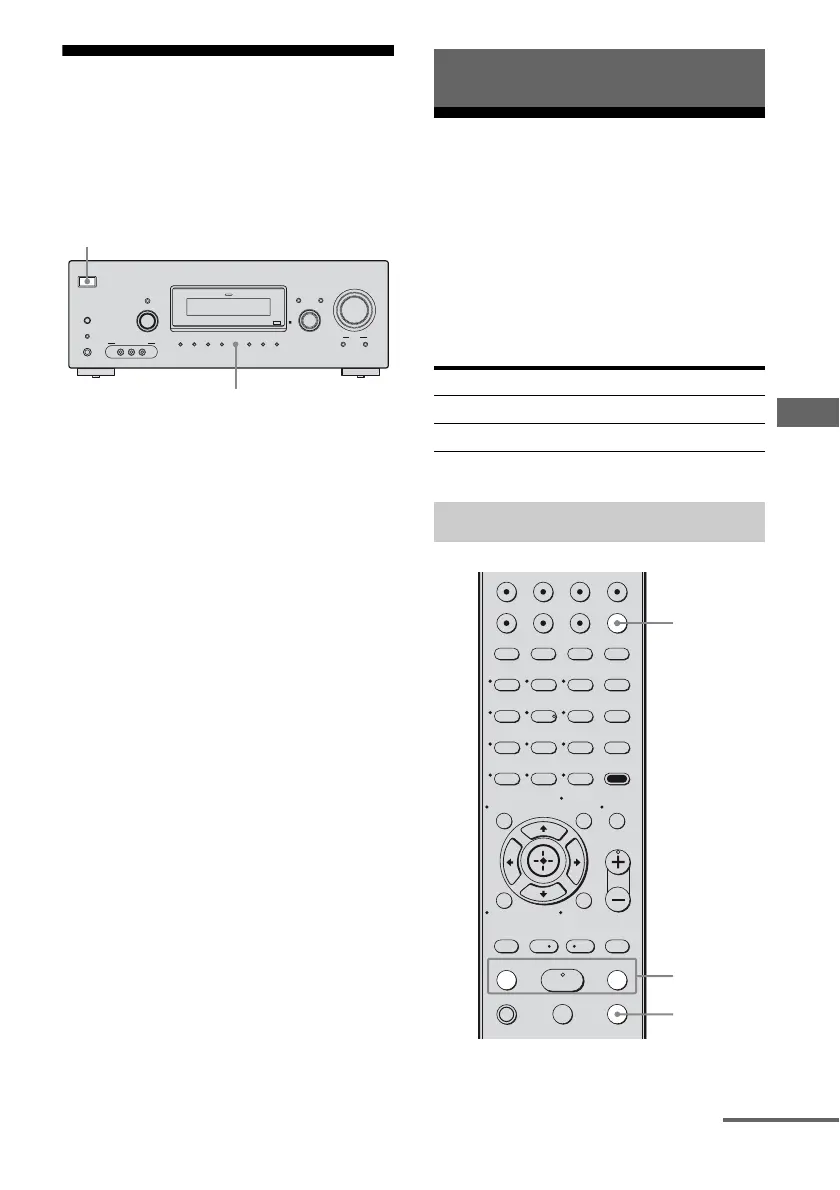
Resetting sound fields to
the initial settings
Be sure to use the buttons on the receiver for
this operation.
1 Press ?/1 to turn off the power.
2 While holding down 2CH, press
?/1.
“S.F. CLR.” appears on the display and
all sound fields are reset to their initial
setting.
Listening to FM/AM radio
You can listen to FM and AM broadcasts
through the built-in tuner. Before operation,
make sure you have connected the FM and
AM antennas to the receiver (page 27).
Tip
The tuning scale differs depending on the area code
as shown in the following table. For details on area
codes, see page 3.
* The AM tuning scale can be changed (page 81).
?/1
AUTO CAL MIC
AUTO CAL
TUNING MODE
TUNING
– +
PHONES
MEMORY/
ENTER
SLEEPDIMMER
MULTI CHANNEL DECODING
SUR BACK
DECODING
2CH A.F.D. MOVIE MUSIC
MODE SPEED
X-ROUND
DISPLAY INPUT MODE
INPUT SELECTOR
MASTER VOLUME
VIDEO 2 IN/PORTABLE AV IN
VIDEO L AUDIO R
1,2
2
Tuner Operations
Area code FM AM
SP, AU 50 kHz 9 kHz
E51 50 kHz 10 kHz*
Automatic tuning
123
46
78
0/10
ENTER
9
VIDEO1 VIDEO2 BD DVD
2CH A.F.D.
RETURN/EXIT
TV CH –
PRESET –
TV CH +
PRESET +
TUNING –
TV
TUNING +
FM MODE
REPLAY ADVANCE
MOVIE MUSIC
AMP MENU
CLEAR
DISPLAY
TV VOL
MASTER VOL
DVD/BD
MENU
AUTO CAL
D.TUNING
D.SKIP
THEATRE
SAT TV SA-CD/CD TUNER
-
.
HmM
Xx
<
<
>
O
5
>10
MEMORY
MENU/HOME
MUTING
TOOLS/
OPTIONS
2
1
FM MODE
continued



 To Next Page