38
GB
Watching a DVD/Blu-ray disc
?/1
AUTO CAL MIC
AUTO CAL
TUNING MODE
TUNING
– +
PHONES
MEMORY/
ENTER
SLEEPDIMMER
MULTI CHANNEL DECODING
SUR BACK
DECODING
2CH A.F.D. MOVIE MUSIC
MODE SPEED
X-ROUND
DISPLAY INPUT MODE
INPUT SELECTOR
MASTER VOLUME
VIDEO 2 IN/PORTABLE AV IN
VIDEO L AUDIO R
123
46
78
0/10
ENTER
9
SYSTEM STANDBY
TV INPUT
SLEEP
DMPORT
VIDEO1 VIDEO2 BD DVD
2CH A.F.D.
RETURN/EXIT
TV CH –
PRESET –
TV CH +
PRESET +
TUNING –
TV
TUNING +
FM MODE
REPLAY ADVANCE
MOVIE MUSIC
AMP MENU
CLEAR
DISPLAY
MUTING
TV VOL
MASTER VOL
DVD/BD
MENU
AUTO CAL
D.TUNING
D.SKIP
THEATRE
SAT TV SA-CD/CD TUNER
?/1
-
.
HmM
Xx
<
<
>
O
5
>10
TV
?/1
AV
?/1
MEMORY
MENU/HOME
TOOLS/
OPTIONS
MULTI CHANNEL DECODING lamp
2
3
6
6
3
Notes
• Refer to the operating
instructions supplied with the
TV and DVD player/Blu-ray
disc player.
• Check the following if you
cannot listen to multi channel
sound.
– Be sure the sound source
corresponds to the multi
channel format (the MULTI
CHANNEL DECODING
lamp on the front panel lights
up during playback).
– Be sure this receiver is
connected to the DVD player/
Blu-ray disc player via a
digital connection.
– Be sure the digital audio
output of the DVD player/
Blu-ray disc player is set up
properly.
Tips
• Select the sound format of the
disc to be played, if necessary.
• You can select the sound field to
suit the movie/music. Refer to
page 52 for details.
Recommended sound fields:
Movie: C.ST.EX
Music: CONCERT
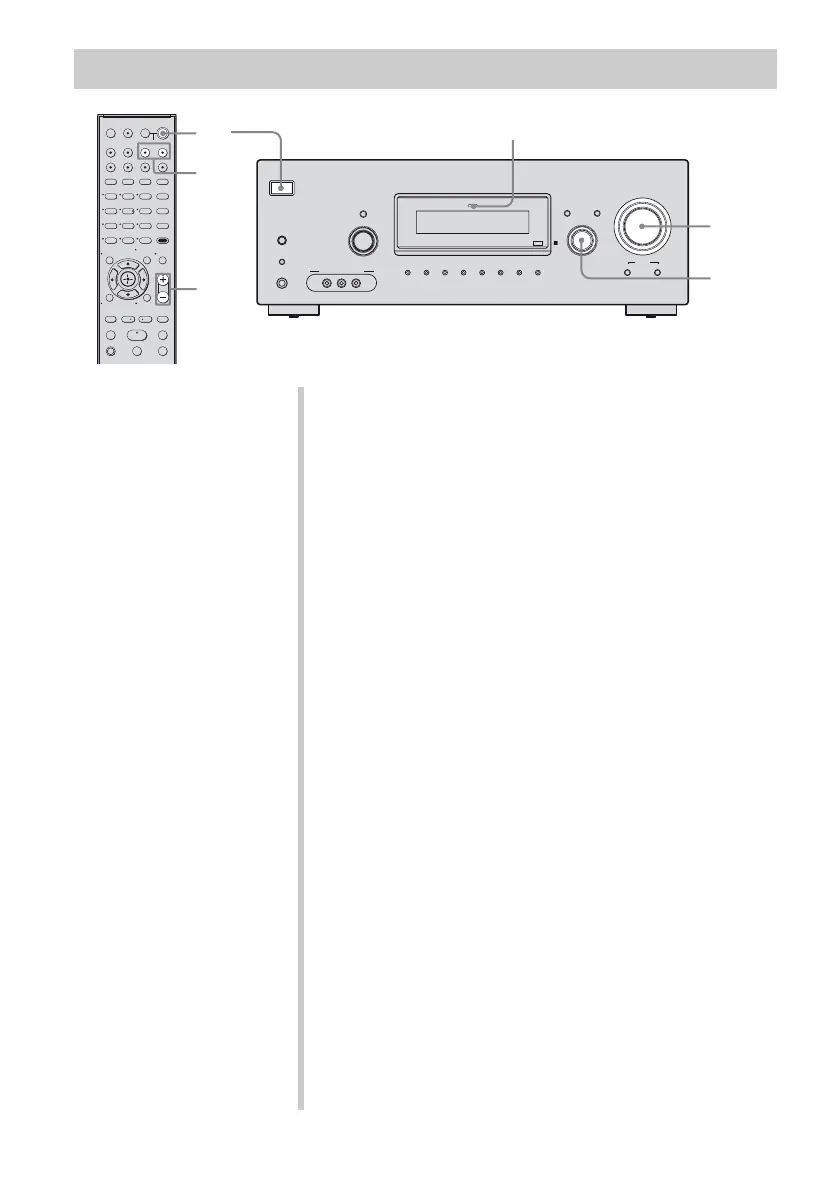
1 Turn on the TV and DVD player/Blu-ray disc
player.
2 Turn on the receiver.
3 Press DVD to watch a DVD or press BD to
watch a Blu-ray disc.
You can also use INPUT SELECTOR on this receiver to
select “DVD” or “BD”.
Be sure to change the factory setting of the DVD input
button on the remote so that you can use the button to
control your DVD player. For details, see “Changing
button assignments” (page 72).
4 Switch the input of the TV so that an image
of the DVD/Blu-ray disc is displayed.
5 Play back the disc.
6 Adjust to a suitable volume.
7 After you have finished watching the DVD/
Blu-ray disc, eject the disc and turn off the
receiver, TV and DVD player/Blu-ray disc
player.



 To Next Page