[] Connecting the printer
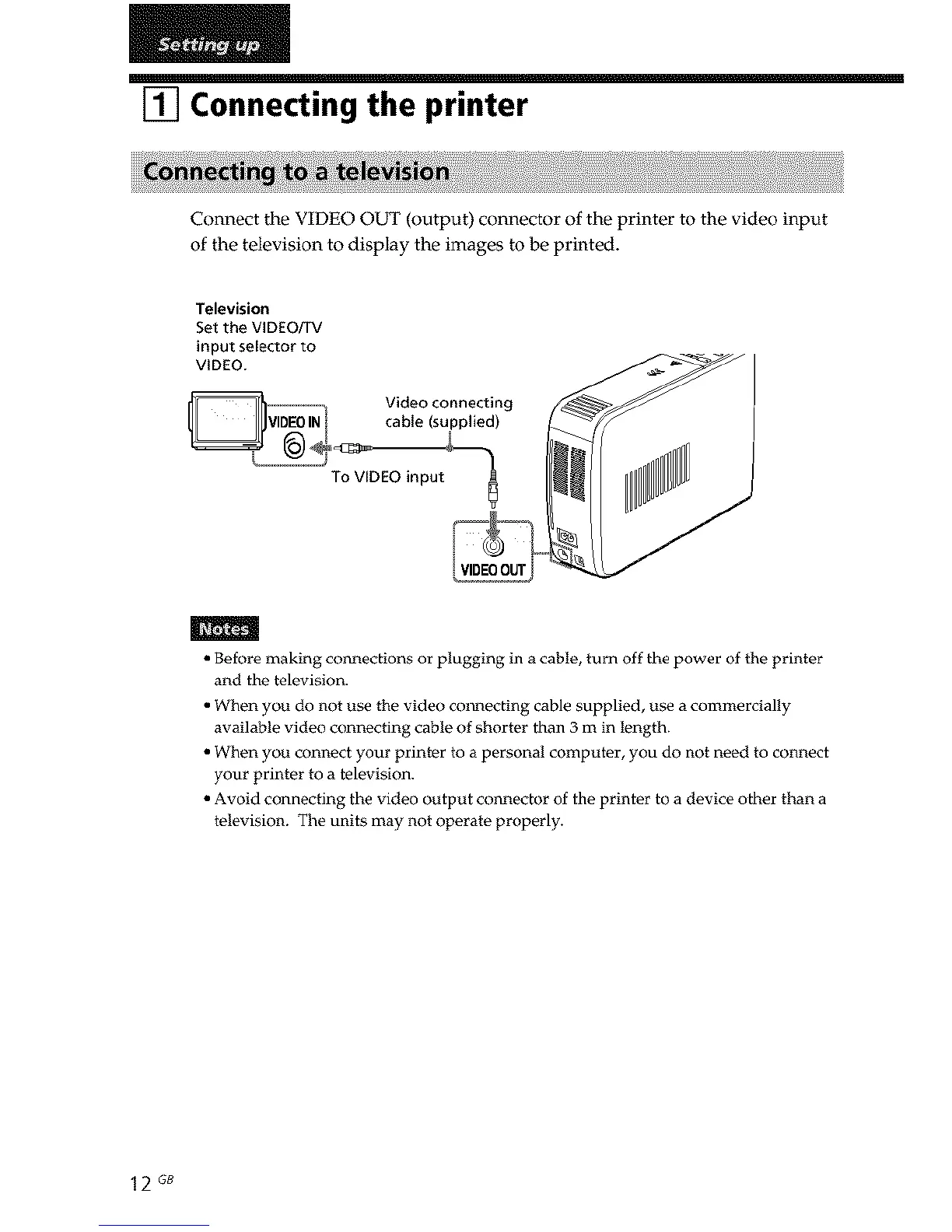
Connect the VIDEO OUT (output) connector of the printer to the video input
of the television to display the images to be printed.
Television
Set the VIDEO/TV
input selector to
VIDEO.
.......... _ Video connecting
VIDEOIN cable (supplied)
I
I ,
VIDEOOUT
m
• Before making col_lections or plugging in a cable, turn off the power of the printer
and the television.
• When you do not use the video collecting cable supplied, use a commercially
available video connecting cable of shorter than 3 m in length.
• When you connect your printer to a personal computer, you do not need to connect
your printer to a television.
• Avoid connecting the video output col_nector of the printer to a device other than a
television. The units may not operate properly.
12 GB



 To Next Page