Printing multiple images
You can select multiple images and the number of copies to be printed.
1 Insert a "Memory Stick" with recorded images into the
"Memory Stick" insertion slot (page 14).
2 Turn on the printer and television and set the input selector of
your television to "VIDEO".
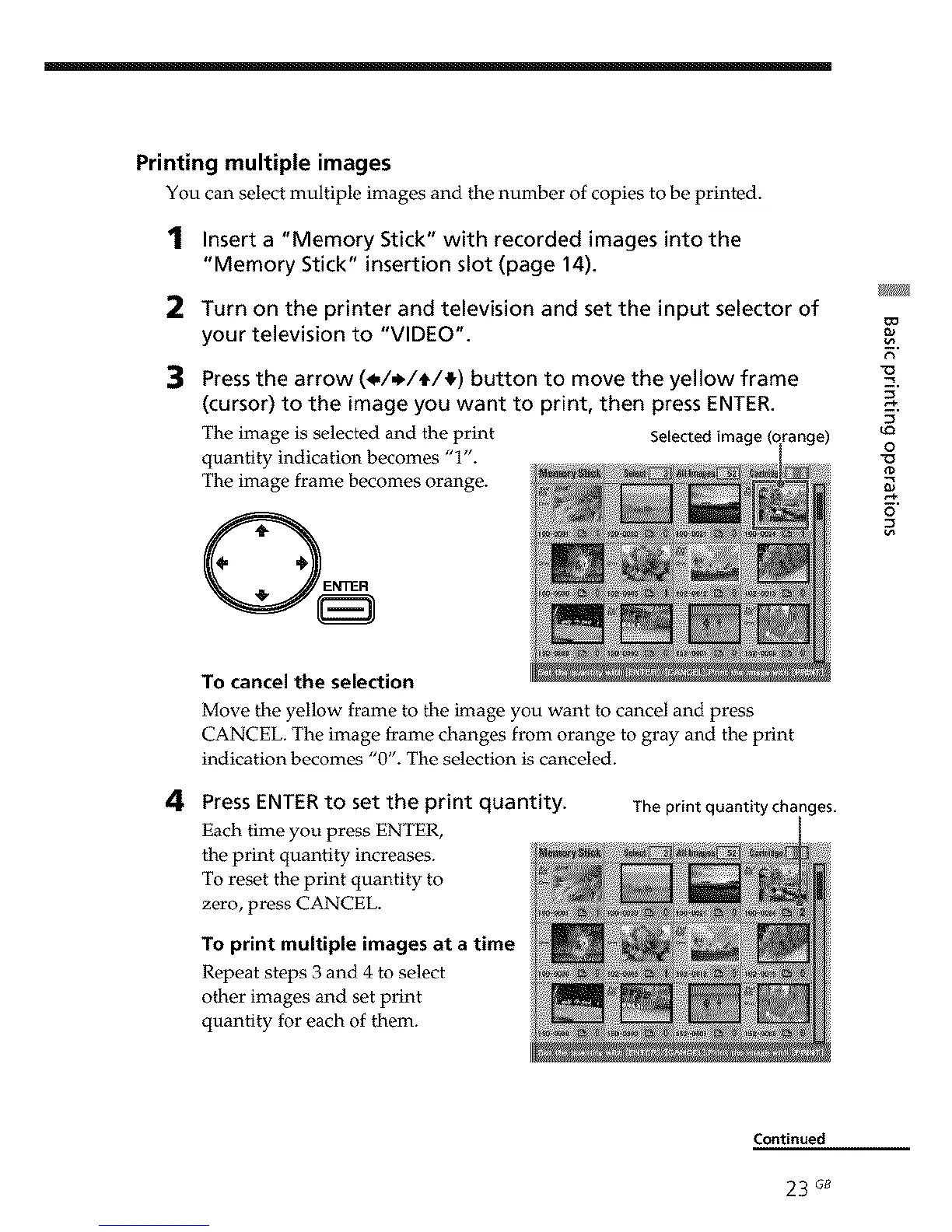
Press the arrow (_,/_/_/_) button to move the yellow frame
(cursor) to the image you want to print, then press ENTER.
The image is selected and the print Selected irna
quantity indication becomes "1".
The image frame becomes orange.
ange)
9.
u_
o
0
o
4
To cancel the selection
Move the yellow frame to the image you want to cancel and press
CANCEL. The image frame changes from orange to gray and the print
indication becomes "0". The selection is canceled.
Press ENTER to set the print quantity.
Each time you press ENTER,
the print quantity increases.
To reset the print quantity to
zero, press CANCEL.
To print multiple images at a time
Repeat steps 3 and 4 to select
other images and set print
quantity for each of them.
The print quantity ch_ nges,
Continued
23 G8



 To Next Page