4
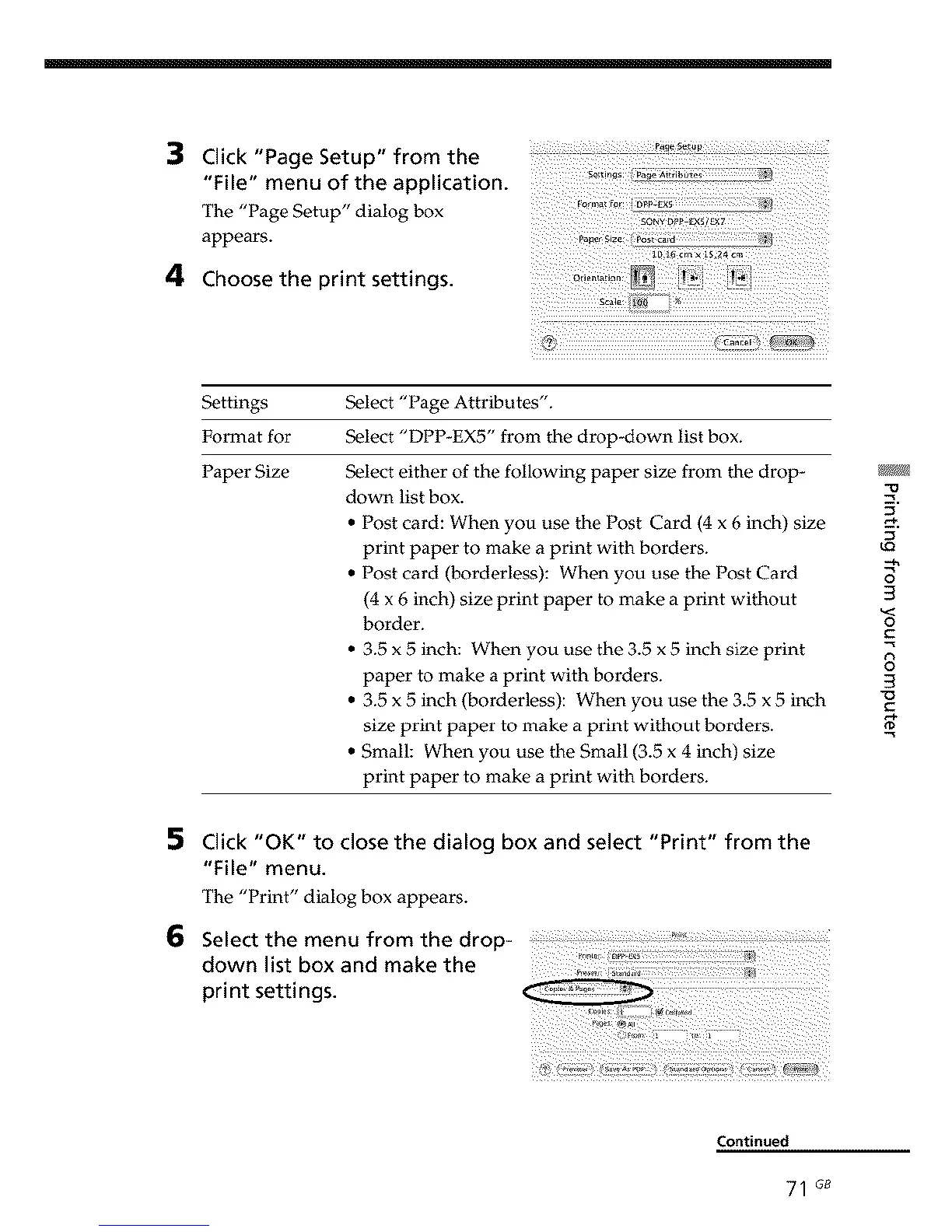
Click "Page Setup" from the
"File" menu of the application.
The
"l_age- -betup" --'dialogbox s0.Y_+L_s/,_
appears.
c_i_diZ_idd
_-oose .-e ,.,r,n_ se_.,n_s.
Settings
Format for
Paper Size
Select "Page Attributes".
Select "DPP-EX5" from the drop-down list box.
Select either of the following paper size from the drop-
down list box.
• Post card: When you use the Post Card (4 x 6 inch) size
print paper to make a print with borders.
• Post card (borderless): When you use the Post Card
(4 x 6 inch) size print paper to make a print without
border.
• 3.5 x 5 inch: When you use the 3.5 x 5 inch size print
paper to make a print with borders.
• 3.5 x 5 inch (borderless): When you use the 3.5 x 5 inch
size print paper to make a print without borders.
• Small: When you use the Small (3.5 x 4 inch) size
print paper to make a print with borders.
kQ
3
3
o
C
8
3
"O
5
6
Click "OK" to close the dialog box and select "Print" from the
"File" menu.
The "Print" dialog box appears.
Continued
71 G_



 To Next Page