o
m
u
"'C
...
S'
-
S'
(Q
I
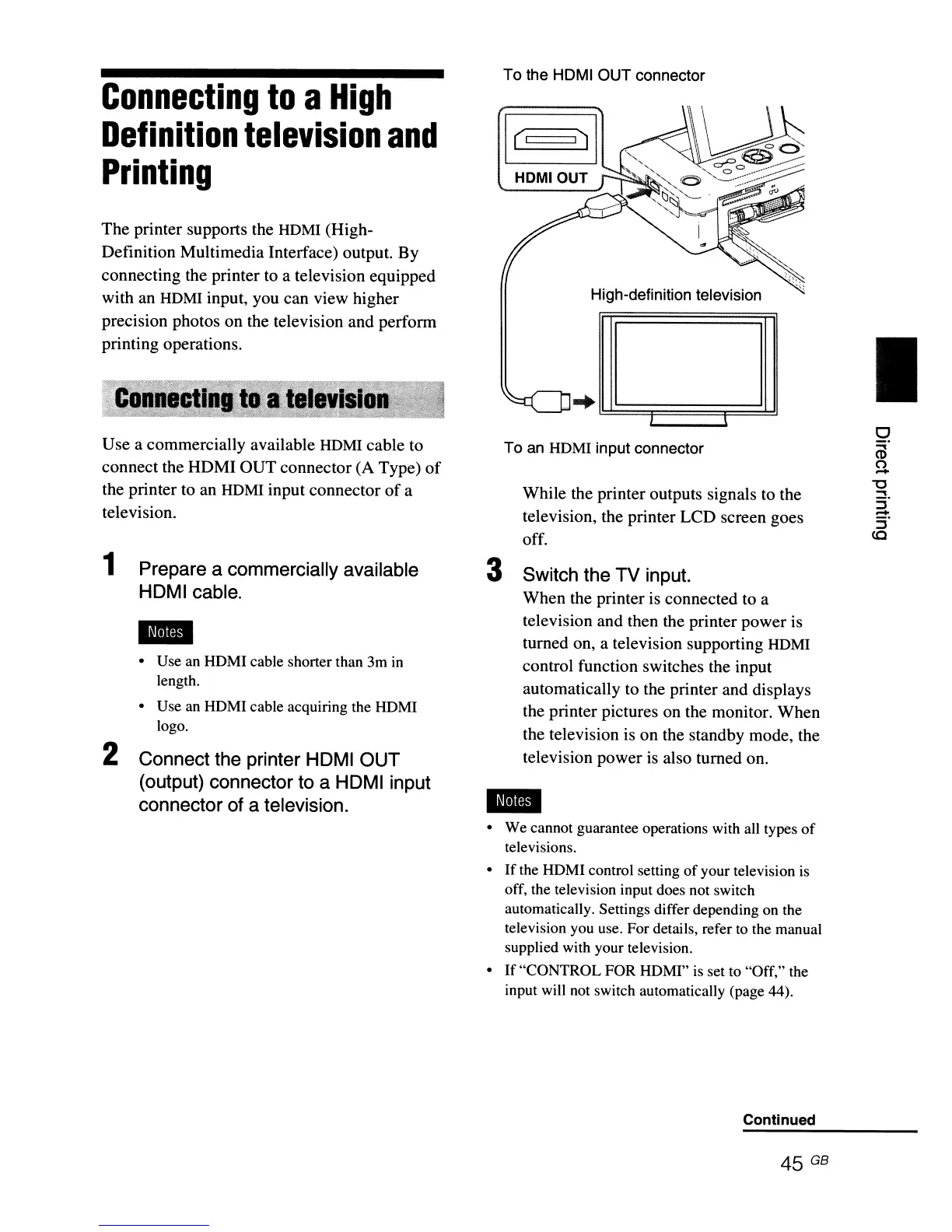
High-definition television
To an
HDMI input connector
To the HOMI OUT connector
While the printer outputs signals to the
television, the printer LCD screen goes
off.
3 Switch the TV input.
When the printer
is
connected to a
television and then the printer power
is
turned on, a television supporting HDMI
control function switches the input
automatically to the printer and displays
the printer pictures on the monitor. When
the television is on the standby mode, the
television power
is
also turned on.
• Use an HDMI cable shorter than 3m
in
length.
• Use an HDMI cable acquiring the HDMI
logo.
2 Connect the printer HOMI OUT
(output) connector to a HOMI input
connector of a television.
Use a commercially available HDMI cable to
connect the HDMI OUT connector (A Type)
of
the printer to an HDMI input connector
of
a
television.
The printer supports the
HDMI (High-
Definition Multimedia Interface) output. By
connecting the printer
to
a television equipped
with an
HDMI input, you can view higher
precision photos on the television and perform
printing operations.
1 Prepare a commercially available
HOMI cable.
Connecting
to
a
High
Definition
television
and
Printing
• We cannot guarantee operations with all types
of
televisions.
•
If
the HDMI control setting
of
your television
is
off, the television input does not switch
automatically. Settings differ depending on the
television you use. For details, refer
to
the manual
supplied with your television.
•
If
"CONTROL FOR HDMI"
is
set to "Off," the
input will not switch automatically (page 44).
Continued
45 GB



 To Next Page