~CJJ~)
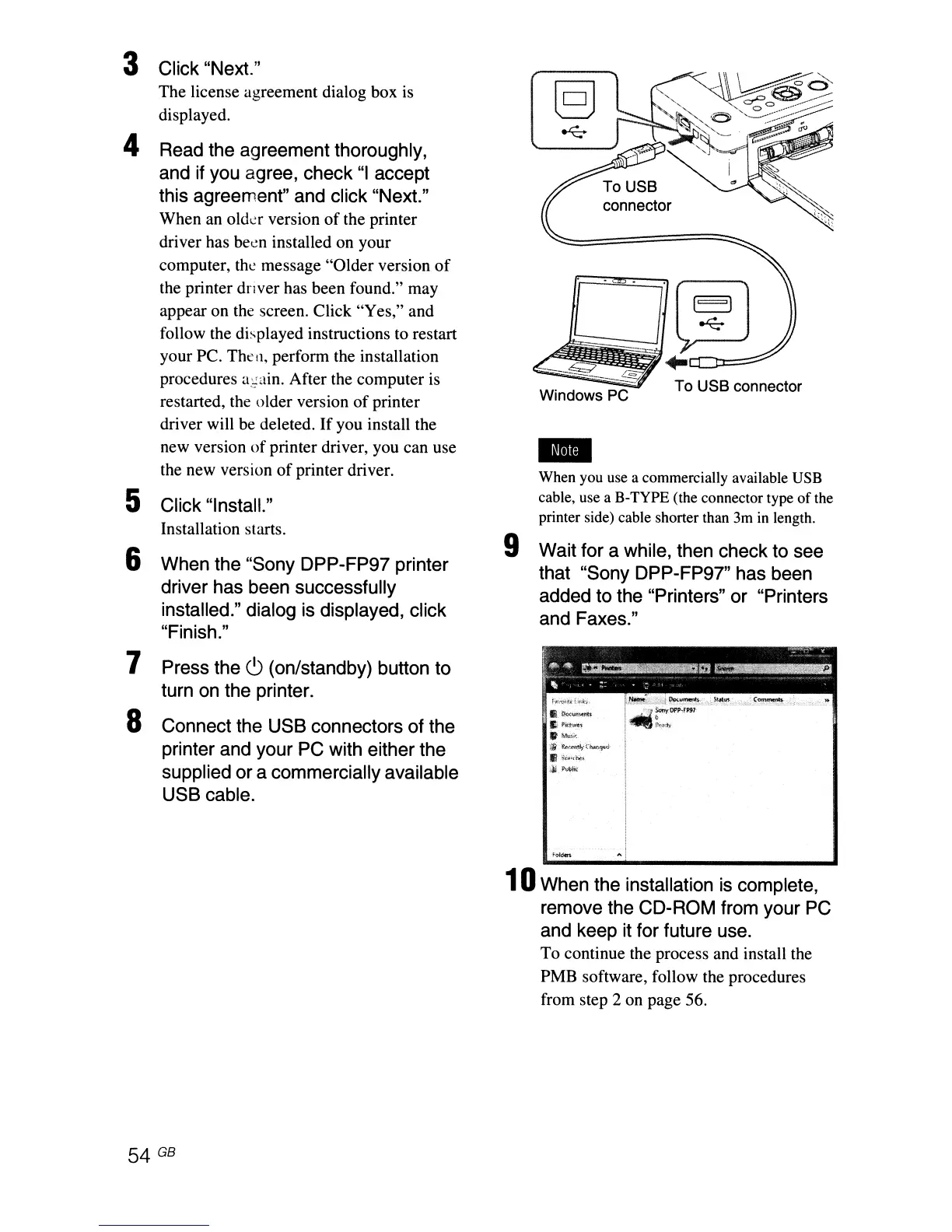
To USB connector
-
When you use a commercially available USB
cable, use a B-TYPE (the connector type
of
the
printer side) cable shorter than 3m
in
length.
9 Wait for a while, then check to see
that "Sony DPP-FP97" has been
added to the "Printers" or "Printers
and Faxes."
3 Click "Next."
The license agreement dialog box
is
displayed.
4 Read the agreement thoroughly,
and if you agree, check
"I
accept
this agreement" and click "Next."
When an olda version
of
the printer
driver has been installed on your
computer, the message "Older version
of
the printer driver has been found." may
appear on
the
screen. Click "Yes," and
follow the displayed instructions to restart
your
Pc.
The
11,
perform the installation
procedures
a~ain.
After the computer is
restarted, the older version
of
printer
driver will be deleted.
If
you install the
new version
of
printer driver, you can use
the new version
of
printer driver.
5 Click "InstalL"
Installation starts.
6 When the "Sony DPP-FP97 printer
driver has been successfUlly
installed." dialog is displayed, click
"Finish."
7
8
Press the
c9
(on/standby) button to
turn
on
the printer.
Connect the USB connectors of the
printer and your PC with either the
supplied or a commercially available
USB cable.
• r <
k""4~m~
f"..
.:.
::
E.
Doctmltiits
E,'-
i'kt',.j,U
..
Ml<~;';
1i
b..'.t'I\~iy
t~l)f~J
Ii
';'iol"'·~>
¥""""
10When the installation
is
complete,
remove the CD-ROM from your PC
and keep it for future use.
To continue the process and install the
PMB software, follow the procedures
from step 2 on page 56.
54 GB



 To Next Page