-
...
o
3
0>
"tJ
()
SONY
I
DIgItal
Photo
Printer
DPP-FP97
I
• If the installation window
is
not displayed
automatically, double-click the "Setup.exe"
file on the CD-ROM.
• In Windows Vista, the AutoPlay window
may appear. Even if this occurs, select
"Setup.exe" execution and install the driver
according to the instructions on the screen.
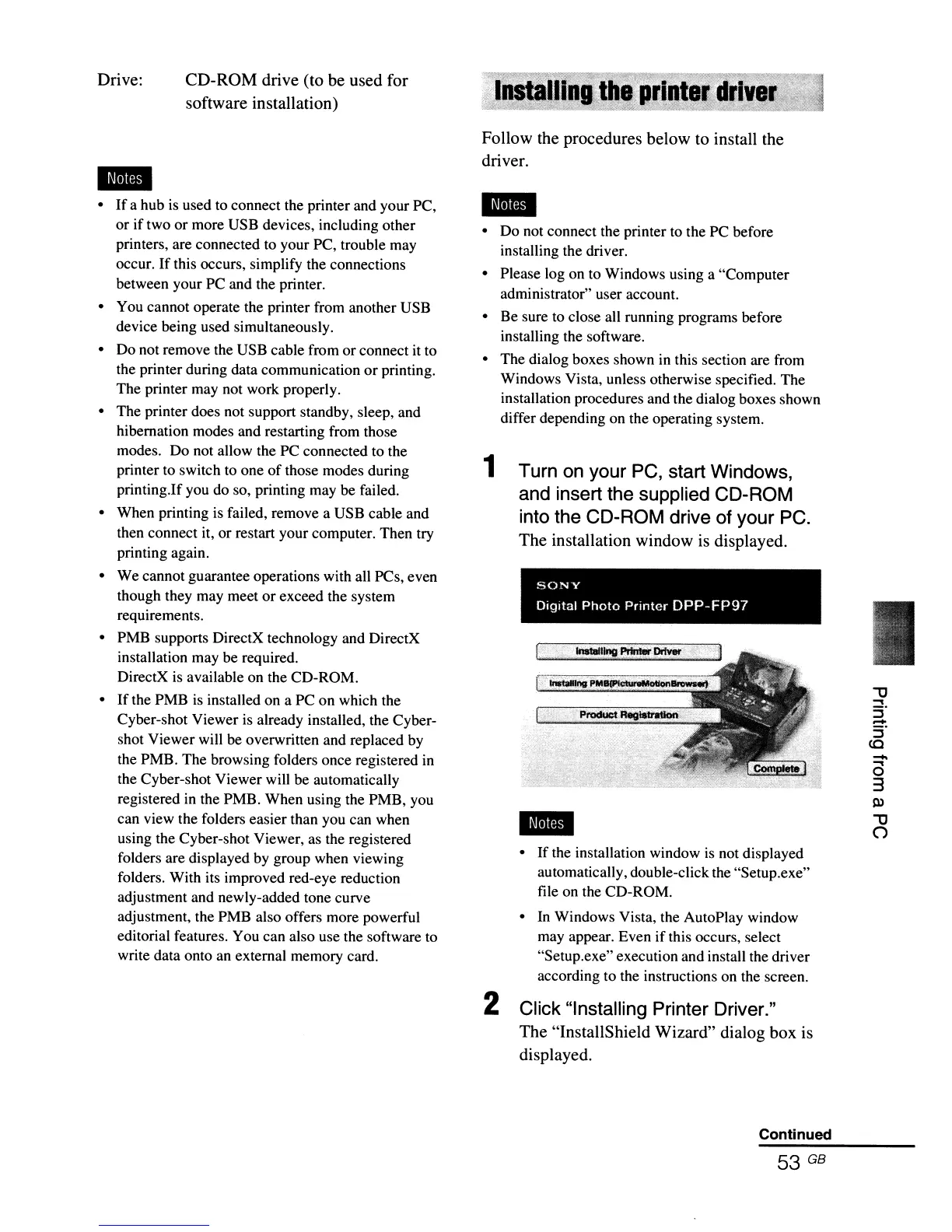
2 Click "Installing Printer Driver."
The "InstallShield Wizard" dialog box
is
displayed.
Follow the procedures below to install the
driver.
• Do not connect the printer to the PC before
installing the driver.
• Please log on to Windows using a "Computer
administrator" user account.
• Be sure to close all running programs before
installing the software.
• The dialog boxes shown
in
this section are from
Windows Vista, unless otherwise specified. The
installation procedures and the dialog boxes shown
differ depending on the operating system.
1 Turn on your PC, start Windows,
and insert the supplied CD-ROM
into the CD-ROM drive of your PC.
The installation window
is
displayed.
..
CD-ROM drive (to be used for
software installation)
•
If
a hub
is
used to connect the printer and your PC,
or if two or more USB devices, including other
printers, are connected to your PC, trouble may
occur.
If
this occurs, simplify the connections
between your PC and the printer.
• You cannot operate the printer from another USB
device being used simultaneously.
• Do not remove the USB cable from or connect it to
the printer during data communication
or
printing.
The printer may not work properly.
• The printer does not support standby, sleep, and
hibernation modes and restarting from those
modes. Do not allow the PC connected to the
printer to switch to one
of
those modes during
printing.If you do so, printing may be failed.
• When printing
is
failed, remove a USB cable and
then connect it, or restart your computer. Then try
printing again.
• We cannot guarantee operations with all PCs, even
though they may meet or exceed the system
requirements.
• PMB supports DirectX technology and DirectX
installation may be required.
DirectX
is
available on the CD-ROM.
•
If
the PMB
is
installed on a PC on which the
Cyber-shot Viewer
is
already installed, the Cyber-
shot Viewer will be overwritten and replaced
by
the PMB. The browsing folders once registered
in
the Cyber-shot Viewer will be automatically
registered
in
the PMB. When using the PMB, you
can view the folders easier than you can when
using the Cyber-shot Viewer, as the registered
folders are displayed by group when viewing
folders. With its improved red-eye reduction
adjustment and newly-added tone curve
adjustment, the PMB also offers more powerful
editorial features. You can also use the software to
write data onto an external memory card.
Drive:
..
Continued
53 GB



 To Next Page