Printing
from
a
PC
Printing
from
a
PC
Installing
the
software
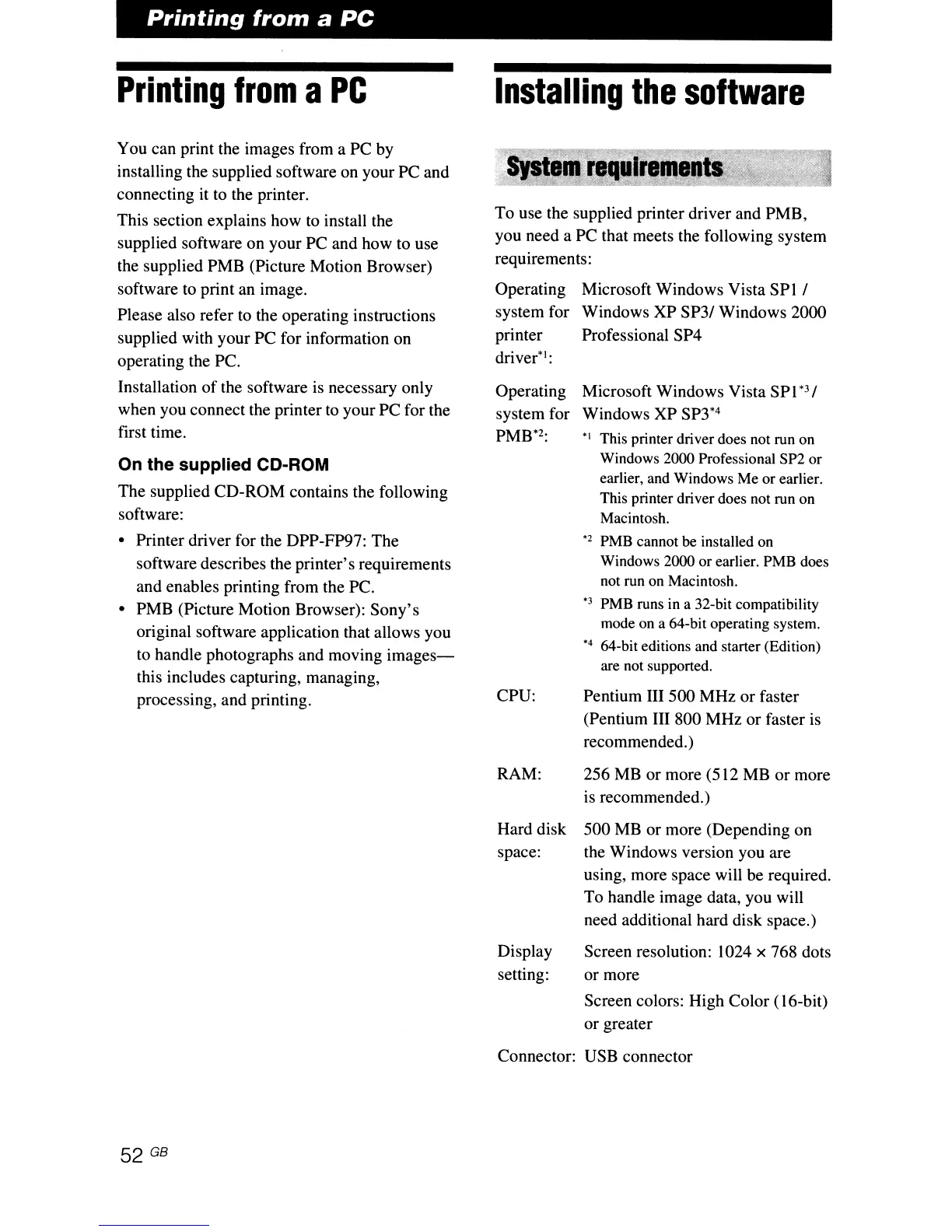
To use the supplied printer driver and PMB,
you need a PC that meets the following system
requirements:
You can print the images from a PC by
installing the supplied software on your PC and
connecting it to the printer.
This section explains how
to
install the
supplied software on your PC and how to use
the supplied PMB (Picture Motion Browser)
software to print an image.
Please also refer to the operating instructions
supplied with your PC for information on
operating the
Pc.
Installation
of
the software is necessary only
when you connect the printer
to
your PC for the
first time.
On the supplied CD-ROM
The supplied CD-ROM contains the following
software:
• Printer driver for the DPP-FP97: The
software describes the printer's requirements
and enables printing from the PC.
• PMB (Picture Motion Browser): Sony's
original software application that allows you
to handle photographs and moving
images-
this includes capturing, managing,
processing, and printing.
Operating
system for
printer
driver'l:
Operating
system for
PMB*2:
CPU:
Microsoft Windows Vista
SPI
I
Windows XP
SP31
Windows 2000
Professional SP4
Microsoft Windows Vista SP
1*3
I
Windows XP
SP3*4
"I
This printer driver does not run on
Windows 2000 Professional SP2 or
earlier, and Windows Me or earlier.
This printer driver does not run on
Macintosh.
"2
PMB cannot
be
installed on
Windows 2000
or
earlier. PMB does
not run on Macintosh.
"3 PMB runs in a 32-bit compatibility
mode on a 64-bit operating system.
"4
64-bit editions and starter (Edition)
are not supported.
Pentium III 500 MHz or faster
(Pentium III 800 MHz or faster
is
recommended.)
52 GB
RAM: 256 MB or more (512 MB or more
is recommended.)
Hard disk 500 MB or more (Depending on
space: the Windows version you are
using, more space will be required.
To handle image data, you will
need additional hard disk space.)
Display Screen resolution: 1024 x 768 dots
setting: or more
Screen colors: High Color (16-bit)
or greater
Connector: USB connector



 To Next Page