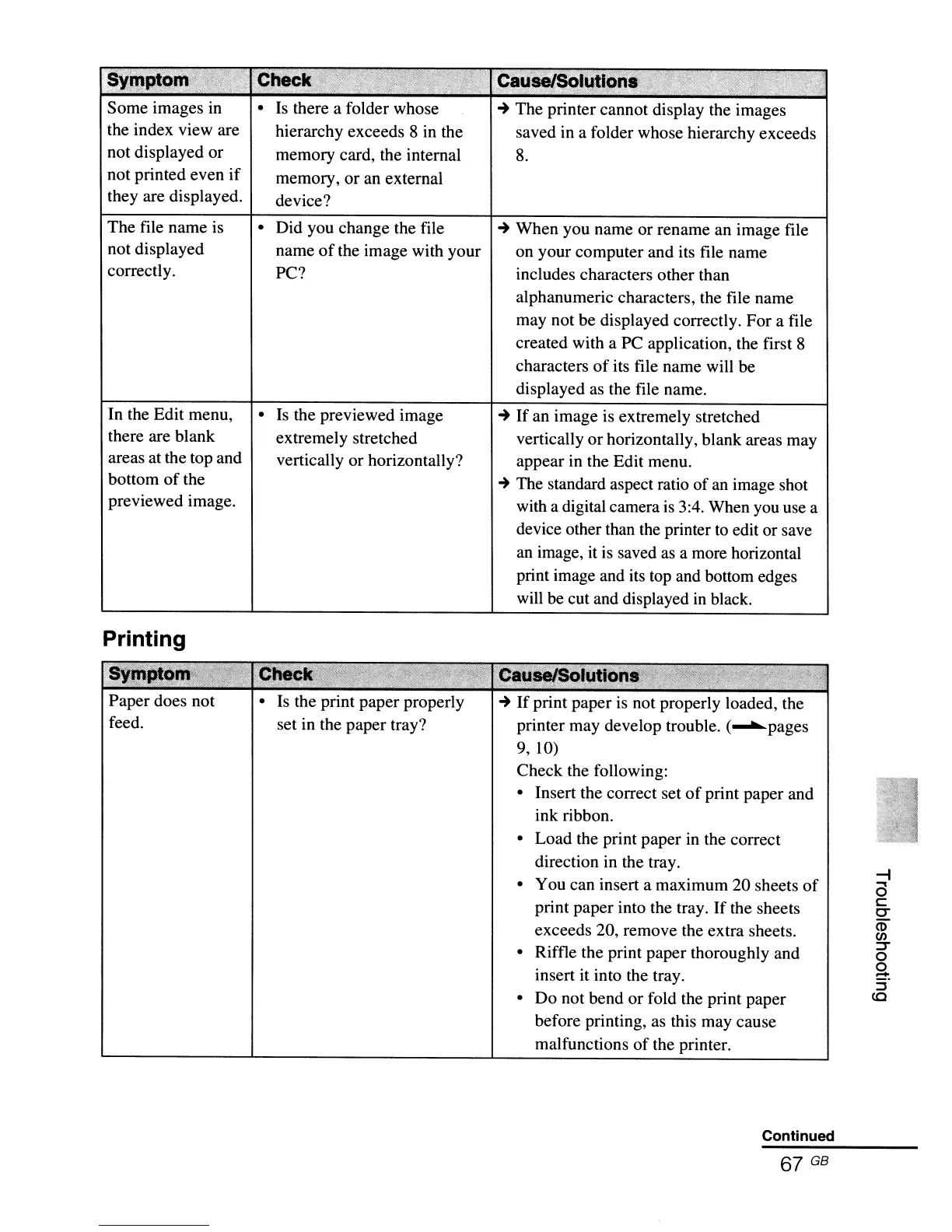
Some images in
the index view are
not displayed or
not printed even
if
they are displayed.
The file name is
not displayed
correctly.
In the Edit menu,
there are blank
areas at the top and
bottom
of
the
previewed image.
•
Is
there a folder whose
hierarchy exceeds 8 in the
memory card, the internal
memory, or an external
device?
• Did you change the file
name
of
the image with your
PC?
•
Is
the previewed image
extremely stretched
vertically or horizontally?
~
The printer cannot display the images
saved in a folder whose hierarchy exceeds
8.
~
When you name or rename an image file
on your computer and its file name
includes characters other than
alphanumeric characters, the file name
may not be displayed correctly. For a file
created with a PC application, the first 8
characters
of
its file name will be
displayed as the file name.
~
If an image
is
extremely stretched
vertically
or
horizontally, blank areas may
appear in the Edit menu.
~
The standard aspect ratio
of
an
image shot
with a digital camera
is
3:4. When you use a
device other than the printer
to
edit or save
an
image,
it
is
saved
as
a more horizontal
print image and its top and bottom edges
will be cut and displayed
in
black.
Paper does not
feed.
•
Is
the print paper properly
set in the paper tray?
~
If
print paper
is
not properly loaded, the
printer may develop trouble. (.......pages
9, 10)
Check the following:
• Insert the correct set
of
print paper and
ink ribbon.
• Load the print paper in the correct
direction in the tray.
• You can insert a maximum 20 sheets
of
print paper into the tray.
If
the sheets
exceeds 20, remove the extra sheets.
• Riffle the print paper thoroughly and
insert it into the tray.
• Do not bend or fold the print paper
before printing,
as
this may cause
malfunctions
of
the printer.
Continued
67 GB
-i
a
c
e-
m
en
::T
o
g.
:r
to



 To Next Page