Using the Printer Driver
12
Windows Me
4
Click the [OK] button.
When the removal procedure finishes, the
following dialog box opens.
Note
If another printer is using the Sony USB driver, the
following dialog box appears.
Click the [OK] button. This stops the removal
procedure.
5
Click the [OK] button.
The computer restarts.
The Sony USB driver removal is complete.
Using the Printer Driver
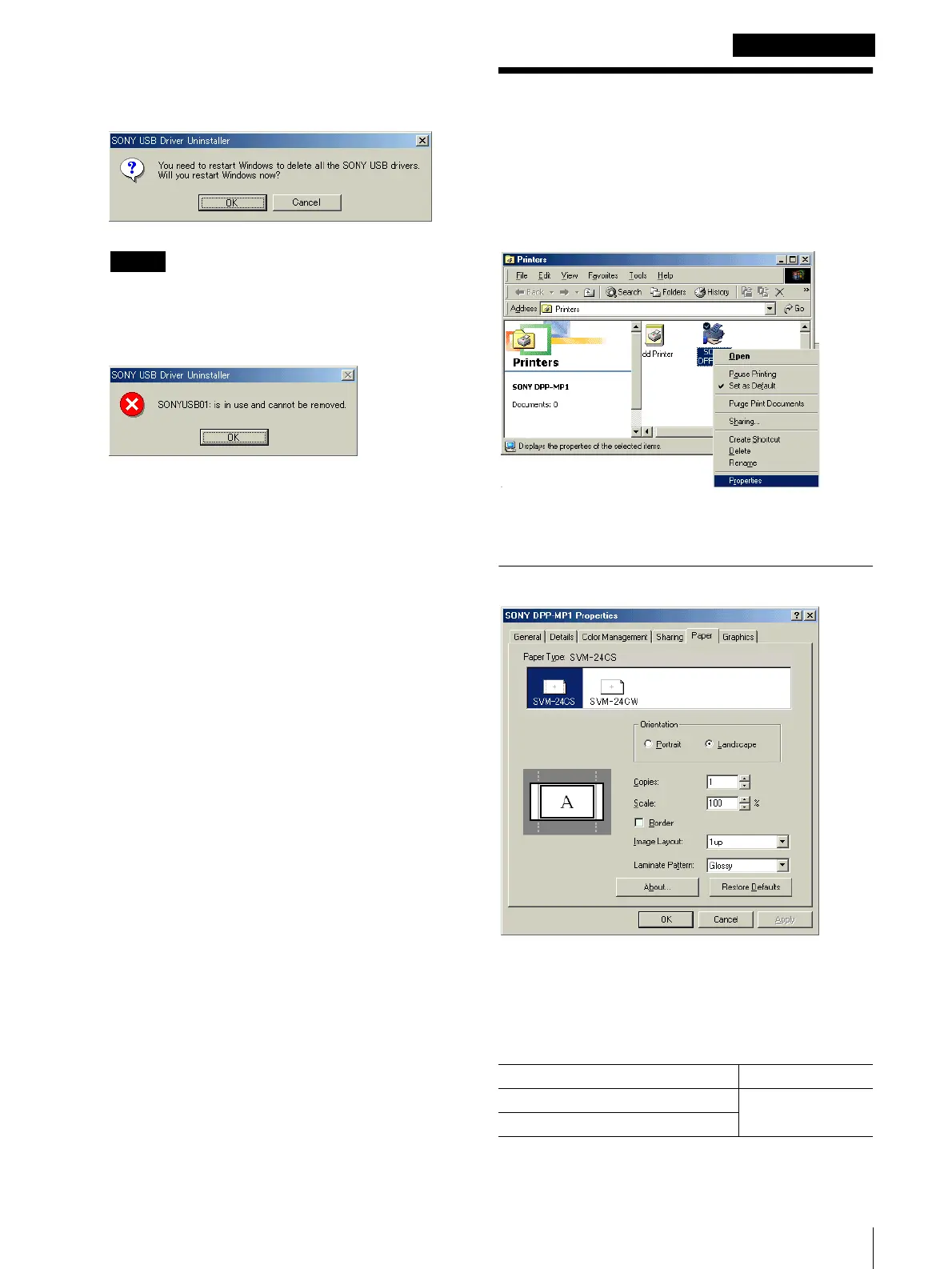
You can use the printer's [Properties] sheet to set the
default settings for the paper size, orientation, and other
important settings.
Double-click the [My Computer] icon, double-click
[Printers], right-click the [Sony DPP-MP1] icon, and
then click [Properties].
The [SONY DPP-MP1 Properties] sheet opens and
presents the following tabs and items for setting.
[Paper] Tab
[Paper Type]
Select the type of paper loaded for printing. Types of
printer packs that can be loaded and maximum image
size settings are as follows,
Print Pack Max. Image Size
SVM-24CS 1010 × 628 pixels
SVM-24CW


 To Next Page
 Loading...







